Preview a new haircut before you book the salon
Six haircuts on your own face, before anyone picks up the scissors.
Published . Updated . Steps as of October 2026.
How can I see what a new haircut would look like on me?
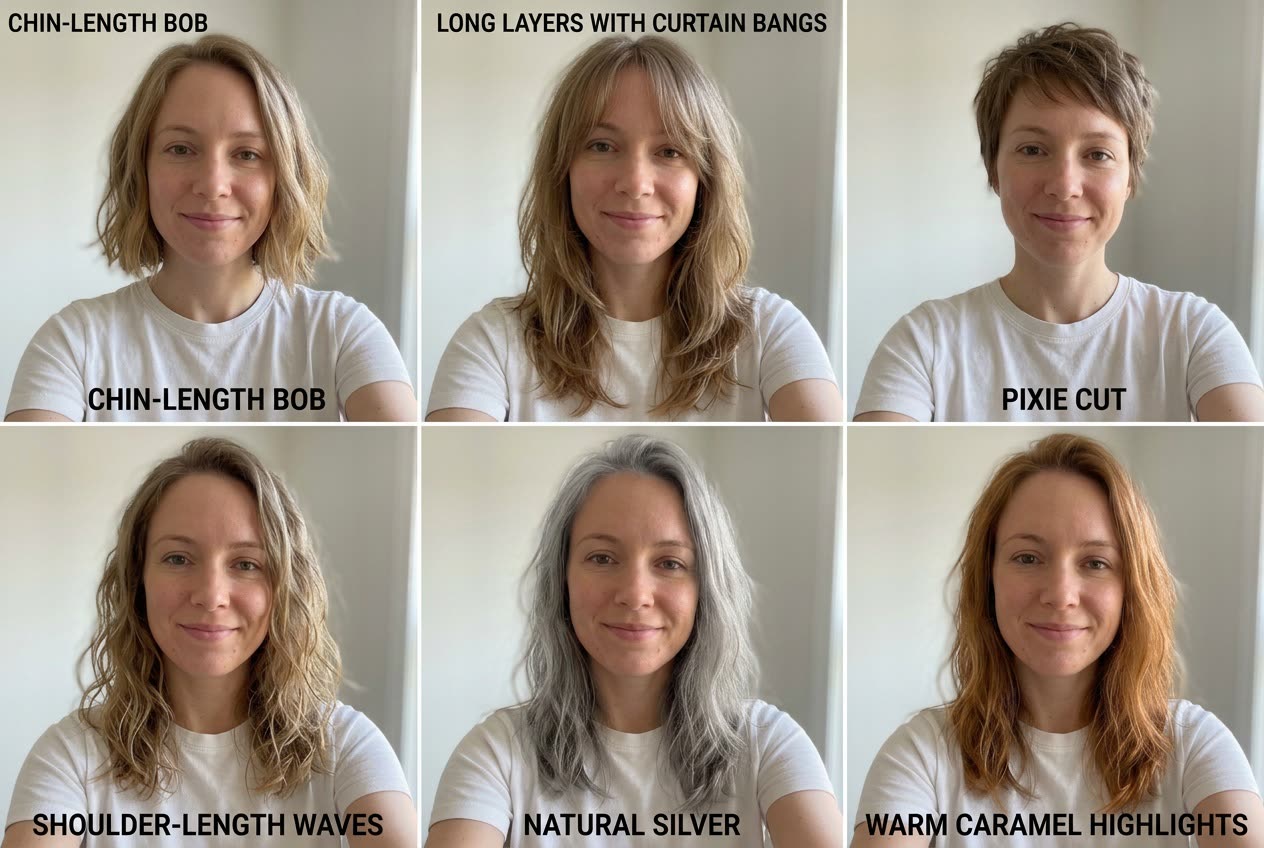
Upload a front-facing selfie with your hair away from your face to Gemini or ChatGPT. List six styles or colors you're curious about. You get six realistic portraits in one grid, each labeled, with everything else the same. If you're unsure, try a mix of short and long styles. Show your favorite to your stylist before you book.
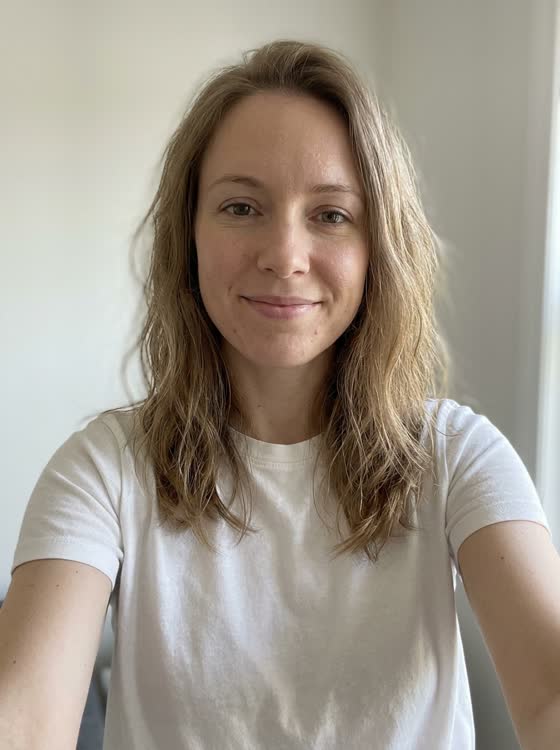 Before
A real example. The small "before" photo is a sample we made with AI, and the result came from running this exact prompt on it in Google Gemini's image tool. Sample details used: Style 1: chin-length bob; Style 2: long layers with curtain bangs; Style 3: pixie cut; Style 4: shoulder-length waves; Style 5: natural silver, same length; Style 6: warm caramel highlights; Hair type: fine and slightly wavy.
Your image prompt
Attach a clear photo first, then paste the prompt with it.
Fill in your details. Skip any you like.
Each button copies your prompt and opens a new chat that makes images. Just paste it in.
The prompt that gets copied
Using my uploaded selfie, create a 2x3 grid showing me with six different hairstyles. Keep my face, skin tone, expression, makeup, clothing, and background exactly the same in every tile. Change only the hair. The six styles: [STYLE 1, e.g. chin-length bob], [STYLE 2, e.g. long layers with curtain bangs], [STYLE 3, e.g. pixie cut], [STYLE 4, e.g. shoulder-length waves], [STYLE 5, e.g. natural silver, same length], and [STYLE 6, e.g. warm caramel highlights]. Make each style look natural for my hair texture, which is [HAIR TYPE, e.g. fine and slightly wavy]. Label each tile with the style name in small, clean text. Photorealistic, salon-quality lighting.
Upload a selfie and see yourself with six different hairstyles or colors side by side, so you can walk into the salon with a picture that's actually you.
Step by step
- Upload a front-facing selfie with your hair away from your face.
- List six styles you're curious about in the prompt.
- Show your favorite to your stylist.
What you'll get
Six realistic portraits of you in one grid, each with a different labeled haircut or color, everything else identical.
- Made for
- Everyone
- Works in
- Gemini, ChatGPT