Understand your profit and loss and see where money's leaking
It explains each big change, like supplies up 30 percent, in one plain sentence and says whether to worry.
Published . Updated . Steps as of October 2026.
How do I understand my profit and loss statement?
Export this month's and last month's profit and loss reports from your accounting software. Paste or attach both in ChatGPT, Claude or Gemini with the prompt. You'll get a plain-English read on what changed, the three biggest money leaks and questions for your bookkeeper. Each big change gets one sentence and whether to worry. If you're short on time, read the leaks first. Then take the questions to your bookkeeper or accountant.
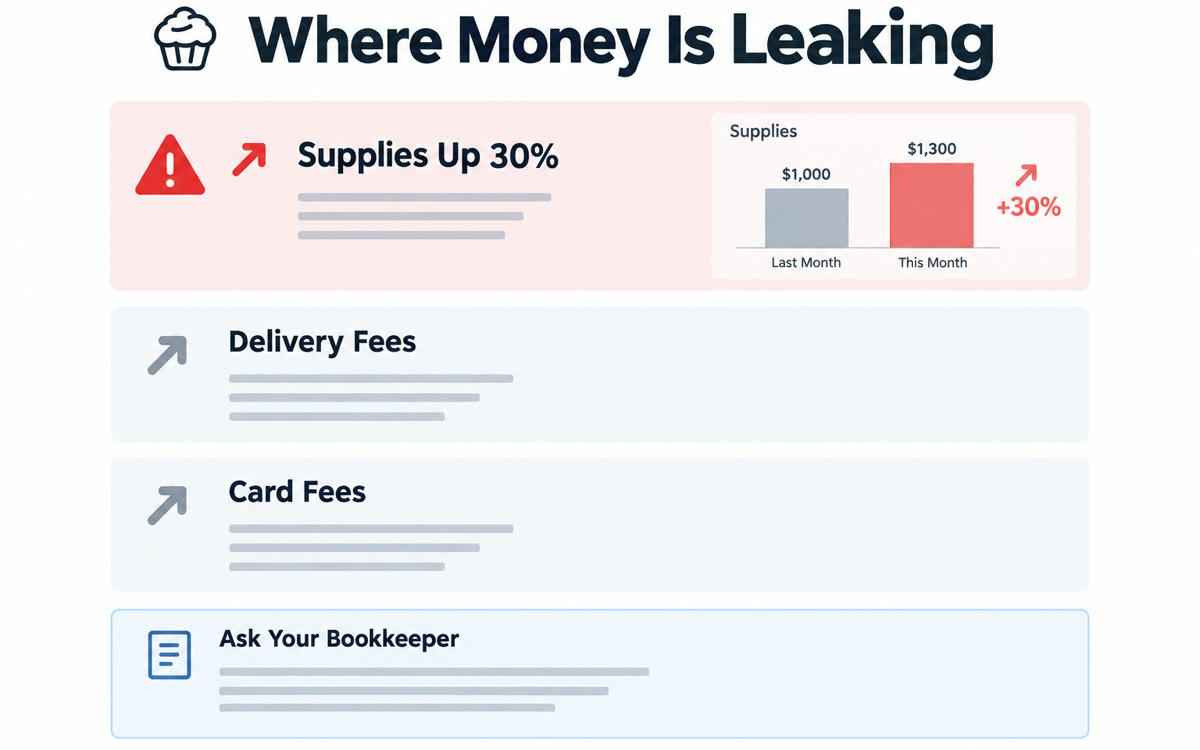
A sample of what you get back, made with AI.
Your prompt
Fill in your details. Skip any you like.
ChatGPT and Claude open with your prompt already typed in. Gemini can't be filled in from a link, so its button copies your prompt: paste it into the new chat.
The prompt that gets copied
Here are my profit and loss reports for [TWO PERIODS, e.g. September and August] for [YOUR BUSINESS, e.g. a small gym]:
[PASTE OR ATTACH REPORTS]

I'm not an accountant, so use plain words. Please:
1. Explain in five sentences how the business did and what changed
2. Show every line that moved by more than [CHANGE THRESHOLD, e.g. 10% or $500], with a likely reason and whether it's worth worrying about
3. Point out the three biggest places money is leaking, with one practical idea for each
4. List the questions I should ask my bookkeeper or accountant
5. Flag anything that looks like a mistake or a one-off

Don't give tax advice. Stick to explaining the numbers and what I might look into.
Paste this month's and last month's profit and loss reports. You get a plain-English read on what changed, the three biggest money leaks and questions to ask your bookkeeper.
Step by step
- Export this month's and last month's P&L from your accounting software.
- Paste or attach both and fill in the prompt.
- Read the big changes and the leaks first.
- Take the questions to your bookkeeper or accountant.
What you'll get
A plain-English summary of what changed, the biggest leaks with ideas, and questions for your bookkeeper.
It explains your numbers. It's not tax or accounting advice.
- Made for
- Small business owners, Consultants
- Works in
- ChatGPT, Claude, Gemini