Pick the photo your audience is most likely to click
It judges each photo against your audience and message, not just which one looks prettiest.
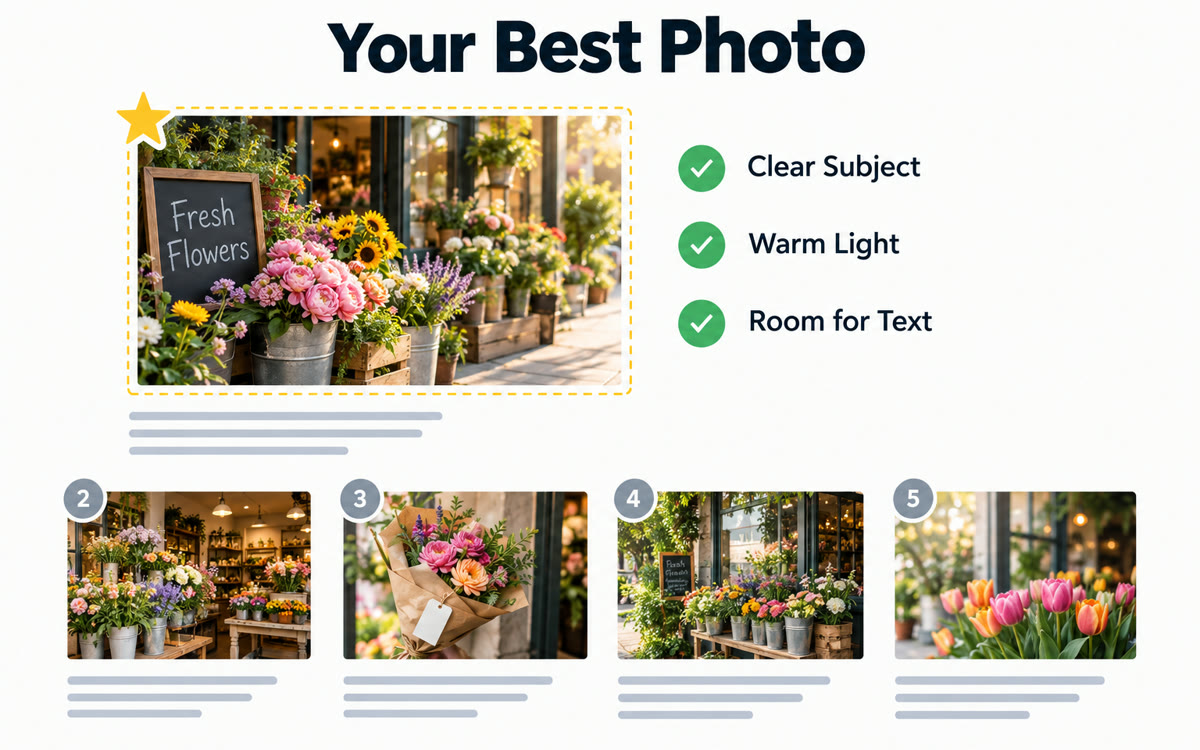
A sample of what you get back, made with AI.
Your prompt
Attach a clear photo first, then paste the prompt with it.
Fill in your details. Skip any you like.
ChatGPT and Claude open with your prompt already typed in. Gemini can't be filled in from a link, so its button copies your prompt: paste it into the new chat.
The prompt that gets copied
I've uploaded [NUMBER OF PHOTOS, e.g. four] photos. I'm choosing one for [WHERE IT GOES, e.g. my podcast episode thumbnail]. My audience is [YOUR IDEAL CLIENT, e.g. busy moms starting a business] and the message is [THE MESSAGE, e.g. you can do this in 20 minutes a day]. Imagine you're someone in that audience scrolling quickly. Rank the photos from most to least likely to make them stop and trust the message. For each one, explain what works and what doesn't: expression, eye contact, lighting, clutter, color and how it'll look small on a phone. Then tell me how to crop the winner and where text would fit without covering anything important.
Upload three to five photo options for a post, thumbnail or web page, tell AI who your audience is, and get a ranked pick with reasons and a suggested crop.
Step by step
- Choose three to five photos you're torn between.
- Upload them to ChatGPT, Claude or Gemini with the prompt.
- Use its pick, or ask it to compare the top two side by side.
What you'll get
Your photos ranked with clear reasons, plus crop and text placement advice for the winner.
- Made for
- Creators, Coaches, Consultants, Small business owners
- Works in
- ChatGPT, Claude, Gemini



 Before