Explain tricky concepts to clients with a one-page visual
Advisors say a chart with the client's own numbers takes about 20 seconds instead of 10 minutes.
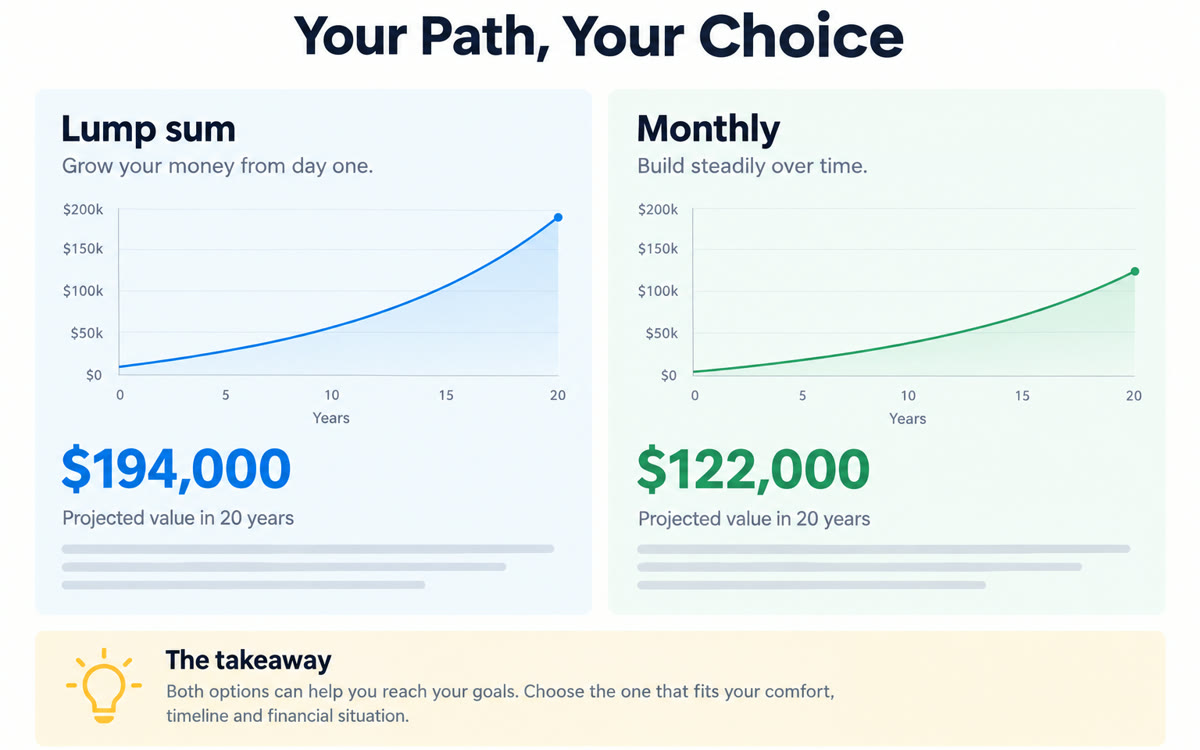
A sample of what you get back, made with AI.
Your prompt
Fill in your details. Skip any you like.
Claude and ChatGPT open with your prompt already typed in. It's copied too, just in case.
The prompt that gets copied
I need to explain [CONCEPT TO EXPLAIN, e.g. a Roth conversion] to a client who is [CLIENT TYPE, e.g. a busy retiree]. Here are their specifics, with no names or account numbers: [CLIENT SPECIFICS, e.g. ages, amounts, key dates].

Create a one-page visual explainer:
1. A clear headline that says what they get.
2. A simple diagram or chart showing how it works, using their numbers.
3. Three short bullets: what happens, what it means for them, and what they need to decide.
4. A 'what if' box showing a different scenario side by side.
5. Plain language a 12-year-old could follow. If a technical term is unavoidable, define it in parentheses.
Make it a single printable page (or one slide) I can walk through in two minutes, with a blank footer line for my disclosures. Then give me a short script for explaining it out loud.
Describe a concept and the client's numbers, with no names. You get a one-page visual with a simple chart, a what-if comparison and a two-minute talk track.
Step by step
- Describe the concept and the client's situation, without names or account numbers.
- Run the prompt and pick the clearest version.
- Add your compliance footer and walk the client through it.
What you'll get
A printable one-page visual with the client's own numbers, a what-if comparison and a two-minute talk track.
Leave out names and account numbers. Advisors: run client-facing visuals past compliance before you use them.
- Made for
- Consultants, Coaches, Small business owners
- Works in
- Claude, ChatGPT



 Before