Turn one idea into a 10-slide carousel ready to post
Carousels keep people swiping, so they stay on your post longer. This gets you a full one from a single paste.
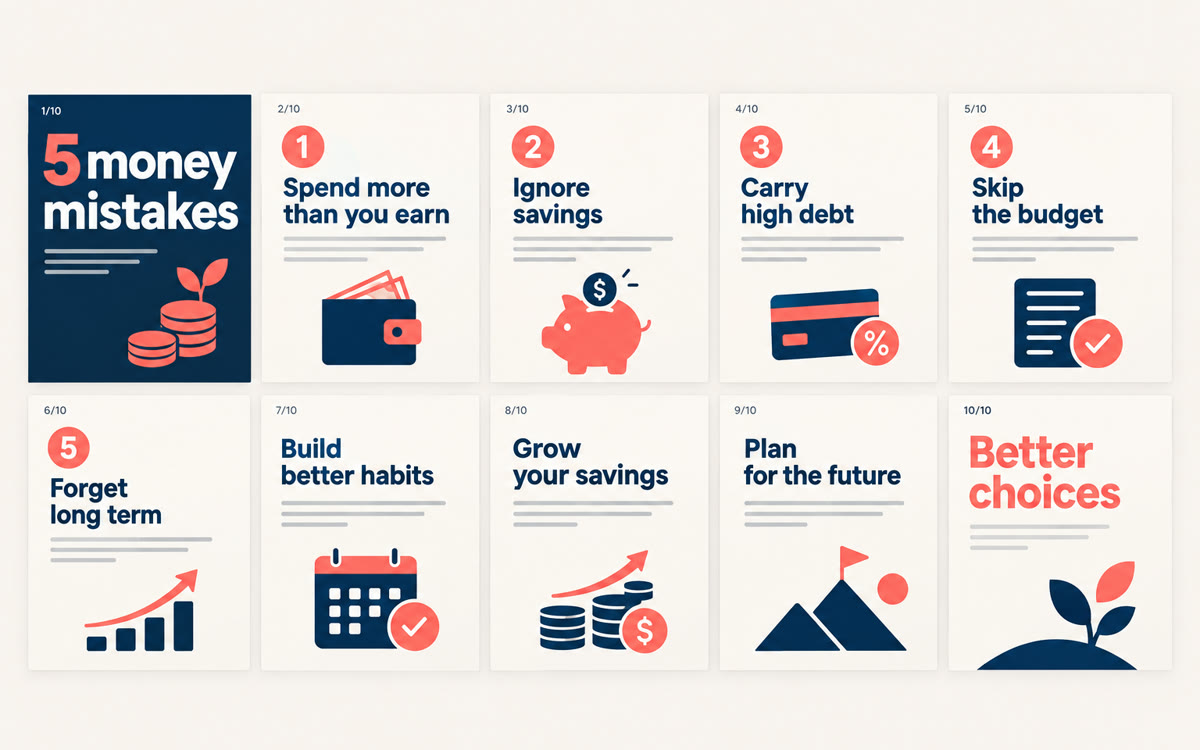
A sample of what you get back, made with AI.
Your prompt
Fill in your details. Skip any you like.
ChatGPT and Claude open with your prompt already typed in. Gemini can't be filled in from a link, so its button copies your prompt: paste it into the new chat.
The prompt that gets copied
Turn this into a 10-slide carousel for [YOUR PLATFORM, e.g. LinkedIn] aimed at [YOUR AUDIENCE, e.g. new financial advisors]:

[PASTE YOUR IDEA OR TRANSCRIPT]

Structure:
Slide 1: a hook that promises a clear benefit, under 10 words.
Slide 2: why this matters to the reader right now.
Slides 3 to 8: one idea per slide, a short headline plus 1 or 2 supporting lines.
Slide 9: a quick recap.
Slide 10: a call to action, like save, share, or comment a word.

For every slide, give me the headline, the body text (under 25 words), and a one-line visual idea.

Then write a caption under 150 words with a strong first line, plus 5 relevant hashtags. Keep it plain, friendly, and specific. No hype words.
Give AI one idea, a blog post, or a transcript, and get a swipeable 10-slide carousel: the hook, every slide, visual ideas, and the caption.
Step by step
- Paste your idea, post, or transcript with the prompt.
- Tweak the slide text until it sounds like you.
- Design the slides in your favorite app, or ask your AI to make the images.
- Post it as a PDF on LinkedIn or as an image carousel on Instagram.
What you'll get
Ten slides of copy with a visual idea for each, a scroll-stopping caption, and hashtags.
- Made for
- Coaches, Consultants, Creators, Small business owners
- Works in
- ChatGPT, Claude, Gemini


