Know which offered dates you can say yes to in one check
It reads a year of offered dates from one email and flags every clash with your family calendar.
Published . Steps as of October 2026.
Can ChatGPT check a list of dates against my calendar?
Yes. Connect Gmail and Google Calendar to ChatGPT, then ask it to read the email with the dates and check each one against your calendars. If the dates sit in an email, let it search Gmail for you. If they came another way, paste them in and it checks the calendar the same way. As of October 2026, workspace admins can limit which Google actions ChatGPT may use, so a work account may need approval first.
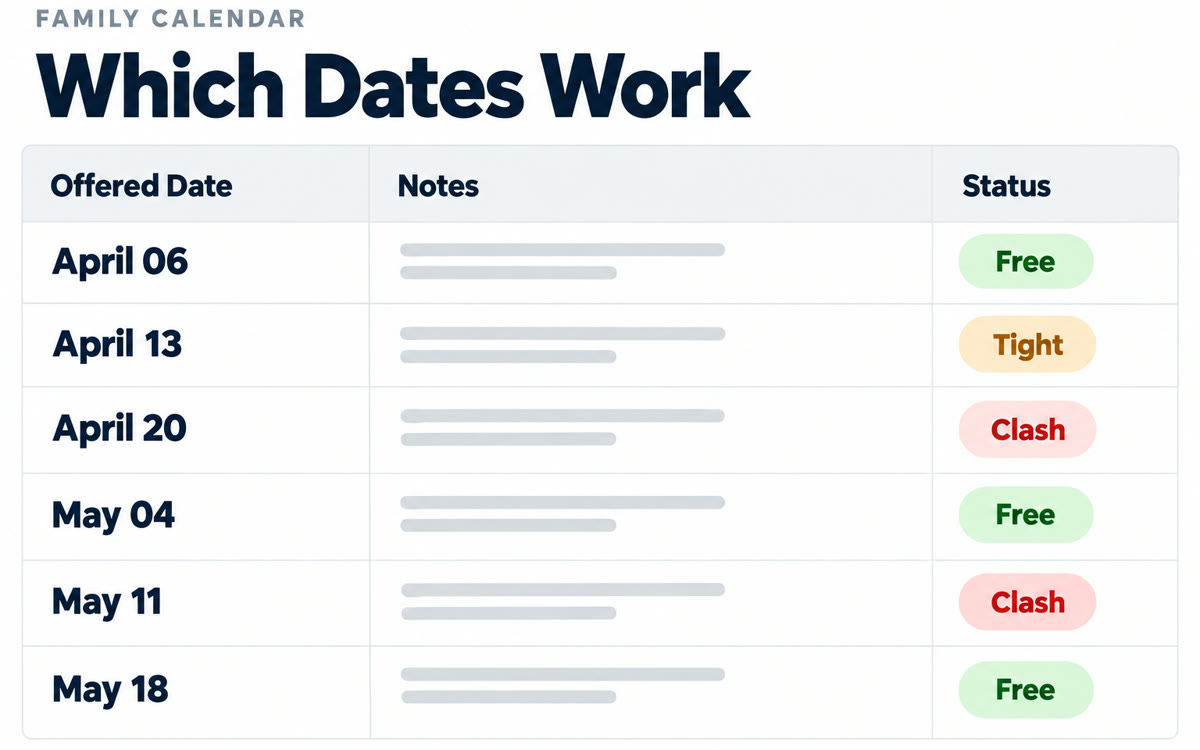
A sample of what you get back, made with AI.
Your prompt
Fill in your details. Skip any you like.
ChatGPT opens with your prompt already typed in. It's copied too, just in case.
The prompt that gets copied
Find the email from [SENDER OR SUBJECT, e.g. the events team about spring dates] in my Gmail. List every date or date range it offers. Then check each one against my Google Calendar, including [OTHER CALENDARS, e.g. our shared family calendar]. For each date, tell me: free, tight (something else that day but it could work), or clash, and name what it clashes with. Count travel time of [TRAVEL TIME, e.g. half a day each way] before and after any date that needs it. Show the result as a table with columns Date, What's already on, and Verdict. Then draft a short, friendly reply to the sender accepting the free dates and politely passing on the clashes. Don't send anything or change my calendar.
Connect Gmail and Google Calendar to ChatGPT, point it at an email full of dates, and get back which ones are free and which clash with family or work.
Step by step
- Connect Gmail and Google Calendar in ChatGPT's apps settings.
- Find the email with the dates, or describe it so ChatGPT can search for it.
- Paste the prompt with the email and calendars filled in.
- Reply to the sender with the dates marked free.
What you'll get
A table of every offered date marked free, tight or clash, plus a ready reply you can send yourself.
Needs the Gmail and Google Calendar apps connected in ChatGPT. Workspace admins can limit Google access.
- Made for
- Consultants, Coaches, Everyone
- Works in
- ChatGPT, Gmail


