Make a polished one-page offer sheet just by describing it
You describe your offer in plain words, and a designed page appears right next to the chat.
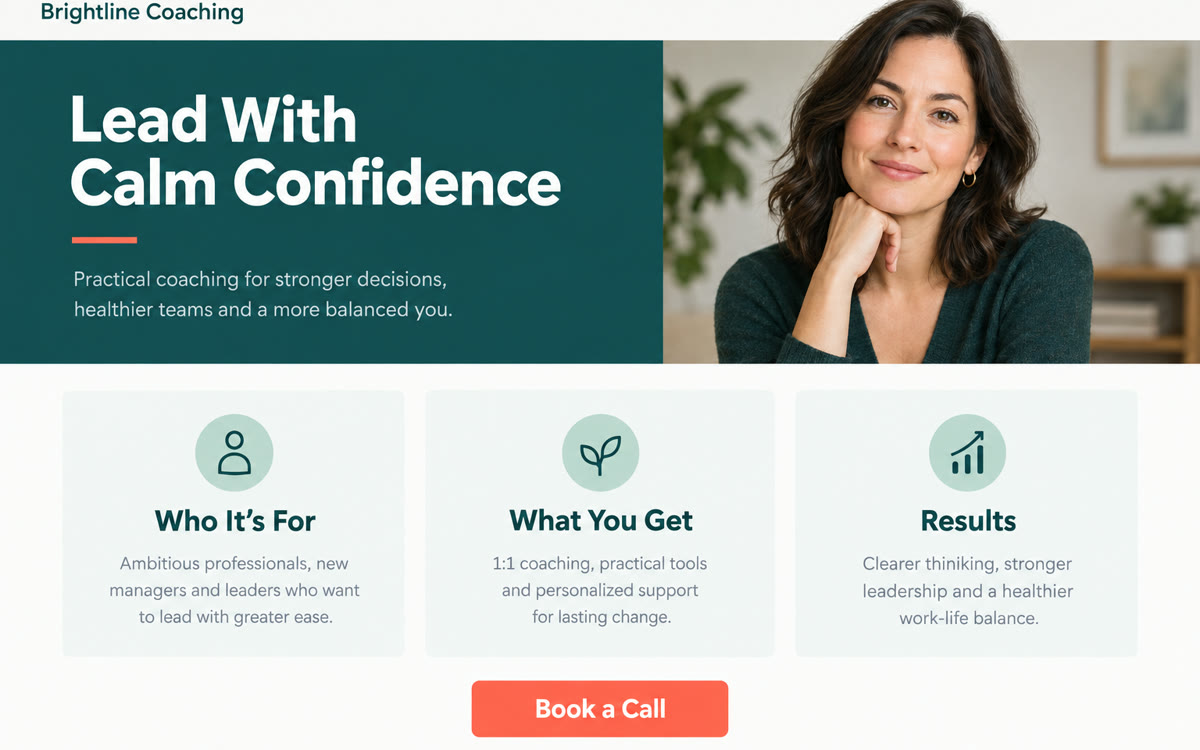
A sample of what you get back, made with AI.
Your prompt
Fill in your details. Skip any you like.
Claude opens with your prompt already typed in. It's copied too, just in case.
The prompt that gets copied
Design a one-page offer sheet for my [SERVICE NAME]. It's for [YOUR IDEAL CLIENT] who want [MAIN RESULT]. Include a benefit-led headline, a two-sentence description of the problem I solve, 3 to 4 outcomes clients get, how it works in 3 simple steps, this short testimonial: [PASTE TESTIMONIAL], what's included, and a clear call to action to [CALL TO ACTION, e.g. book a free call]. Use my brand colors [BRAND COLORS, e.g. navy and warm gold] and a clean, trustworthy style with plenty of white space and large, readable text. Make it look good printed on letter paper and as a PDF attachment. After the first version, suggest 3 improvements before I ask.
Use Claude Design to create a professional one-pager for your service by talking to Claude, then refine it with plain-English comments until it looks like you hired a designer.
Step by step
- Open Claude Design at claude.ai/design (paid Claude plans, in research preview).
- Add your logo and brand colors if you have them.
- Paste the prompt with your offer details.
- Refine it with comments, then export it as a PDF.
What you'll get
A designed, on-brand one-page sheet you can export as a PDF to email prospects or print for events.
Needs a paid Claude plan (Pro, Max, Team or Enterprise). Claude Design is a research preview.
- Made for
- Coaches, Consultants, Small business owners
- Works in
- Claude



 Before