Turn your notes into a client-ready slide deck you can edit
You fix slides just by telling it what to change, then download a real PowerPoint file.
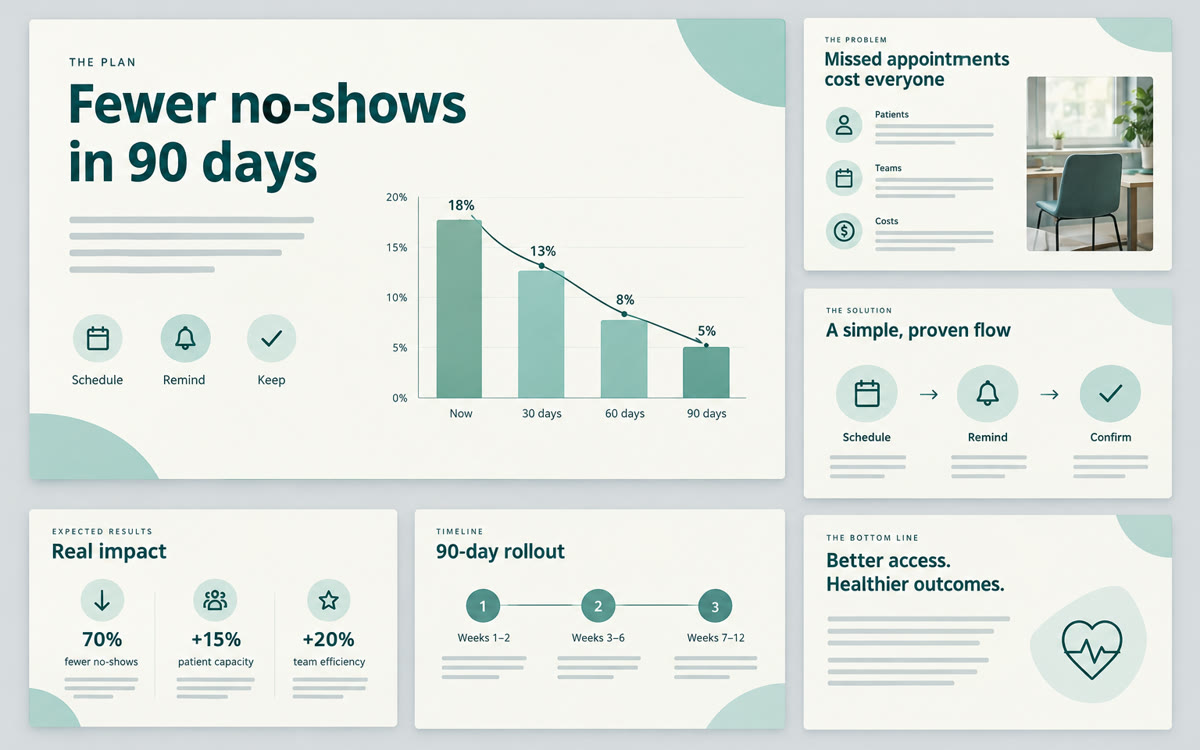
A sample of what you get back, made with AI.
Your prompt
Fill in your details. Skip any you like.
This AI can't be filled in from a link, so the button copies your prompt: paste it into the new chat.
The prompt that gets copied
Create a slide deck of [NUMBER OF SLIDES, e.g. 10] slides for [YOUR AUDIENCE, e.g. a prospect's leadership team] about [DECK TOPIC, e.g. cutting patient no-shows]. The goal is to [YOUR GOAL, e.g. get them to agree to a pilot]. Use only my sources. Structure: a title slide, the problem in their words, why it matters now, my 3-step approach, one proof point or example, the expected results, and a clear next step. One idea per slide, no more than 25 words of text per slide, and a simple visual suggestion for each. Use a calm, professional tone.
Upload your notes, research, or a past workshop to Gemini Notebook and generate a slide deck. Tweak it by typing the changes you want, then export it to PowerPoint.
Step by step
- Create a notebook and upload your notes, PDFs, or links.
- In the creation panel on the right, choose Slide Deck and paste the prompt.
- Ask for revisions in plain English (shorter, more visual, add a slide).
- Export as PPTX and add your logo.
What you'll get
A structured slide deck built from your own material that you can revise by prompt and export to PowerPoint.
- Made for
- Coaches, Consultants, Small business owners
- Works in
- Gemini Notebook



 Before