Turn a messy phone snap into a clean white listing photo
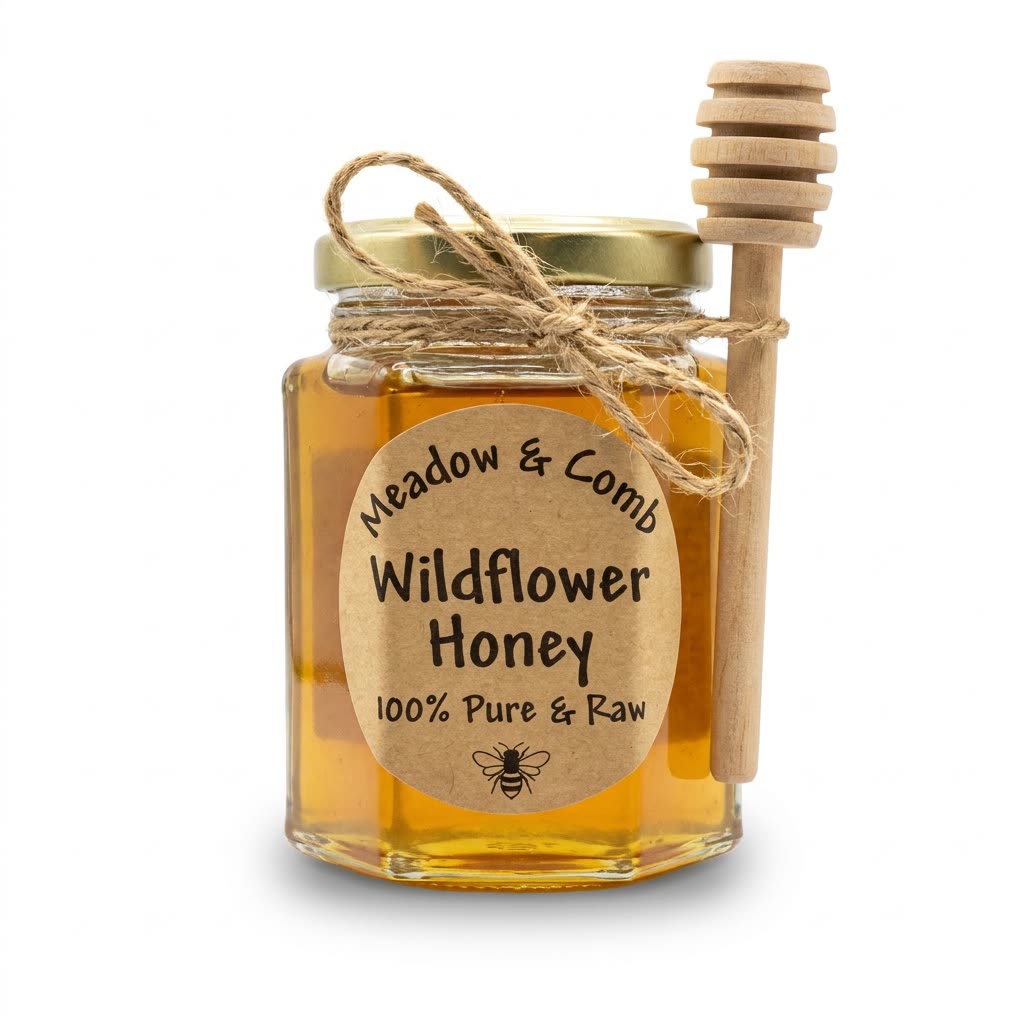
Your hand, the kitchen clutter and the bad lighting disappear, and only a crisp product shot is left.
 Before
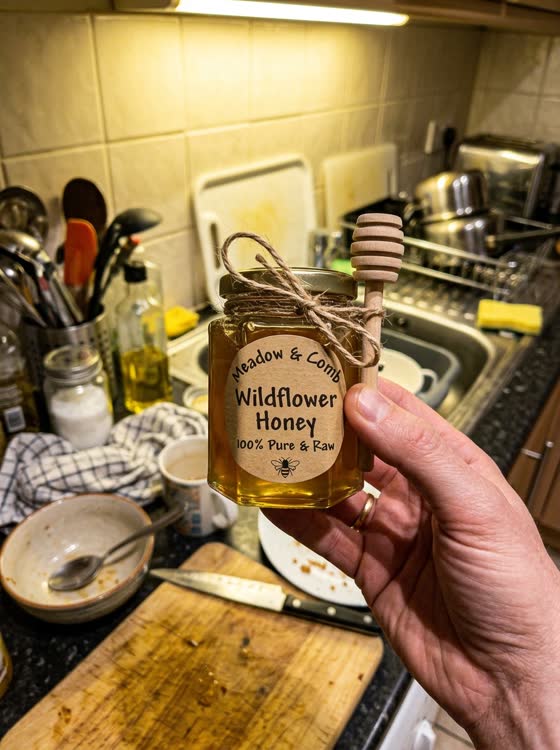
A real example. The small "before" photo is a sample we made with AI, and the result came from running this exact prompt on it in Google Gemini's image tool. Sample details used: Frame fill: 85 percent; Product description: a jar of wildflower honey with a wooden dipper.
Your image prompt
Attach a clear photo first, then paste the prompt with it.
Fill in your details. Skip any you like.
Each button copies your prompt and opens a new chat that makes images. Just paste it in.
The prompt that gets copied
Find the main product in my photo and turn it into a clean e-commerce catalog shot. Remove everything else, including hands, fingers, clutter and the old background. Place the product on a pure white background with a soft, natural shadow underneath so it doesn't float. Use bright, even lighting that shows the real texture and material. Keep the product's exact shape, color, size, label and logo, and don't add, fix or invent any details. Center it with even space around it, filling about [FRAME FILL, e.g. 85 percent] of the frame. This is a [PRODUCT DESCRIPTION, e.g. hand-poured candle in an amber jar].
Upload a quick photo of a product, even held in your hand on a cluttered counter, and get a crisp catalog shot on a pure white background, ready for marketplace listings.
Step by step
- Photograph the product in decent light, on any background.
- Upload it and paste the prompt.
- Compare it with the real product and fix any detail that changed.
What you'll get
A centered, white-background product photo that keeps your item's real look, ready for listings.
Keep it true to the real item. Marketplaces don't allow photos that change how a product looks.
- Made for
- Small business owners, Creators
- Works in
- Gemini, ChatGPT



 Before