Get a carousel that looks like one designer made every slide
Seven slides, one consistent look, and you never opened a design app.
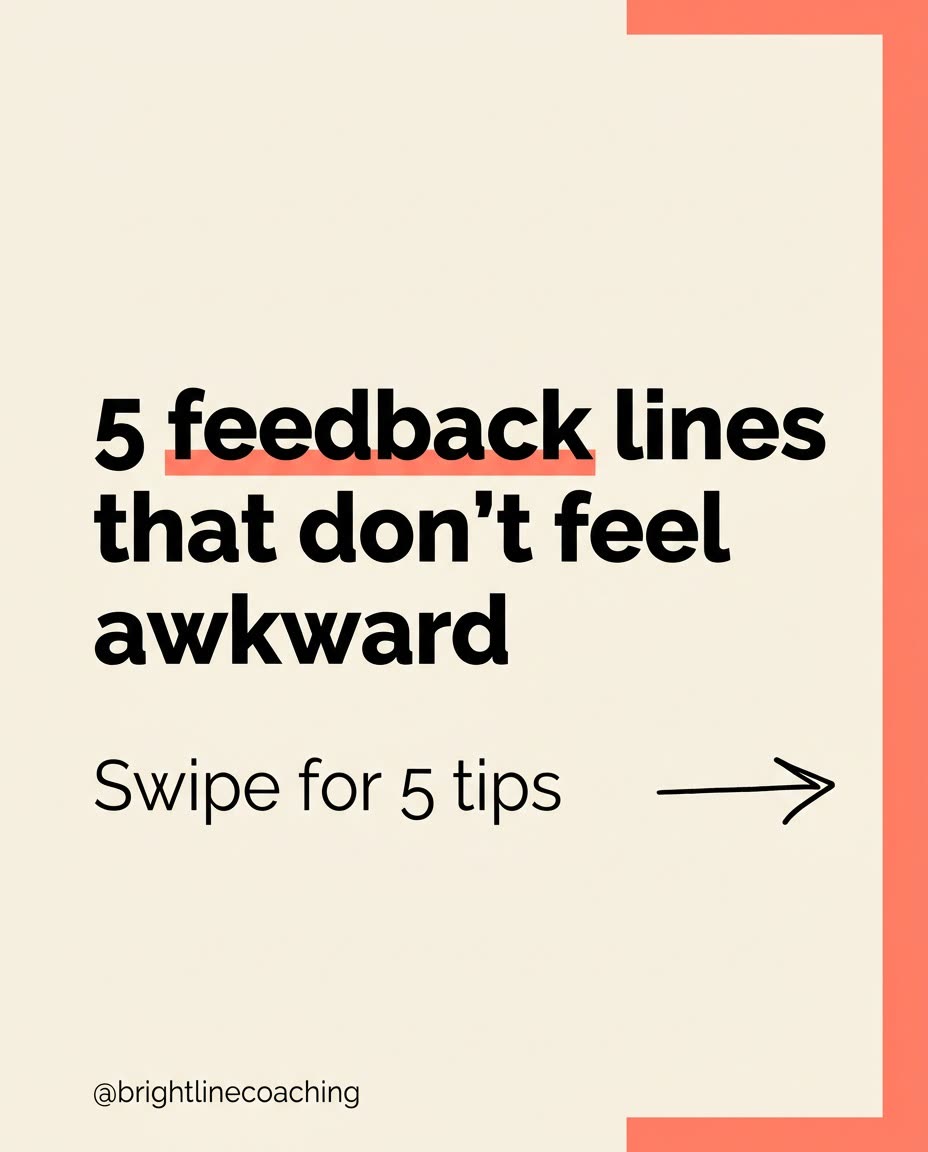
A real example, made with this exact prompt in Google Gemini's image tool, with sample details filled in. Sample details used: Your topic: how to give feedback that lands; Your audience: new managers; Hook headline: 5 feedback lines that don't feel awkward; Number of tips: 5; Background color: warm cream; Accent color: coral; Your handle: @brightlinecoaching.
Your image prompt
Fill in your details. Skip any you like.
Each button copies your prompt and opens a new chat that makes images. Just paste it in.
The prompt that gets copied
Create the cover slide of an Instagram and LinkedIn carousel about [YOUR TOPIC] for [YOUR AUDIENCE]. I'll reuse this style on every slide, so make it clean and repeatable. Headline: "[HOOK HEADLINE]". Small line underneath: "Swipe for [NUMBER OF TIPS, e.g. 5] tips". Design: a [BACKGROUND COLOR] background, [ACCENT COLOR] accents, one bold sans-serif font for headlines and a lighter one for body text, a simple hand-drawn arrow pointing right, and a small "[YOUR HANDLE]" in the bottom corner. Leave generous margins. Spell every word exactly as written. After this, I'll ask for the next slides, and you'll keep the same background, fonts, colors, margins, and handle placement on every one.
Generate a cover slide you love, then build the rest of the carousel in the same chat so every slide shares the same colors, fonts and layout.
Step by step
- Write your slide text first, one idea per slide.
- Paste the prompt to create the cover slide.
- Say "Make slide 2 in the exact same style with this text:" and paste your text.
- Repeat for each slide in the same chat.
What you'll get
A bold carousel cover in your colors, followed by matching inside slides that look like they came from one template.
- Made for
- Coaches, Consultants, Creators, Small business owners
- Works in
- ChatGPT, Gemini


