Turn your kid's drawing into a lifelike picture of it
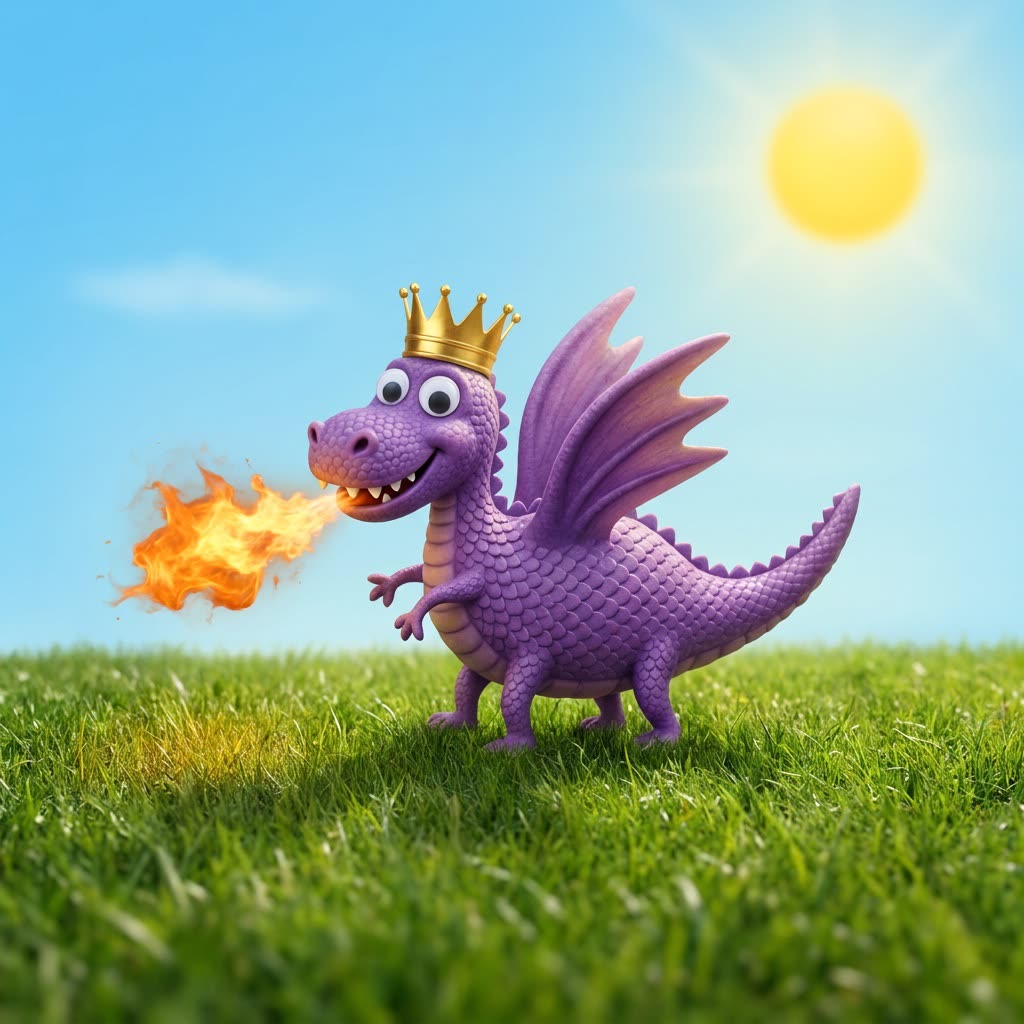
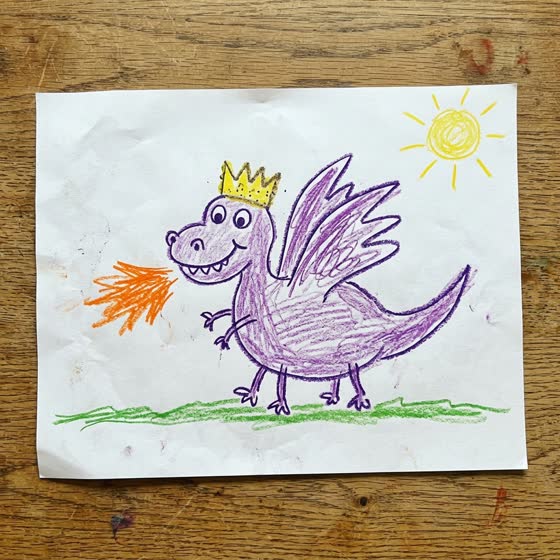
A crayon dragon with three wings and a crown comes back as a real-looking dragon with three wings and a crown.
 Before
A real example. The small "before" photo is a sample we made with AI, and the result came from running this exact prompt on it in Google Gemini's image tool. Sample details used: Child age: 6; What they drew: dragon.
Your image prompt
Attach a clear photo first, then paste the prompt with it.
Fill in your details. Skip any you like.
Each button copies your prompt and opens a new chat that makes images. Just paste it in.
The prompt that gets copied
This is a drawing by my [CHILD AGE, e.g. 6]-year-old. Create a realistic, photo-style version of what they drew, as if it were a real [WHAT THEY DREW, e.g. dragon, house or robot]. Keep every detail from the original: the same number of legs, eyes and wings, the same colors, the same accessories and the same pose, even if they look silly. Don't add anything that isn't in the drawing except a natural background that fits. Make it friendly and fun, not scary. Square format.
Photograph your child's drawing and get a realistic version of the exact creature, car or castle they drew, keeping every odd detail they'd be upset to lose.
Step by step
- Snap a flat, well-lit photo of the drawing.
- Attach it in ChatGPT or Gemini and paste the prompt.
- Ask it to add back any detail it dropped, like a hat or extra legs.
- Save the original and the new image side by side.
What you'll get
A realistic image of your child's creation that keeps their quirky details, ready to print or frame next to the original.
Free plans have lower daily image limits.
- Made for
- Everyone
- Works in
- ChatGPT, Gemini


 Before
 Before