Follow your favorite book's journeys on an interactive map
Perplexity's map of one fantasy saga plotted 537 journey legs across 179 places, chapter by chapter.
Published . Steps as of October 2026.
Can AI make a map of where characters travel in a book?
Yes. Ask Gemini Canvas or Perplexity Computer to build a clickable map of the characters' routes, and tell it the chapter you've reached so it skips spoilers. Gemini Canvas fits most readers because you start it from the Tools menu in a normal chat (as of October 2026). Perplexity Computer suits big, detailed builds but needs a paid plan. For invented worlds, the places are placed by clues and are approximate.
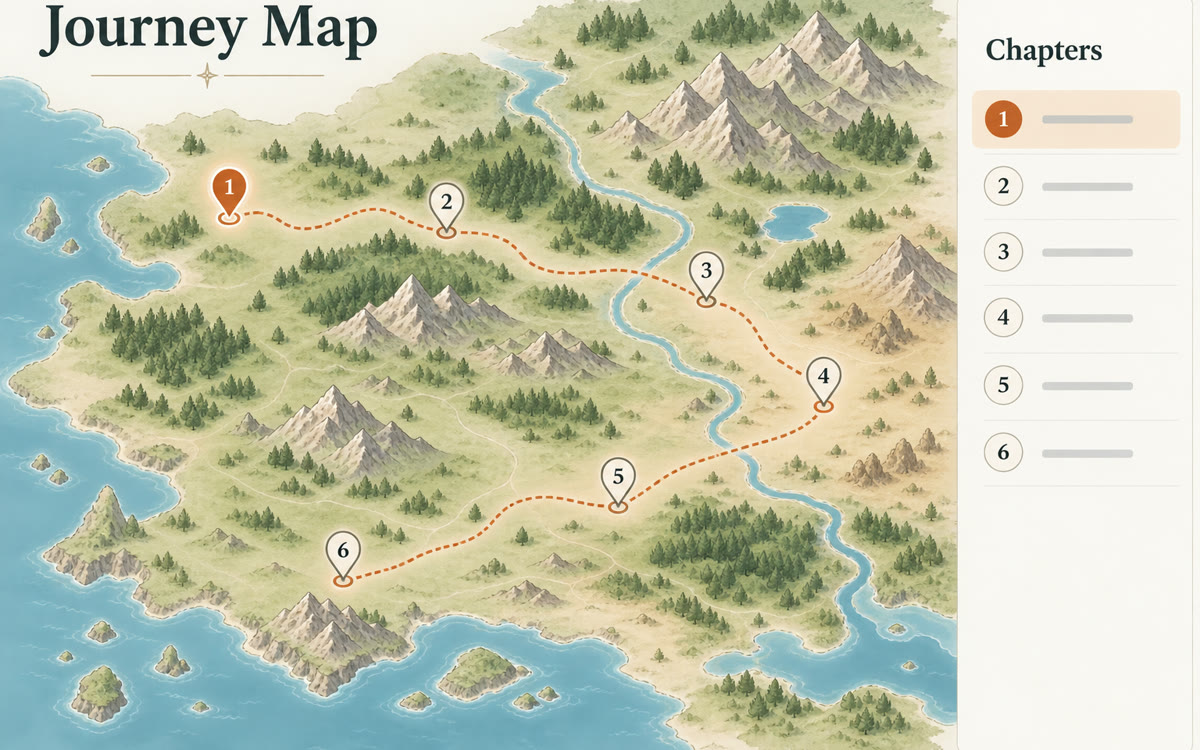
A sample of what you get back, made with AI.
Your prompt
Fill in your details. Skip any you like.
This AI can't be filled in from a link, so the button copies your prompt: paste it into the new chat.
The prompt that gets copied
Build me an interactive map for [BOOK TITLE, e.g. a long fantasy series I'm reading], showing where the main characters travel. I've read up to [CHAPTER REACHED, e.g. chapter 12], so don't include anything after that. No spoilers.

On the map:
- Mark every place the story visits, with a one-line note on what happened there.
- Draw each main character's route in its own color.
- Add a slider or buttons so I can step through chapter by chapter and watch the routes grow.
- If the book's world is invented, place things by the clues in the text and label the map as approximate.

Make it easy to use on a phone, with large tap targets and a simple legend.
Ask Gemini Canvas or Perplexity Computer to build a clickable map of where a book's characters travel, chapter by chapter, up to where you've read.
Step by step
- Open Gemini, click Tools and pick Canvas, or start a task in Perplexity Computer.
- Paste the prompt with your book and the chapter you've reached.
- Click around the map and ask for fixes if a place or route looks wrong.
- Share the link with your book club, then ask for an update after the next chapters.
What you'll get
A clickable, spoiler-free map with colored routes for each character, place notes and a chapter slider.
Perplexity Computer needs a paid plan. Places in invented worlds are approximate.
- Made for
- Everyone
- Works in
- Gemini, Perplexity



 Before