Get a home inventory list built privately on your Mac
Your receipts and photos get read on your own Mac, so nothing private is sent to the cloud.
Published . Steps as of November 2026.
How do I make a home inventory list without uploading my files?
Run Perplexity Computer in local mode on your Mac and point it at your receipts and home photos folders. As of November 2026, local tasks run fully on your Mac and don't use Computer credits, on Pro, Max and Enterprise plans. It fits best if you already keep receipts and photos as files and have an Apple silicon Mac with plenty of memory (36 GB is recommended). If your receipts are still on paper, scan them into one folder first.
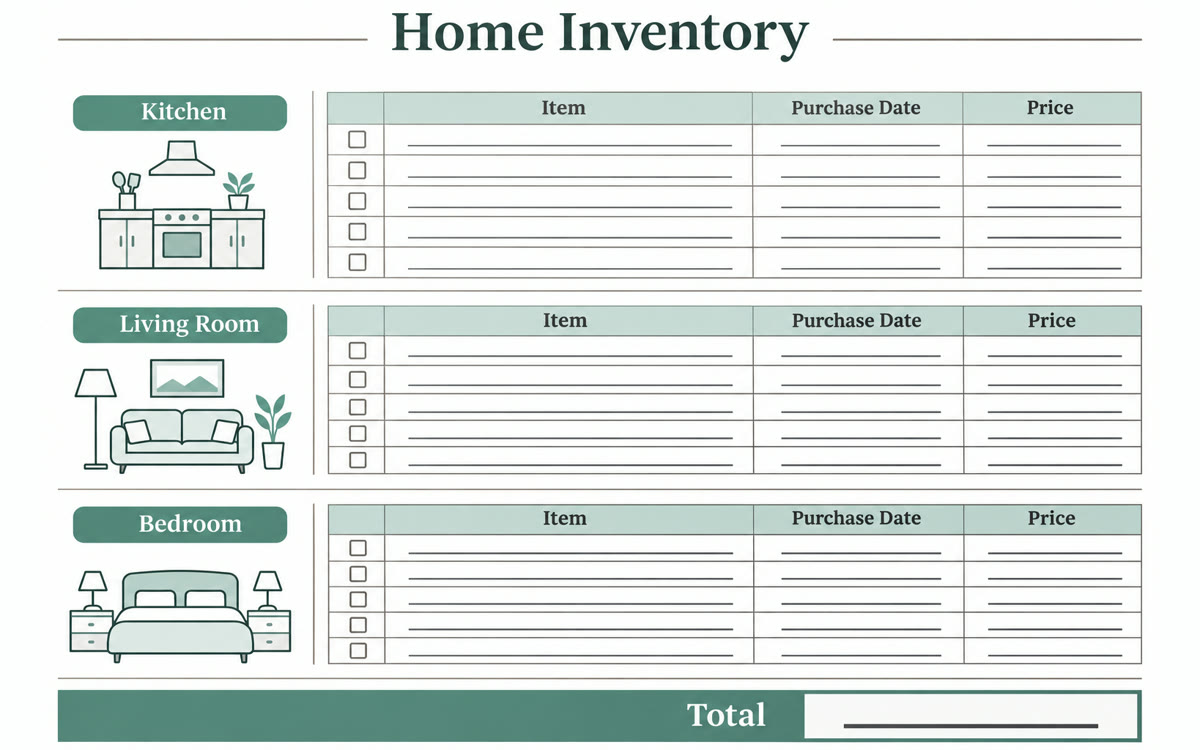
A sample of what you get back, made with AI.
Your prompt
Fill in your details. Skip any you like.
This AI can't be filled in from a link, so the button copies your prompt: paste it into the new chat.
The prompt that gets copied
Go through the files in my [FOLDERS TO CHECK, e.g. Receipts, Manuals and Home Photos] folders and build a home inventory, grouped by room. For each item, list what it is, the brand and model if shown, where I bought it, the purchase date, the price paid and the file it came from. Add a serial number column and fill it in when a receipt or photo shows one. Put anything you can't place in a room under "Unsorted". At the end, list every item worth more than [VALUE TO FLAG, e.g. 500] that has no receipt, so I know what to photograph or look up. Save the result as a spreadsheet in my [SAVE FOLDER, e.g. Documents] folder. Don't move, rename or delete any of my files.
Point Perplexity Computer, running locally, at your receipts and home photos folders. You get one room-by-room list of what you own, with dates and prices, and your files never leave your Mac.
Step by step
- Open the Perplexity Mac app and set up a local model for Computer
- Choose to run the task locally so it stays on your Mac
- Give it access to your receipts, manuals and home photos folders
- Paste the prompt below and let it build the list
- Print a copy and keep it somewhere outside the house
What you'll get
A room-by-room spreadsheet of what you own, with prices, dates and serial numbers, plus a short list of valuable items that still need a receipt or photo.
Pro, Max or Enterprise on an Apple silicon Mac, 36 GB memory recommended. Local tasks don't use Computer credits.
- Made for
- Everyone
- Works in
- Perplexity