Share your best guide in a new language with a matching podcast
Canva keeps your layout and swaps in the translated words, so you don't rebuild a single page.
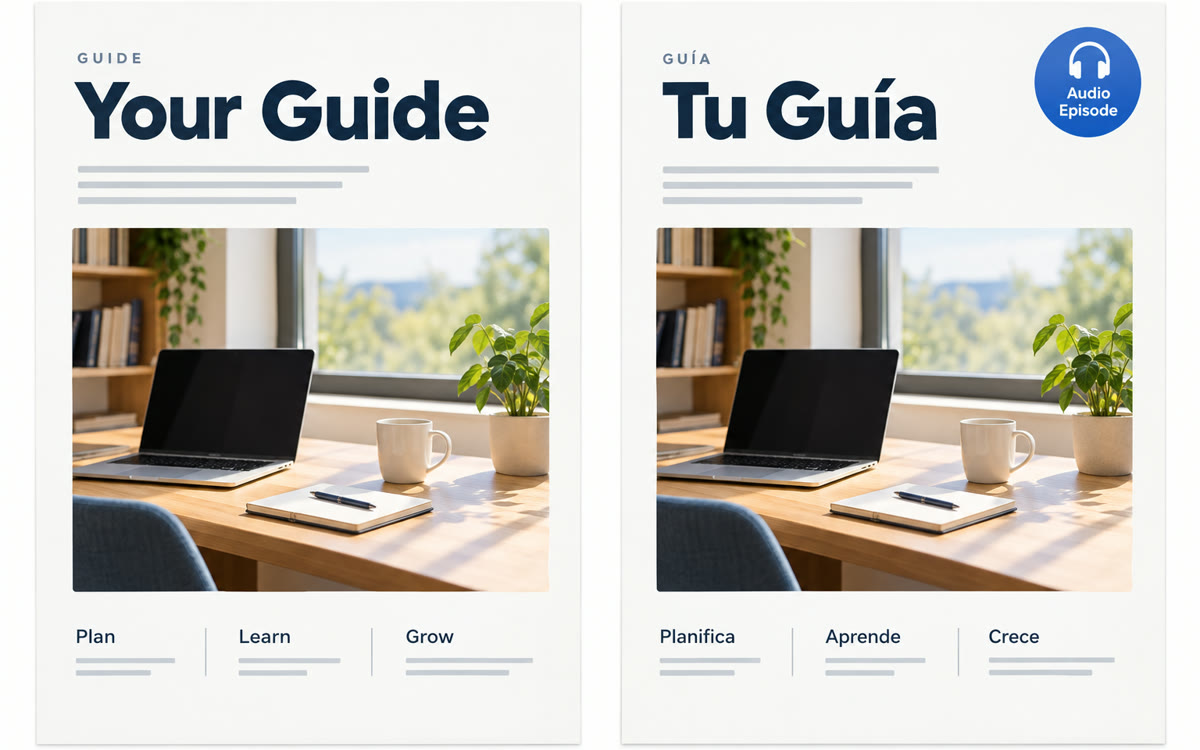
A sample of what you get back, made with AI.
Your prompt
Fill in your details. Skip any you like.
Claude opens with your prompt already typed in. Gemini Notebook can't be filled in from a link, so its button copies your prompt: paste it into the new chat.
The prompt that gets copied
I'm adapting my guide [GUIDE TITLE] for [NEW AUDIENCE, e.g. Spanish-speaking parents].

Part 1: Don't translate yet. List everything that won't land for this audience: idioms, jokes, examples, holidays, prices, units and cultural assumptions. For each, give the line to replace and a new English line that fits them and is short enough for the same space.

Part 2: When I paste the translated text from my design, check it the way a native [TARGET LANGUAGE, e.g. Spanish] editor would. Fix grammar, awkward phrasing and tone, keep a warm [FORMAL OR INFORMAL] voice, and list each fix with its page number.

Part 3: Write a 100-word description of the guide and a short note for my email list, both in [TARGET LANGUAGE].

Guide text: [PASTE GUIDE TEXT]
Claude adapts your guide's examples for a new audience, Canva translates the designed pages in place, and Gemini Notebook turns the finished guide into a two-host audio episode in that language.
Step by step
- Paste the prompt and your guide's text into Claude and get the list of lines to swap.
- Make a copy of your guide in Canva and paste the new lines onto their pages.
- Select a page, choose Edit, then Translate, pick the language and apply it to every page.
- Copy the translated text into the same Claude chat and fix the pages it flags.
- Download the PDF, add it to Gemini Notebook and make an Audio Overview in that language.
- Ask a native speaker to skim the guide and the episode before you send them to your list.
What you'll get
A designed guide in a new language with examples that fit, a checked translation, a two-host audio episode and a launch note for your list.
Canva Translate counts toward the free plan's monthly AI allowance. Audio Overviews come in over 80 languages.
- Made for
- Coaches, Consultants, Creators, Small business owners
- Works in
- Claude, Canva, Gemini Notebook