Find refunds and money you're owed hiding in your inbox
Someone on the ChatGPT team says his AI found an 8-hour-plus flight delay in his email. The airline approved $1,397.
Published . Steps as of October 2026.
How can I find refunds I'm owed in my email?
Connect your email to ChatGPT, Gemini or Claude, then paste the prompt to search a year of messages. In ChatGPT, connect Gmail under Settings, then Plugins (as of October 2026). It looks for delayed flights, missed refunds, credits and price guarantees, then ranks them by amount with a next step for each. If you travel often, check delays first. Whatever it finds, approve each claim or refund request yourself before anything is sent.
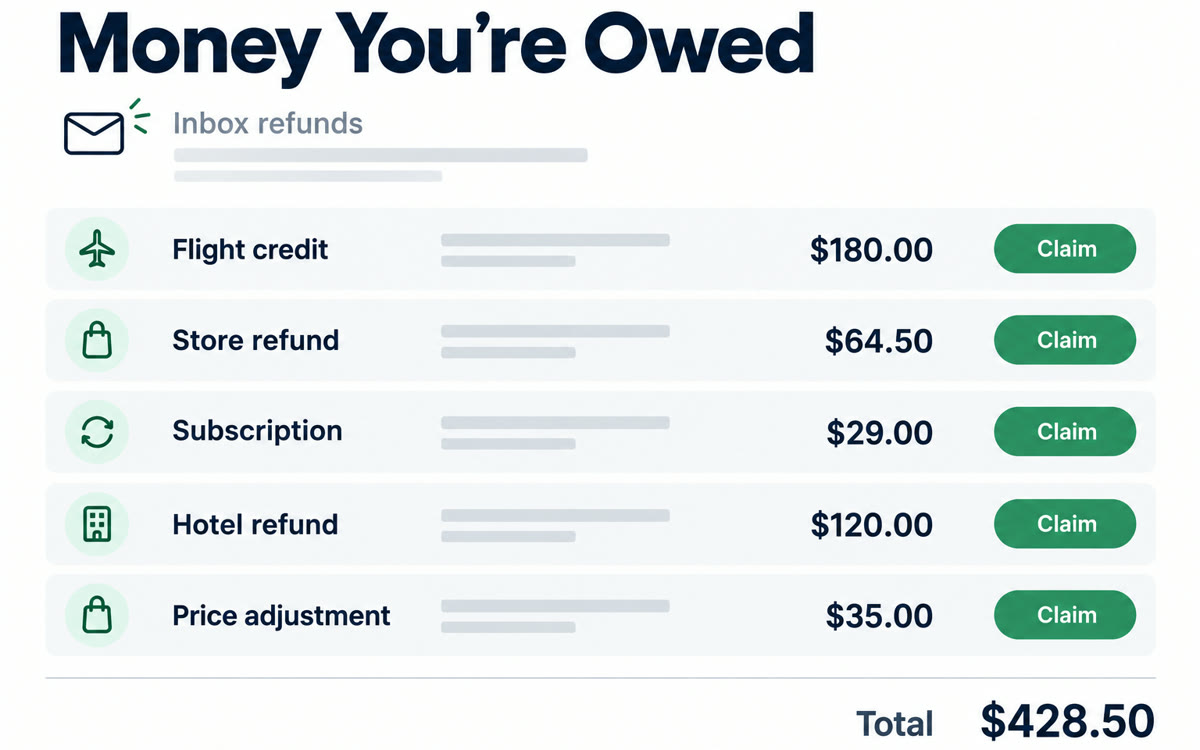
A sample of what you get back, made with AI.
Read the transcript
This guy on X says his AI found a $1,400 refund sitting in his email.
And all he did was approve it.
So let's find yours. It's super simple.
In ChatGPT, go to Settings, then Plugins, and connect your Gmail.
Then start a new chat, and just say,
search my email from the last 12 months for any money I might be owed.
Check delayed flights, refunds that never came, and credits I never used.
And don't send anything until I approve it.
So it gives you a table, biggest wins first, with the exact next step for each.
Like, how cool is this?
That's how his AI found a flight delayed over 8 hours that qualified for money back.
And the airline approved about $1,400.
Now, the Gmail plugin depends on your plan.
The full prompt's free at thesolocreators.com/prompts.
Save this, so it's there the next time a flight runs late.
Your prompt
Fill in your details. Skip any you like.
ChatGPT and Claude open with your prompt already typed in. Gemini can't be filled in from a link, so its button copies your prompt: paste it into the new chat.
The prompt that gets copied
Please search my connected email from the last [HOW FAR BACK, e.g. 12 months] and look for any money I might be owed. Check for delayed or canceled flights and trains, refunds a company promised but may not have paid, orders that arrived late or broken, store credits and gift cards I never used, price-drop or price-match guarantees, and deposits that should have come back. Take your time and read the details, not just subject lines. For each one you find, give me a table with: what happened, the date, the company, roughly how much I could get back, how sure you are, and the exact next step (a link, a form or a short message I can send). Put the biggest and easiest wins first. Don't send or submit anything. Tell me what you found and wait for me to approve each one.
Connect your email and ask AI to comb a year of messages for delayed flights, missed refunds, credits and price guarantees. You get a list of money owed and the next step for each.
Step by step
- Connect Gmail in ChatGPT under Settings, then Plugins
- Start a new chat and paste the prompt below
- Answer its questions about which accounts and dates to check
- Approve each claim or refund request yourself before anything is sent
What you'll get
A ranked table of refunds, credits and claims hiding in your email, each with an amount and a ready next step.
Needs the Gmail plugin connected. App availability varies by ChatGPT plan and region.
- Made for
- Everyone, Small business owners
- Works in
- ChatGPT, Gemini, Claude, Gmail