Turn a family trip into a crayon travel journal page
Your road trip becomes a zigzag crayon map that looks like your 7-year-old drew it.
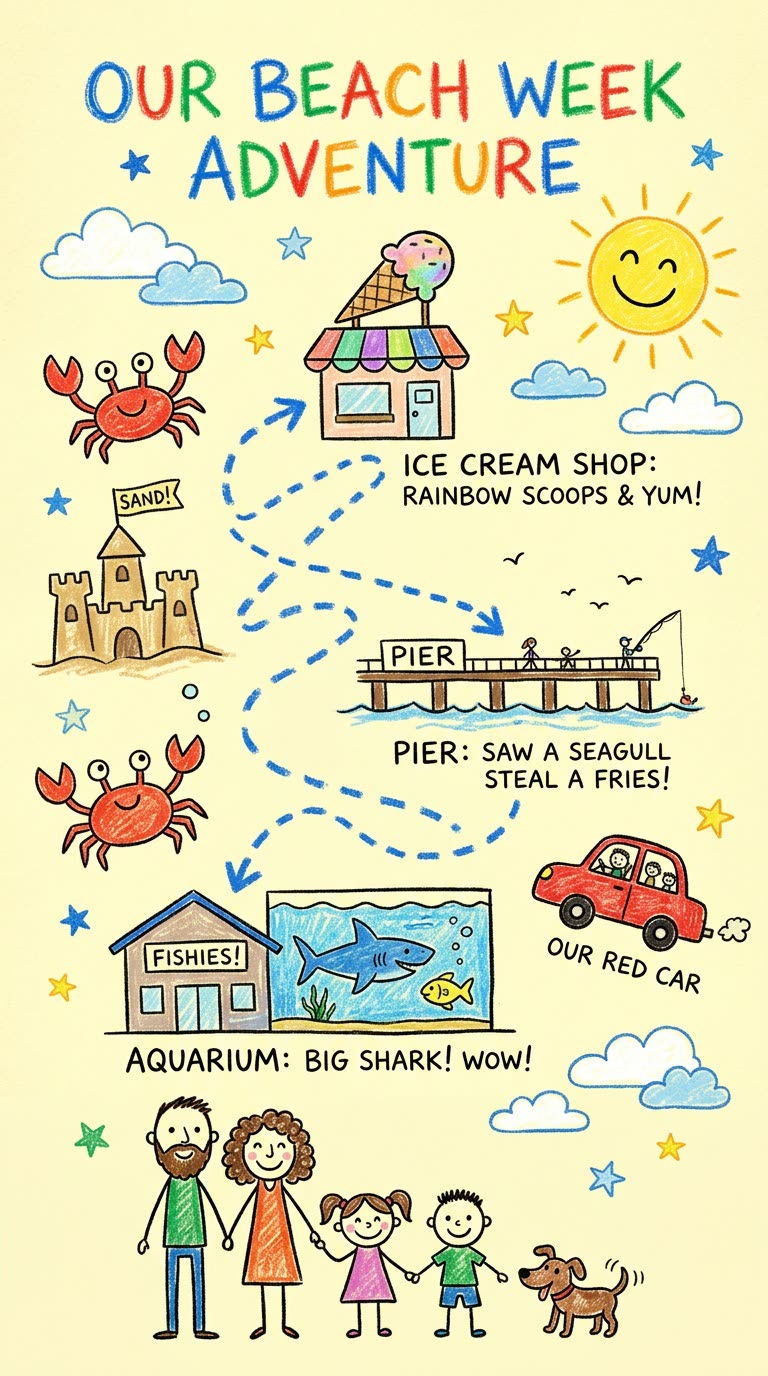
A real example, made with this exact prompt in Google Gemini's image tool, with sample details filled in. Sample details used: Journal title: Our Beach Week Adventure; Trip stops: the aquarium, the pier, the ice cream shop; Trip details: a crab, sandcastles, our red car; Family members: two adults, two kids and a dog.
Your image prompt
Fill in your details. Skip any you like.
Each button copies your prompt and opens a new chat that makes images. Just paste it in.
The prompt that gets copied
Create a vertical illustration titled "[JOURNAL TITLE, e.g. Our Beach Week Adventure]" that looks drawn by a curious child with colorful crayons on pale yellow paper. In the center, draw a winding, zigzag route with dotted lines and arrows connecting these stops in order: [TRIP STOPS, e.g. the aquarium, the pier, the ice cream shop]. Label each stop with a short, funny note in messy kid handwriting. Around the route, add cute doodles of [TRIP DETAILS, e.g. a crab, sandcastles, our red car], plus a sun, clouds and little stars. Draw our family as simple figures: [FAMILY MEMBERS, e.g. two adults, two kids and a dog]. Keep it bright, warm and playful.
List the stops from your trip and get a bright, kid-style crayon drawing of a winding route, the foods you tried and little notes. It's a sweet keepsake or a fun trip preview for kids.
Step by step
- List your stops in order with one fun detail for each.
- Paste the prompt into Gemini or ChatGPT.
- Print it for the fridge or the family photo album.
What you'll get
A crayon-style travel journal page with your route, stops, doodles and family figures.
- Made for
- Everyone
- Works in
- Gemini, ChatGPT


 Before
 Before