Get the whole family on one holiday plan everyone can edit
Your sister adds her pie, your brother takes the folding chairs, and Claude keeps the plan tidy.
Published . Updated . Steps as of October 2026.
How do I make a holiday plan the whole family can edit?
Open Claude, type /docs at the start of your message (as of October 2026) and paste the holiday plan prompt. Claude builds a doc with a menu, task sign-ups, a timeline and a shopping list. If you want family to sign up for dishes and jobs, click Share and let anyone with the link edit. When plans change later, mention @Claude in a comment to update it.
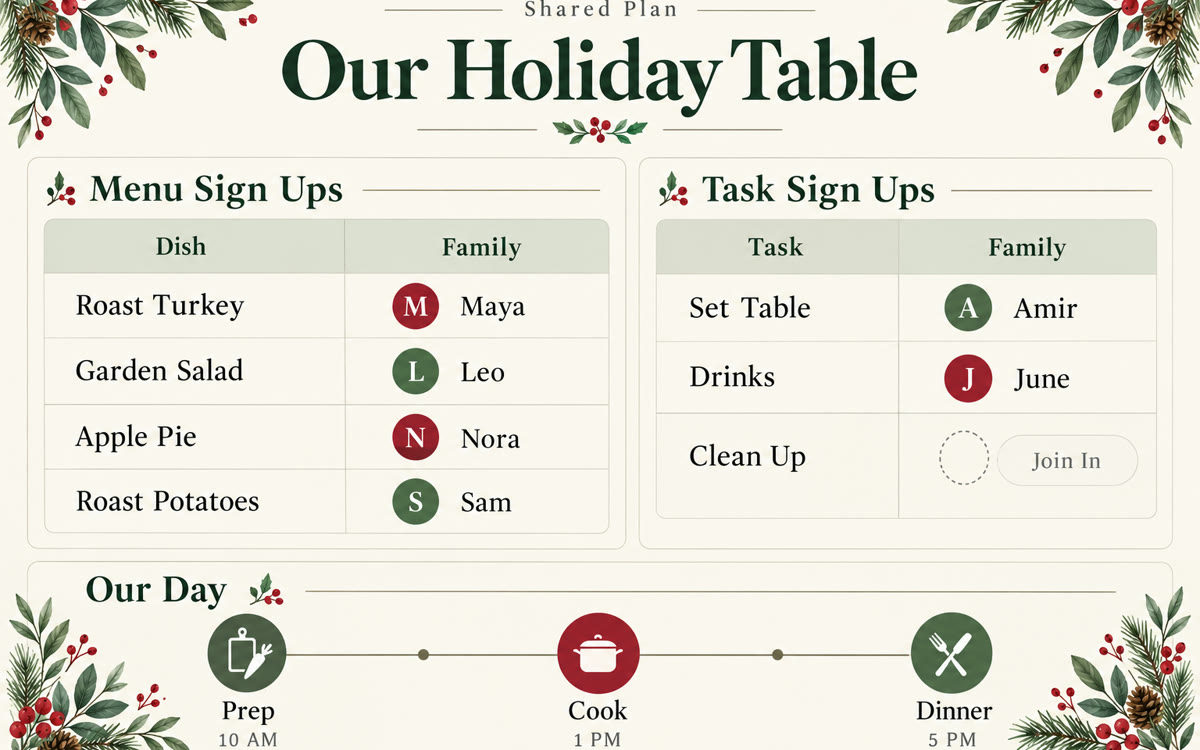
A sample of what you get back, made with AI.
Your prompt
Fill in your details. Skip any you like.
Claude opens with your prompt already typed in. It's copied too, just in case.
The prompt that gets copied
Make a holiday hosting plan as a doc I can share with my family. We're hosting [HOLIDAY OCCASION, e.g. Thanksgiving dinner] on [EVENT DATE, e.g. Thursday November 26] for [GUEST COUNT, e.g. 14 people, 3 of them kids]. The food has to work for [DIETARY NEEDS, e.g. one vegetarian, one nut allergy]. Include a short welcome note at the top, a menu table with a column for who's bringing each dish, a task table (setup, cleanup, chairs, airport pickups) with an empty name column, a timeline for the day, and a shopping list. Leave clear blank spots so people can sign up by typing their name. Keep it friendly and easy to read on a phone.
Have Claude build your holiday hosting plan as a Claude Doc, then share the link so family members can claim dishes and jobs right in the same doc.
Step by step
- Open Claude, type /docs at the start of your message, then paste the prompt below.
- Read the doc Claude makes and ask for any changes in the chat.
- Click Share and set it so anyone with the link can edit, then copy the link.
- Send the link to the family and ask everyone to put their name next to a task.
- Mention @Claude in a comment later to update the plan when things change.
What you'll get
A shareable Claude Doc with a menu, task sign-ups, a day-of timeline and a shopping list your family fills in together.
Works on the free plan. Family members need a free Claude account to open it. Change sharing on the web or desktop app.
- Made for
- Everyone
- Works in
- Claude