Turn your family history notes into a clickable timeline site
Every name, date and story from your scattered notes lands on one timeline your cousins can click through.
Published . Steps as of November 2026.
How can I turn my family history research into a website?
Add your family notes and records to a Gemini Notebook, then type "make me a site" with a description of the timeline you want. As of November 2026, this works in Gemini Notebook on the web for users 18 and over, with the mobile app coming soon. If your research lives in many files, add them all as sources first so the site can connect them. If relatives will help, ask for a 'still a mystery' page so they can fill the gaps.
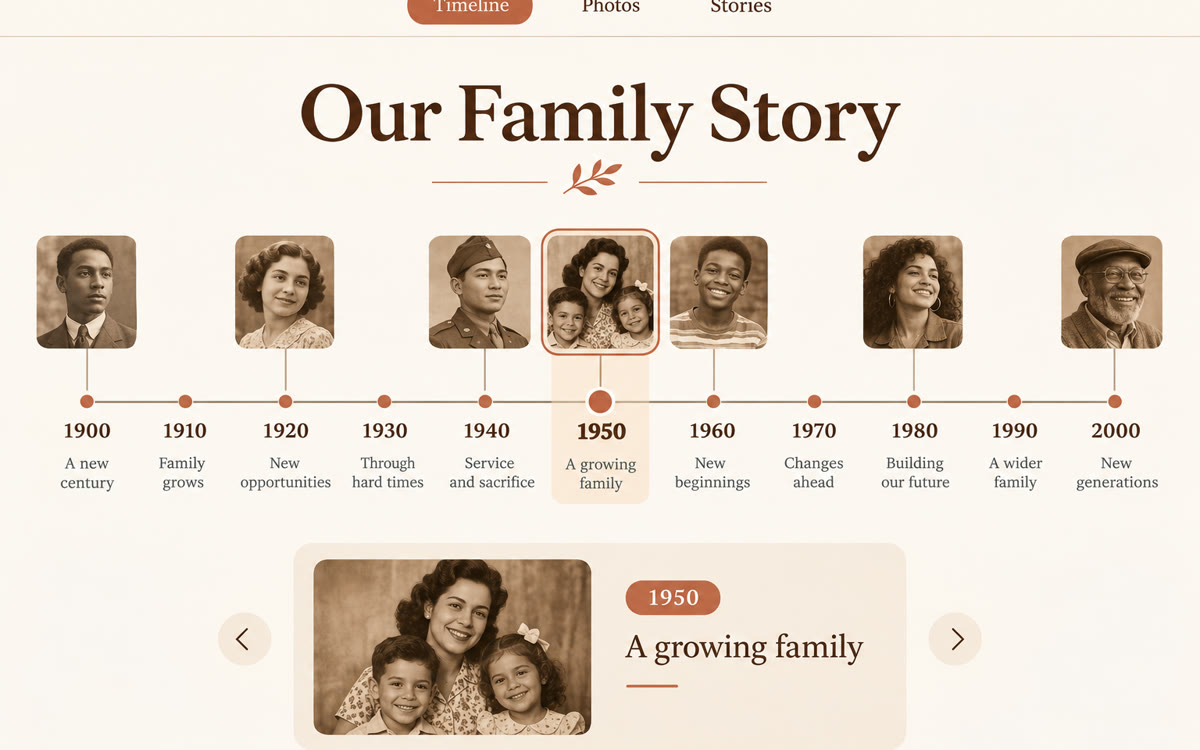
A sample of what you get back, made with AI.
Your prompt
Fill in your details. Skip any you like.
This AI can't be filled in from a link, so the button copies your prompt: paste it into the new chat.
The prompt that gets copied
Make me a site from my sources: an interactive family history timeline for [FAMILY NAME, e.g. the Moreno family].

Who it's for: [WHO WILL USE IT, e.g. cousins and grandkids, ages 10 to 80]
Years to cover: [YEARS TO COVER, e.g. 1890 to today]

Build it like this:
1. A scrolling timeline with one card per event (births, marriages, moves, jobs, big moments). Each card shows the date, the people involved and a two-sentence story.
2. Filters so people can show just one branch of the family or one generation.
3. A simple who's who page with each person, their parents and their children.
4. A 'still a mystery' section listing dates or names my sources disagree on or don't cover, so relatives can help fill the gaps.

Only use facts from my sources. If a date is a guess, label it 'approximate'. Keep the design warm and easy to read on a phone.
Add your family research, old letters and notes to a Gemini Notebook, then ask it to make a site. You get a clickable family timeline you can share with relatives.
Step by step
- Create a notebook in Gemini Notebook on the web and add your family notes, letters and records as sources.
- Type the prompt below in the notebook chat, starting with "make me a site".
- Select "Open in a new tab" to try the finished site.
- Ask for changes in the chat, then share the site with your family.
What you'll get
A shareable family timeline site with story cards, branch filters, a who's who page and a list of open questions for relatives.
Gemini Notebook sites work on the web for users 18 and over, rolling out globally. The mobile app is coming soon.
- Made for
- Everyone
- Works in
- Gemini Notebook