Explain your offer as a comic strip people actually finish
A dry explanation becomes a six-panel story your clients actually read to the end.
Published . Updated . Steps as of October 2026.
How can I explain my offer or idea as a comic strip?
Write three to six sentences describing your program, process or tricky idea. Paste them into Gemini or ChatGPT with the prompt, your audience and a main character. You'll get a colorful six-panel comic with speech bubbles and a clear happy ending. Read every bubble, because facts can drift, and ask for fixes if they do. If it's for clients, name their world in the prompt so they see themselves in it.
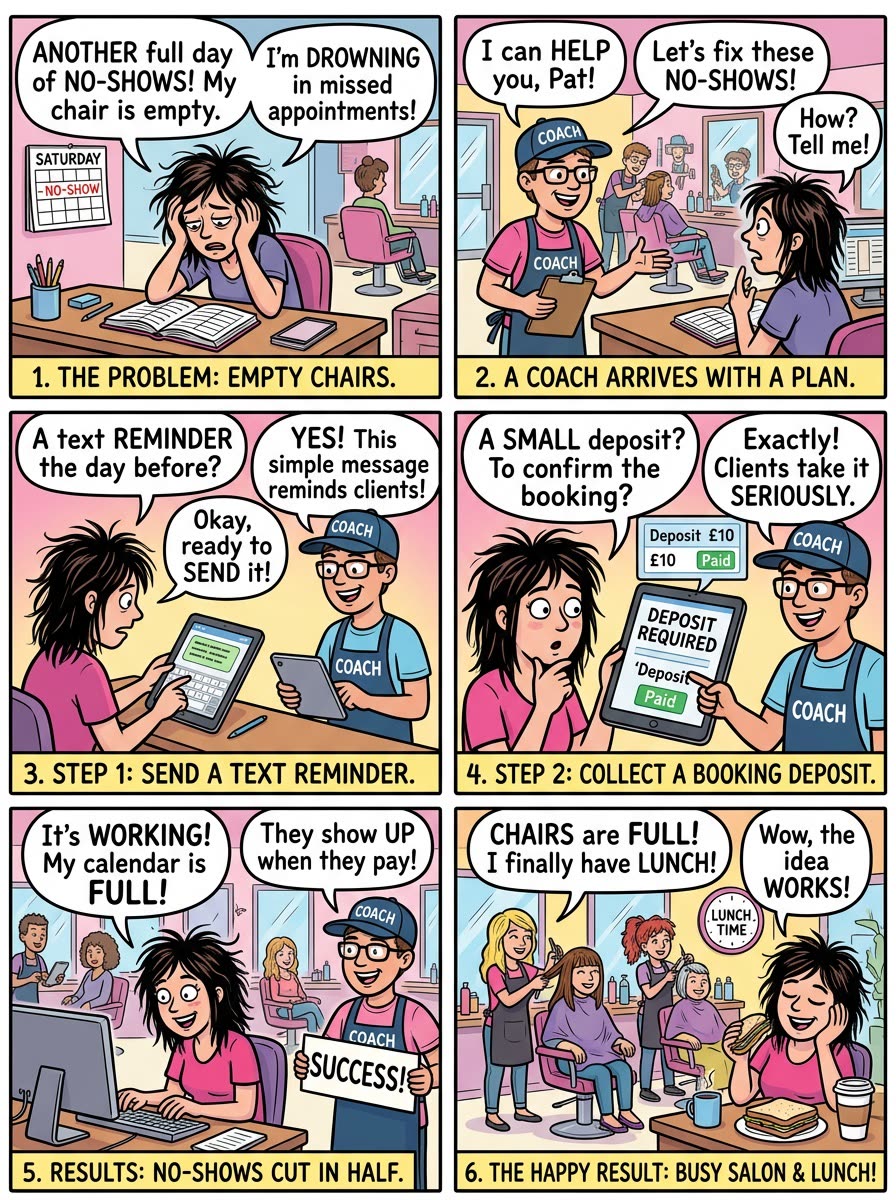
A real example, made with this exact prompt in Google Gemini's image tool, with sample details filled in. Sample details used: Your audience: busy salon owners; Main character: Pat, a tired salon owner; The guide: a friendly coach with a clipboard; Comic style: colorful Sunday newspaper comic.
Your image prompt
Fill in your details. Skip any you like.
Each button copies your prompt and opens a new chat that makes images. Just paste it in.
The prompt that gets copied
Create a 6-panel comic strip that explains the idea below as clearly and entertainingly as possible, for [YOUR AUDIENCE, e.g. busy salon owners]. The main character is [MAIN CHARACTER, e.g. Pat, a tired salon owner], and the guide is [THE GUIDE, e.g. a friendly coach with a clipboard]. Panel 1 shows the problem. Panels 2 to 5 walk through the idea one step at a time. Panel 6 shows the happy result. Use short speech bubbles (12 words max each) and one small caption box per panel. Keep every fact exactly as written below, and don't add new claims. Style: [COMIC STYLE, e.g. colorful Sunday newspaper comic]. Idea: [PASTE YOUR EXPLANATION HERE]
Paste a description of your program, your process, or a tricky idea, and get a short comic strip that explains it with characters and speech bubbles.
Step by step
- Write 3 to 6 sentences describing the idea.
- Paste the prompt and your text.
- Read every speech bubble and ask for fixes if a fact drifts.
What you'll get
A colorful six-panel comic with a relatable character, a helpful guide, short speech bubbles, and a clear happy ending.
- Made for
- Coaches, Consultants, Creators, Small business owners
- Works in
- Gemini, ChatGPT