See where your electricity money goes from your meter data
It turns a raw meter export into a monthly cost picture and flags when the numbers don't add up.
Published . Steps as of October 2026.
How can I understand my electricity usage and costs with AI?
Upload the usage file from your supplier's website and give the AI your rate per kWh and daily charge. ChatGPT, Claude or Gemini can all read a CSV and work out totals, monthly cost and trends. If you have a smart meter export, use that for the most detail. If you only have paper bills, type in a few months of readings instead. Either way, ask it to flag gaps in the data so you know which numbers are estimates.
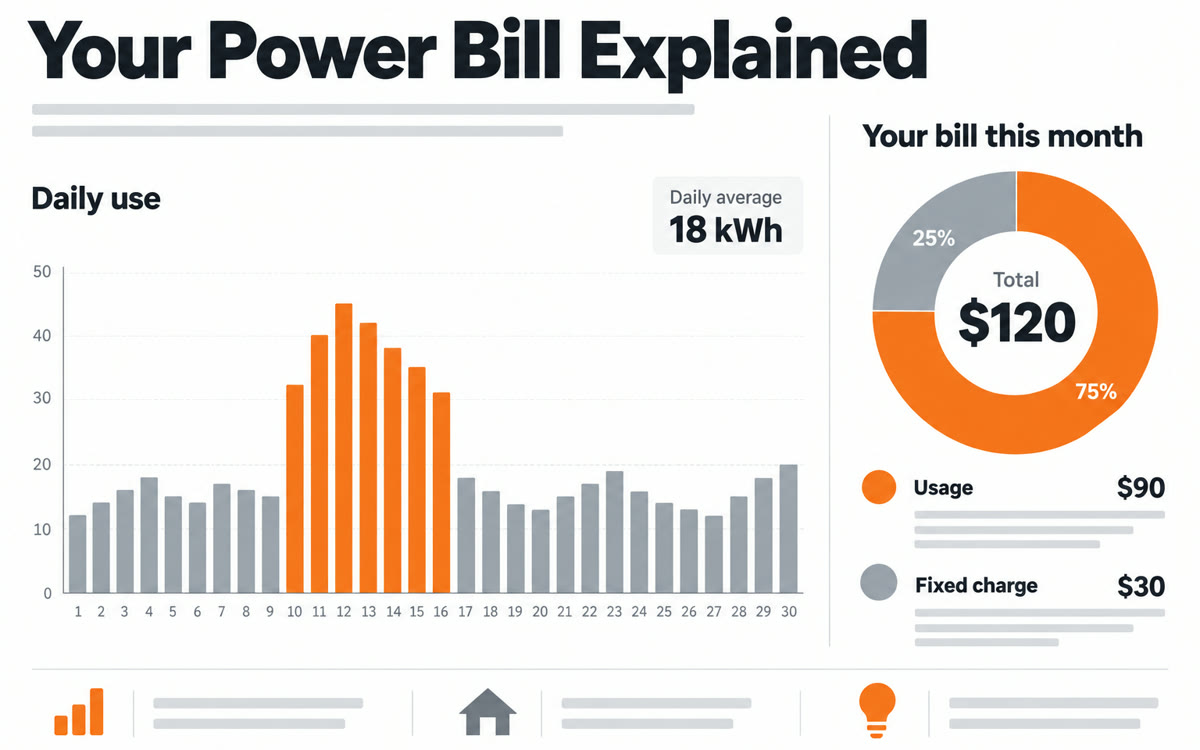
A sample of what you get back, made with AI.
Your prompt
Fill in your details. Skip any you like.
ChatGPT and Claude open with your prompt already typed in. Gemini can't be filled in from a link, so its button copies your prompt: paste it into the new chat.
The prompt that gets copied
I've attached my electricity usage export from my supplier. My rate is [YOUR RATE PER KWH, e.g. 24p per kWh] and my fixed daily charge is [DAILY CHARGE, e.g. 54p per day].

Please:
1. Tell me the period the data covers, my total usage and my average per day.
2. Work out my estimated cost for the period, split into usage and the fixed daily charge.
3. Give me an average monthly cost.
4. Show whether my usage is rising, falling or flat, and point out any days or weeks that stand out.
5. Check the data for gaps or totals that don't add up, and tell me how that affects the numbers.

Show the results in a small table, then give me 3 things worth checking first, in plain words. Don't guess at numbers that aren't in the file.
Upload the usage file from your energy supplier's website and get your daily average, monthly cost, any rise in usage, and a clear split between what you use and the fixed daily charge.
Step by step
- Download your usage history as a CSV from your energy supplier's website.
- Note your rate per kWh and your daily standing charge from your bill.
- Upload the file to ChatGPT and paste the prompt with your rates.
- Ask follow-up questions about any spike it finds.
What you'll get
A table of usage and costs for the period, a trend check, any data problems it spotted, and three things to look into first.
Needs a usage export (CSV) from your supplier. File uploads have limits on free plans.
- Made for
- Everyone, Small business owners
- Works in
- ChatGPT, Claude, Gemini


