Spot your quick wins on a live effort vs. impact grid
Your messy to-do list turns into a grid you can drag around, and every change saves back to the sheet.
Published . Steps as of October 2026.
How do I decide which business ideas to do first?
Score each idea on effort and impact, then put them on a 2x2 grid and start with the low effort, high impact ones. As of October 2026, Gemini can build that grid as a live canvas inside Google Sheets (Insert, then Create a canvas) if you have Google AI Pro or Ultra or an eligible Workspace plan. Teams get the most from it, since everyone can drag items and the scores save to the sheet. On your own, the same prompt in a Gemini chat gives a ranked list.
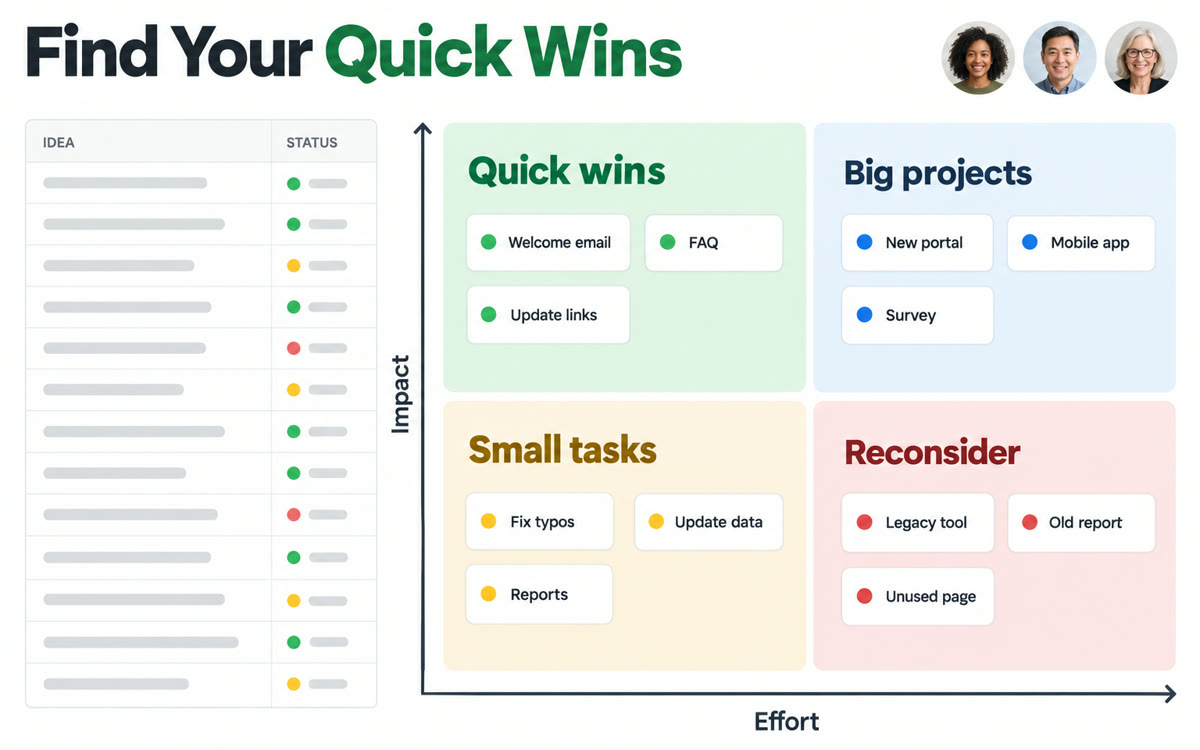
A sample of what you get back, made with AI.
Your prompt
Fill in your details. Skip any you like.
This AI can't be filled in from a link, so the button copies your prompt: paste it into the new chat.
The prompt that gets copied
Turn the list in this sheet into an interactive effort vs. impact matrix. Each row is an idea for [YOUR BUSINESS, e.g. a small bakery]. Score impact from 1 to 5 based on [YOUR TOP GOAL, e.g. more repeat customers] and effort from 1 to 5 based on time and cost for a team of [TEAM SIZE, e.g. 3 people]. Plot every item on a 2x2 grid with the quadrants labeled Quick wins, Big bets, Fill-ins and Skip for now. Let me drag items or edit scores on the grid and have the changes saved back to the sheet. Add a side panel listing the quick wins in order, with one sentence on why each one made the cut.
Put your idea list in a Google Sheet and ask Gemini in Sheets canvas to plot it on a 2x2 grid of effort and impact. Drag items, change scores, and see which ones are quick wins.
Step by step
- List your ideas or requests in a Google Sheet, one per row
- Click Insert, then Create a canvas
- Paste the prompt and press Enter
- Adjust scores on the grid with your team and act on the top-left quadrant first
What you'll get
An interactive 2x2 grid inside your sheet, with every idea placed by effort and impact and a ranked list of quick wins.
Sheets canvas needs Google AI Pro or Ultra, or a Workspace Business or Enterprise Standard or Plus plan.
- Made for
- Small business owners, Consultants, Coaches
- Works in
- Gemini


