See your flat box design folded into a real package
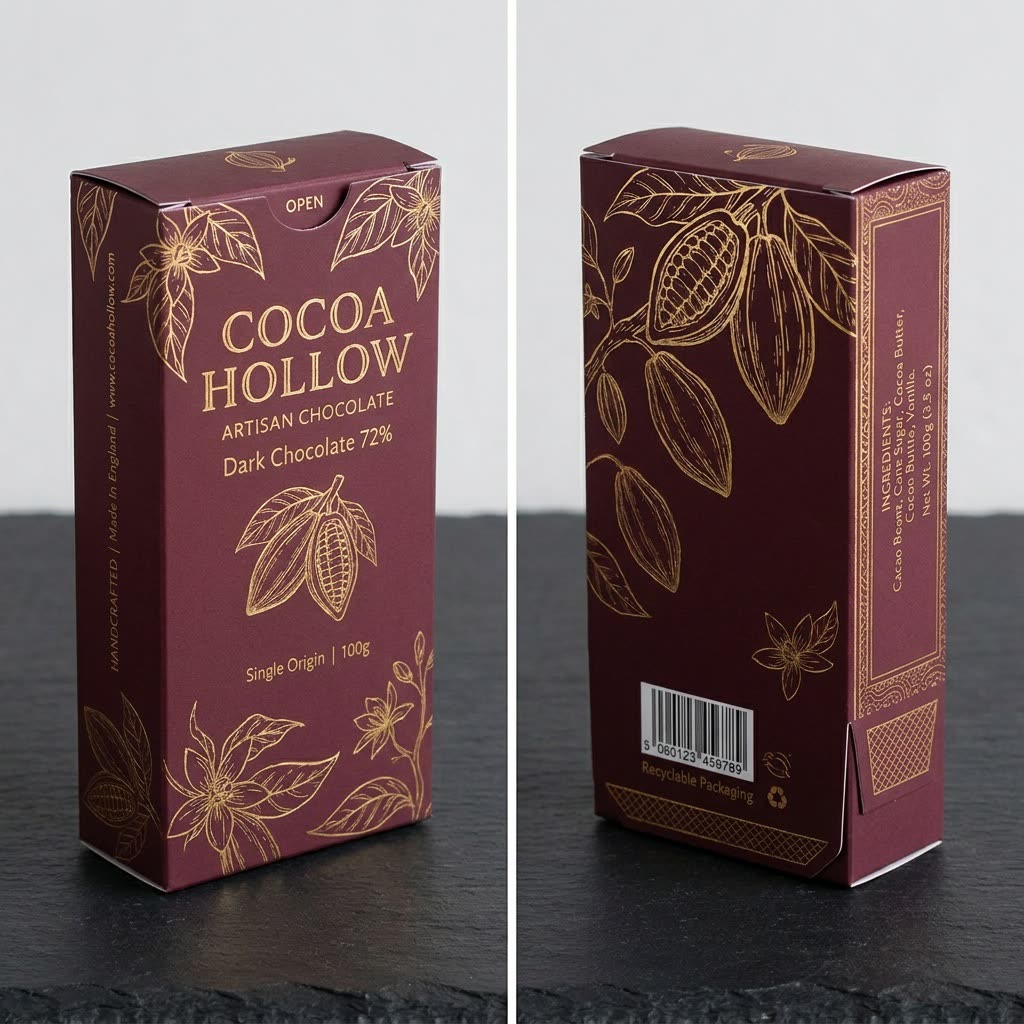
A flat sheet of panels and fold lines turns into a crisp product box standing on a table.
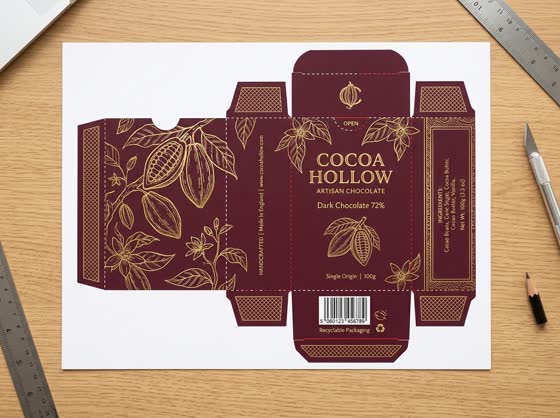 Before
A real example. The small "before" photo is a sample we made with AI, and the result came from running this exact prompt on it in Google Gemini's image tool. Sample details used: Table surface: a dark slate countertop; Box finish: matte with crisp folds and a soft gold foil shine.
Your image prompt
Attach a clear photo first, then paste the prompt with it.
Fill in your details. Skip any you like.
Each button copies your prompt and opens a new chat that makes images. Just paste it in.
The prompt that gets copied
I've attached the flat print layout (dieline) for my product box. Fold it into a realistic 3D box exactly as it would be assembled. Put every panel in the correct place, keep all artwork, colors and text exactly as printed, and don't add, remove or redraw any words. Show the box standing upright at a three-quarter angle on [TABLE SURFACE, e.g. a light oak table] with soft, even lighting, gentle shadows and no other props. Make the paperboard look [BOX FINISH, e.g. matte with crisp folds]. Then make a second image showing the box from the back so I can see the other panels.
Upload the flat print layout of your box and get a realistic photo of the folded package, front and back, so you can check the design before you pay for printing.
Step by step
- Export your flat box layout (the dieline) as a PNG or JPG.
- Upload it and paste the prompt.
- Check that every panel landed on the right side before you order samples.
What you'll get
Two photoreal views of your assembled box, front and back, with your artwork on the right panels.
A preview only. Always order a printed sample before a full print run.
- Made for
- Small business owners, Creators
- Works in
- Gemini, ChatGPT



 Before