Give clients their own private resource website without coding
ChatGPT builds the site, hosts it, and hands you a link. No web designer, no hosting setup.
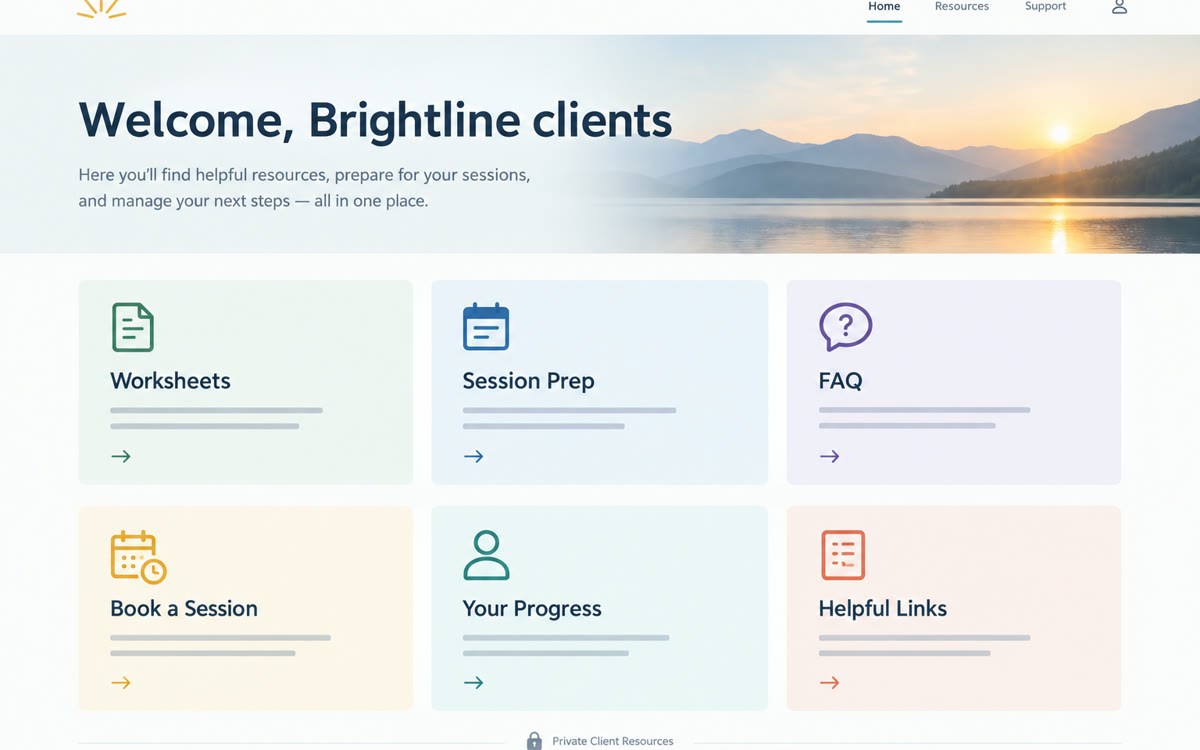
A sample of what you get back, made with AI.
Your prompt
Fill in your details. Skip any you like.
ChatGPT opens with your prompt already typed in. It's copied too, just in case.
The prompt that gets copied
@Sites Build a simple, private resource website for my clients. I'm a [YOUR ROLE, e.g. business coach]. Business name: [YOUR BUSINESS, e.g. Brightline Coaching]. Audience: [YOUR IDEAL CLIENT, e.g. first-time managers]. The site should have: a welcome page with a short note from me, a 'Start here' page explaining how we work together, a resources page with download links to the files I've attached, an FAQ using only facts from my files, and a contact page with my booking link [YOUR BOOKING LINK]. Style: [SITE STYLE, e.g. calm and minimal], colors [BRAND COLORS, e.g. sage and cream], easy to read on a phone, with large text for older readers. Don't make it public. Save a version for me to review before you deploy anything, and list what you still need from me to finish it.
Ask ChatGPT to build and host a small website for your clients, like a hub with your worksheets, FAQs, and booking link. You decide exactly who can see it.
Step by step
- In ChatGPT, ask for a website, or type @Sites in your message.
- Attach the worksheets, FAQs, or notes the site should use, then paste the prompt.
- Review the preview and ask for changes in plain English.
- Use the sharing control to pick who can view it, then send clients the link.
What you'll get
A hosted, private client hub with a welcome page, resources, FAQ, and contact page that you can update by chatting.
Public beta on paid plans (not Free or Go), with usage limits. New sites stay private to you until you change sharing.
- Made for
- Coaches, Consultants, Creators, Small business owners
- Works in
- ChatGPT



 Before