Explore any subject in a clickable gallery of real museum pieces
You get a wall of real artifacts on any topic, and every tile links back to the museum's own record.
Published . Steps as of November 2026.
Can AI build an interactive museum gallery on any topic?
Yes. Ask Perplexity Computer to build a clickable gallery from open-access collections on your subject. As of November 2026, it gathers the images, writes a caption for each tile, links each one to its source record, and hosts the page for you. It suits parents and teachers who want a topic to feel real. Say who the reader is, so the captions fit a child, a student or an adult.
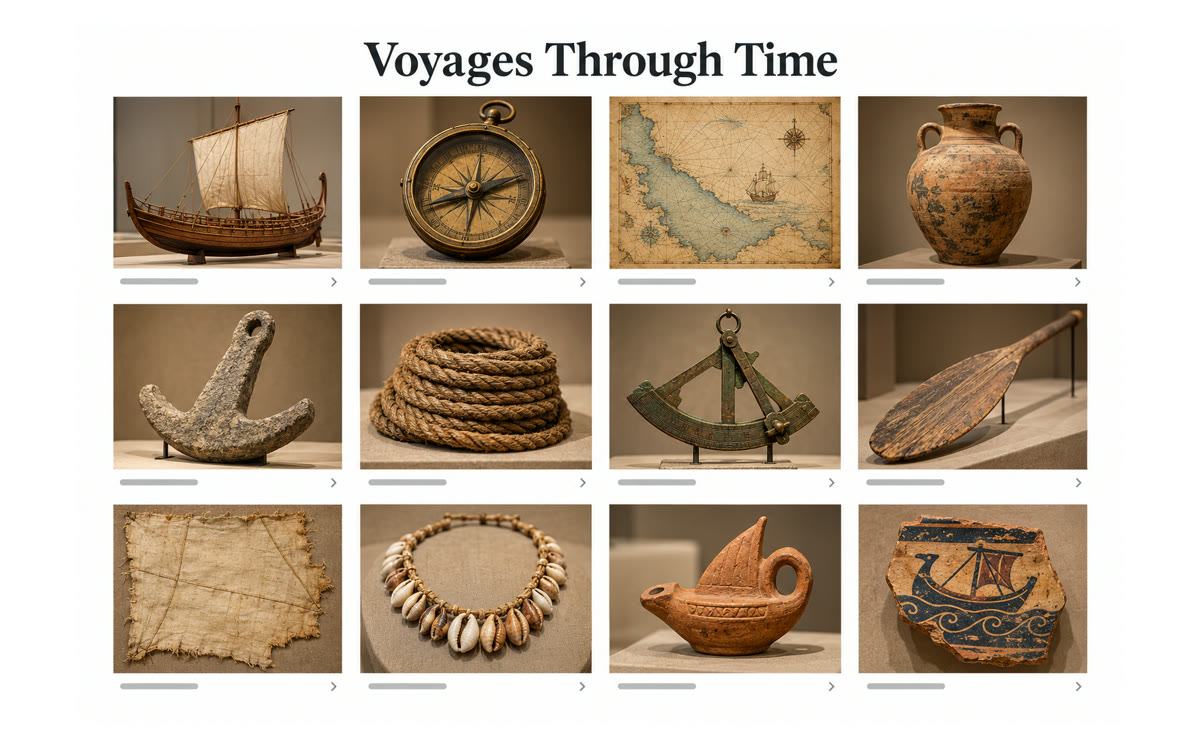
A sample of what you get back, made with AI.
Your prompt
Fill in your details. Skip any you like.
This AI can't be filled in from a link, so the button copies your prompt: paste it into the new chat.
The prompt that gets copied
Build me an interactive gallery about [YOUR SUBJECT, e.g. ancient Egypt] for [WHO IT'S FOR, e.g. my 10-year-old].

Rules:
1. Use only images from open-access collections that allow reuse, such as museum open-access programs, public libraries and space agencies.
2. Pick 30 to 60 items and group them into 4 to 6 themes that tell the story in order.
3. Show them as a grid of tiles. When someone clicks a tile, show what it is, who made it, when, and why it matters, in two or three sentences pitched for the reader I named.
4. Link every tile to its source record so we can read more.
5. Add a short intro at the top and a five-question quiz at the end.

Make it work on a phone and give me a link I can share.
Ask Perplexity Computer to build a clickable gallery on any subject from open museum and space-agency collections. Click a tile to read what it is, who made it, when, and where it comes from.
Step by step
- Open Perplexity and switch the task box to Computer
- Paste the prompt with your subject and who it's for
- Wait while it gathers open-collection images and builds the page
- Click through the tiles and share the link with your family or class
What you'll get
A shareable gallery page of real artifacts grouped by theme, with a plain-words caption and a source link on every tile, plus a short quiz.
Needs Perplexity Computer, which builds and hosts the gallery page.
- Made for
- Everyone
- Works in
- Perplexity