See your child's late arrivals and absences week by week
Comet reads the school portal in one tab and fills a week-by-week sheet in another while you watch.
Published . Steps as of November 2026.
How can I see my child's school absences week by week?
Open the parent portal in Perplexity's Comet browser and ask the Comet Assistant to build a week-by-week Google Sheet of late arrivals and absences. As of November 2026, Comet asks before it works in your browser, and you sign in to the portal yourself. It suits parents getting ready for a school meeting or looking for a pattern, like Monday lateness. If your portal is hard to read, ask for one month at a time and check a few rows yourself.
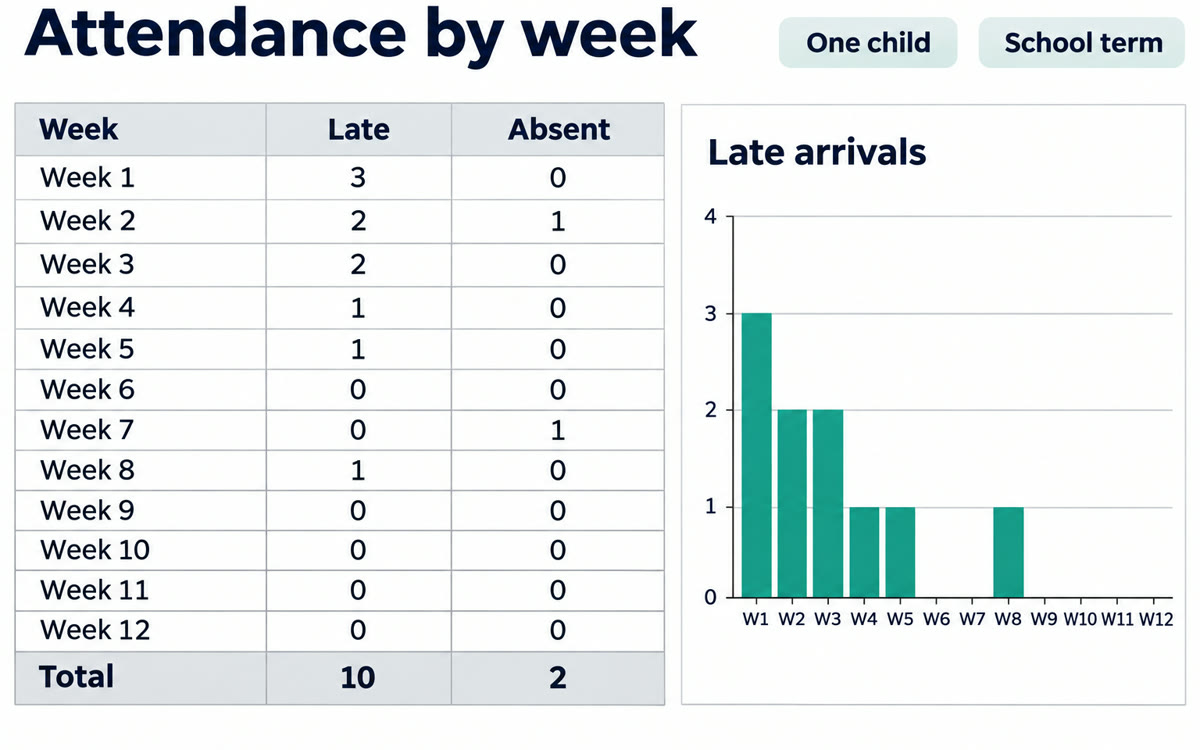
A sample of what you get back, made with AI.
Your prompt
Fill in your details. Skip any you like.
This AI can't be filled in from a link, so the button copies your prompt: paste it into the new chat.
The prompt that gets copied
I'm signed in to my child's school parent portal in this tab. Please read the attendance records for [CHILD NAME, e.g. Maya] for this school year, starting [SCHOOL YEAR START, e.g. September 2].

Create a new Google Sheet called [SHEET NAME, e.g. Maya attendance this year] with one row per school week. Columns: week starting date, days late, days absent, excused or not, and any notes the school added. Add a total row at the bottom.

Above the table, write a short summary: which weeks had the most lateness or absences, and any pattern you notice, like a certain day of the week.

Only use what the portal shows. If a record is unclear, mark it "check" instead of guessing. Don't change, submit or send anything in the portal.
Open your school's parent portal in Comet and ask the assistant to pull every late arrival and absence into a Google Sheet, broken down week by week for the school year.
Step by step
- Open the Comet browser and sign in to your school's parent portal yourself
- Open the Comet Assistant panel and paste the prompt below
- Say yes when Comet asks to work in your browser
- Check a few rows in the sheet against the portal before you share it
What you'll get
A Google Sheet with every school week, the late and absent days, totals, and a short note on any pattern.
Comet asks before it works in your browser. You sign in to the portal yourself. Portals differ, so check rows before you share.
- Made for
- Everyone
- Works in
- Perplexity