Catch overtime and long shifts before they hit payroll
It compares scheduled, budgeted and actual hours with sales, then lists the exact shifts a manager should look at.
Published . Steps as of October 2026.
How can I spot overtime and overstaffing in my small business?
Export your scheduled hours, clocked hours and daily sales, then ask an AI to compare them and flag problems. ChatGPT, Claude and Gemini can all read the files and build the report. Adding 12 earlier weeks helps it tell a real problem from a store that always runs above or below forecast. If you have one location, ask for a day-by-day view; with several, ask it to rank locations so you know where to look first.
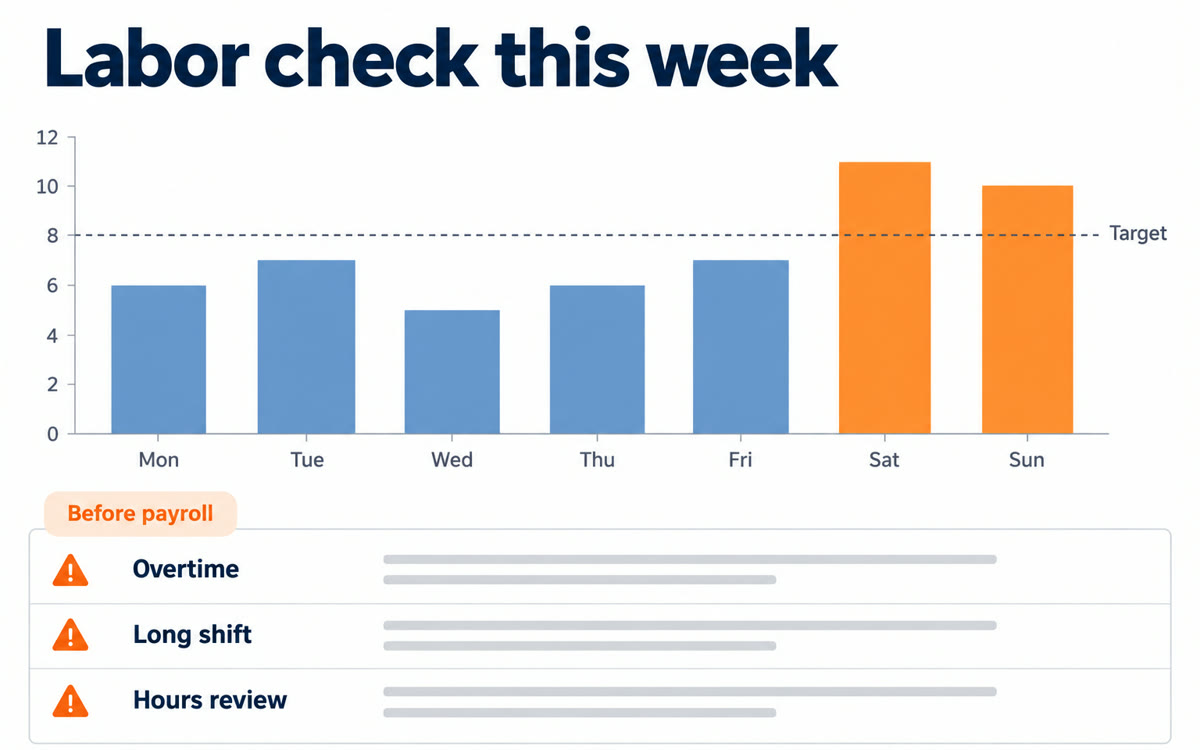
A sample of what you get back, made with AI.
Your prompt
Fill in your details. Skip any you like.
ChatGPT and Claude open with your prompt already typed in. Gemini can't be filled in from a link, so its button copies your prompt: paste it into the new chat.
The prompt that gets copied
I run [YOUR BUSINESS, e.g. two coffee shops]. I've attached scheduled hours, actual clocked hours and daily sales for [DATE RANGE, e.g. last week], plus earlier weeks for context. My labor target is [LABOR TARGET, e.g. 28% of sales]. Compare scheduled, budgeted and actual hours with sales for each day and location. Flag anyone heading into overtime, shifts that ran longer than planned, days we were overstaffed for the sales we did, and gaps where coverage looks too thin. Note any location that routinely beats or misses its forecast so I don't overreact. Give me a one-page summary with a table of the top issues, the rough cost of each, and the three things my manager should review first. Keep it about the schedule, not about blaming people.
Upload your hours and sales exports and get a one-page report that flags overtime, shifts running long and thin coverage, with what your manager should review first.
Step by step
- Export scheduled and clocked hours for the week from your time clock
- Export daily sales for the same week, plus the last 12 weeks if you can
- Attach both files in a new chat
- Paste the prompt and fill in your labor target
What you'll get
A one-page labor report with a table of overtime, long shifts and coverage gaps, and three things to fix first.
- Made for
- Small business owners
- Works in
- ChatGPT, Claude, Gemini


