Catch outdated prices and features in an AI comparison
The sources were real pages, just outdated, so a citation next to a claim didn't prove it was still true.
Published . Steps as of November 2026.
How do I check if my AI research report is still accurate?
Paste the report and each product's official pricing page into an AI chat and ask it to check every claim, marking each as match, outdated, or unverified. ChatGPT, Claude, and Gemini can all do it. A citation next to a claim doesn't prove it's current, so open the official page for anything you'll spend money on. Skip it for low-stakes questions where an old price won't matter.
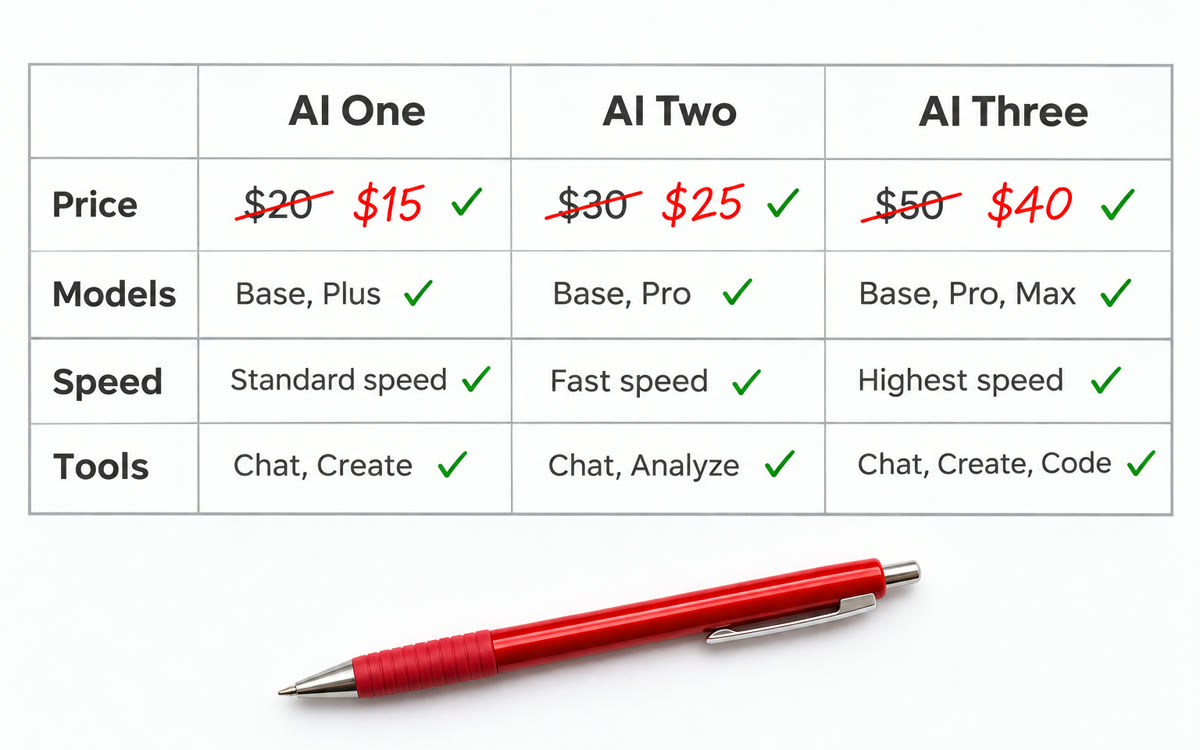
A sample of what you get back, made with AI.
Your prompt
Fill in your details. Skip any you like.
ChatGPT and Claude open with your prompt already typed in. Gemini can't be filled in from a link, so its button copies your prompt: paste it into the new chat.
The prompt that gets copied
Below is a comparison report: [PASTE THE REPORT]. Below that are the official pricing pages and latest product pages for each item in it: [PASTE OFFICIAL PAGES]. Check every price, feature, and "available now" claim in the report against those pages. Give me a table with three columns: the claim, what the official page says, and whether it matches or is outdated. List anything with no official page to check as unverified. Then redo the final recommendation using only the claims you could verify, and tell me which two facts I should double-check myself before I buy.
A report full of citations can still use old pages. Paste the official pricing pages and let AI check each claim, flag what's outdated, and redo the recommendation.
Step by step
- Ask for your comparison as usual, then copy the report.
- Open each product's official pricing and product page.
- Paste the report and those pages into the prompt below.
- Use the verified recommendation, not the first one.
What you'll get
A claim-by-claim check table, a list of unverified items, and a recommendation based only on confirmed facts.
Good before a holiday purchase or a new software subscription.
- Made for
- Everyone, Small business owners
- Works in
- ChatGPT, Claude, Gemini