Design a business card and see it in hand before you print
You see your new card held in a hand, front and back, before you order a single box.
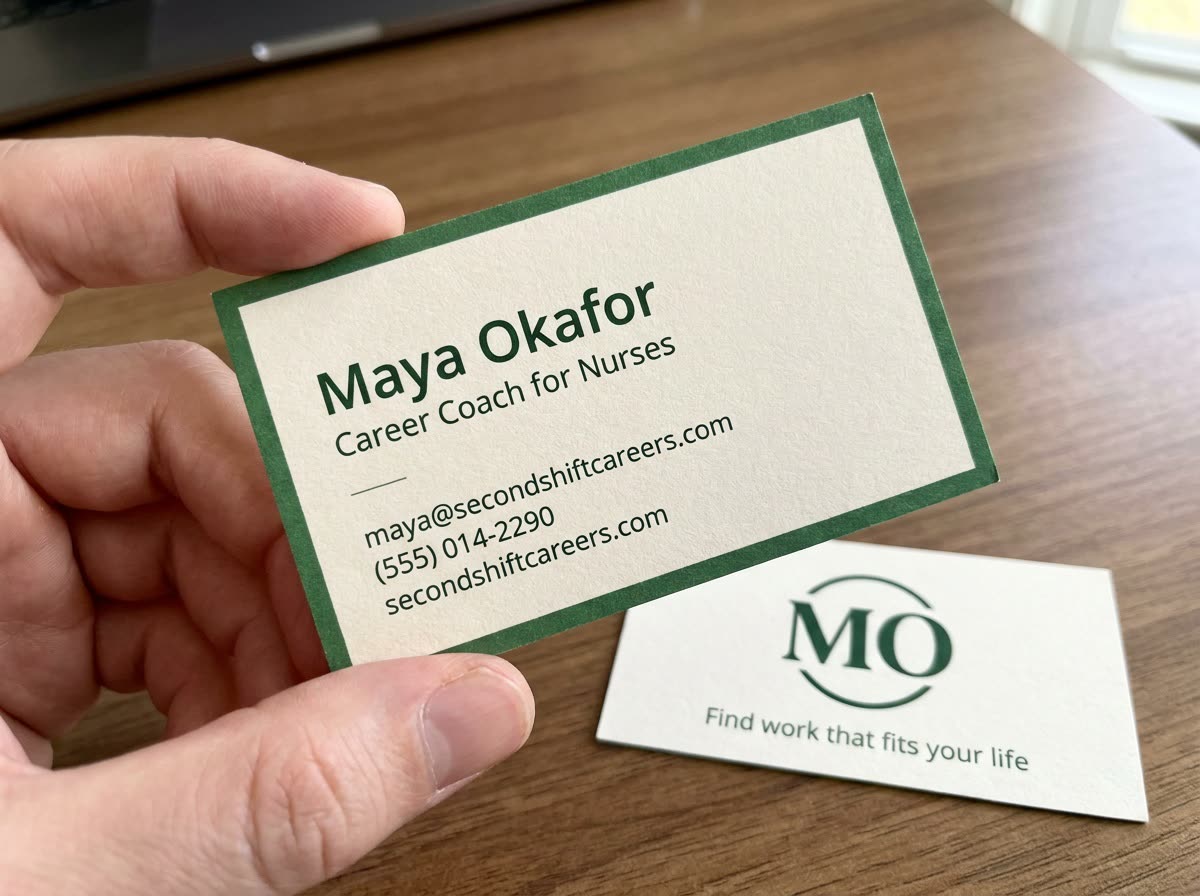
A real example, made with this exact prompt in Google Gemini's image tool, with sample details filled in. Sample details used: Your name: Maya Okafor; Your title: Career Coach for Nurses; Your business: Second Shift Careers; Your tagline: Find work that fits your life; Card style: minimal cream card, forest green edge.
Your image prompt
Fill in your details. Skip any you like.
Each button copies your prompt and opens a new chat that makes images. Just paste it in.
The prompt that gets copied
Design a standard business card for [YOUR NAME], [YOUR TITLE, e.g. Career Coach for Nurses], at [YOUR BUSINESS]. Front: my name and title, plus [CONTACT DETAILS, e.g. email, phone and website]. Back: my logo or initials large and centered, with the line "[YOUR TAGLINE, e.g. Find work that fits your life]". Style: [CARD STYLE, e.g. minimal cream card, forest green edge]. Use one or two fonts that are easy to read at small sizes, generous margins and a clear hierarchy. Show it as a realistic close-up photo of a hand holding the card, with a second card showing the back lying on a desk. Spell every word and number exactly as I wrote them.
Share your name, role, contact details and brand style, and get a front and back card design shown as a realistic photo of the card in someone's hand.
Step by step
- Fill in your details and pick a style idea.
- Paste the prompt and check every letter and number.
- Ask for a flat version of the front and back to send to your printer.
What you'll get
A photoreal mockup of your card, front and back, plus a design you can refine and hand to a printer.
Proofread every letter. Ask your printer for the exact size and file type before ordering.
- Made for
- Coaches, Consultants, Creators, Small business owners
- Works in
- Gemini, ChatGPT



 Before