Get a friendly brand mascot with a full character sheet
One sheet gives you a mascot that looks the same in every post, email and sticker.
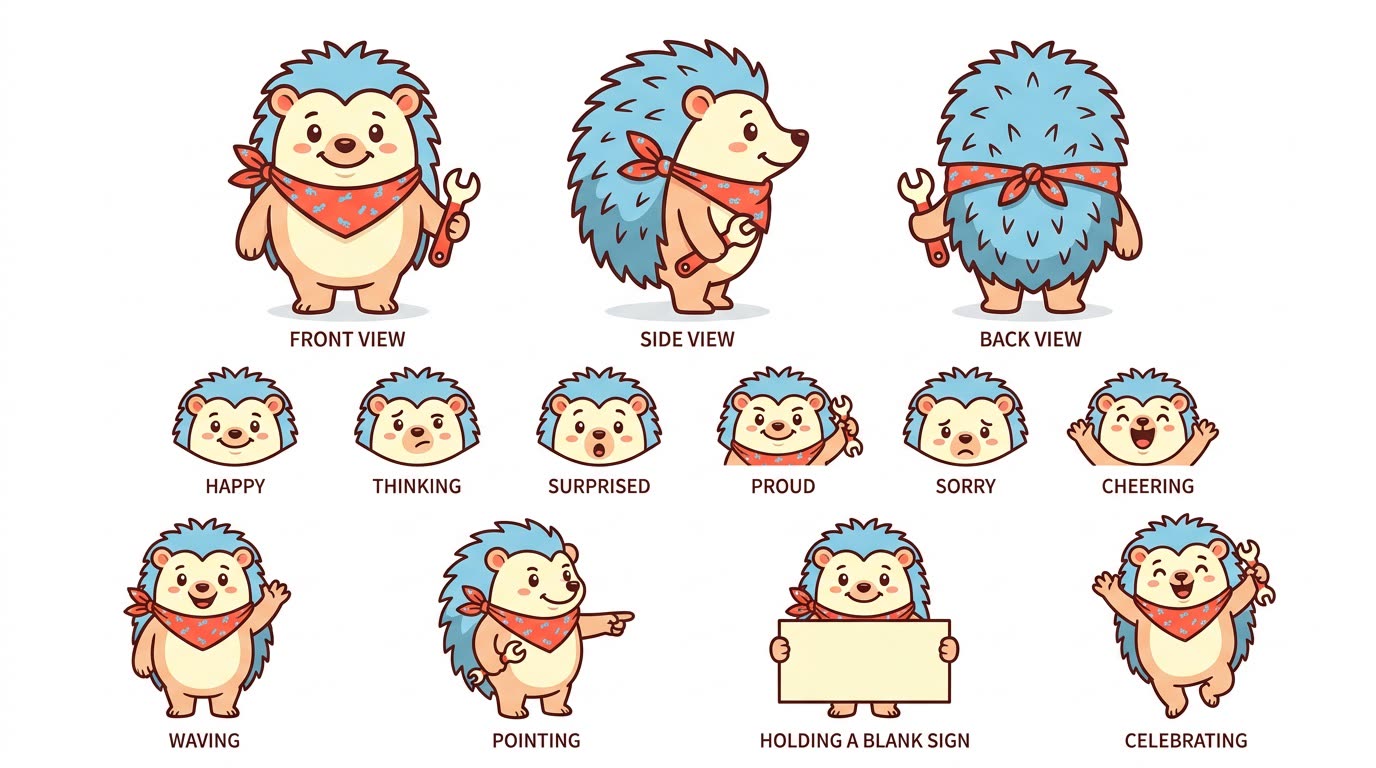
A real example, made with this exact prompt in Google Gemini's image tool, with sample details filled in. Sample details used: Your business: a family-run bike repair shop; Brand feeling: upbeat, handy and a little cheeky; Brand colors: tomato red, sky blue and cream.
Your image prompt
Fill in your details. Skip any you like.
Each button copies your prompt and opens a new chat that makes images. Just paste it in.
The prompt that gets copied
Design an original, friendly mascot for [YOUR BUSINESS, e.g. a calm money coaching practice]. The mascot is [MASCOT IDEA, e.g. a wise owl with round glasses] and should feel [BRAND FEELING, e.g. warm, smart and a little playful]. Use my brand colors: [BRAND COLORS, e.g. navy, cream and coral]. Lay everything out on one clean character sheet with a white background: front, side and back views at the same size; a row of six facial expressions (happy, thinking, surprised, proud, sorry, cheering); and four poses (waving, pointing, holding a blank sign, celebrating). Keep the shapes simple enough to work as a small icon. Keep the same proportions, colors and outfit in every drawing, and add small, neat labels under each section. Don't copy any existing cartoon character.
Describe your business and the feeling you want, and get an original mascot on one sheet: front, side and back views, six expressions and four poses you can reuse anywhere.
Step by step
- Paste the prompt and fill in your business details.
- Pick the version you like best and ask for small tweaks.
- Upload the sheet whenever you want the mascot in a new image.
What you'll get
A one-page character sheet of your new mascot from every angle, with matching expressions and poses.
Upload the sheet with every new request so the mascot stays consistent.
- Made for
- Coaches, Creators, Small business owners
- Works in
- Gemini, ChatGPT



 Before