Show your product in action with an animated demo video
It redraws your screens as crisp animated mockups, so the demo looks smoother than a real screen recording.
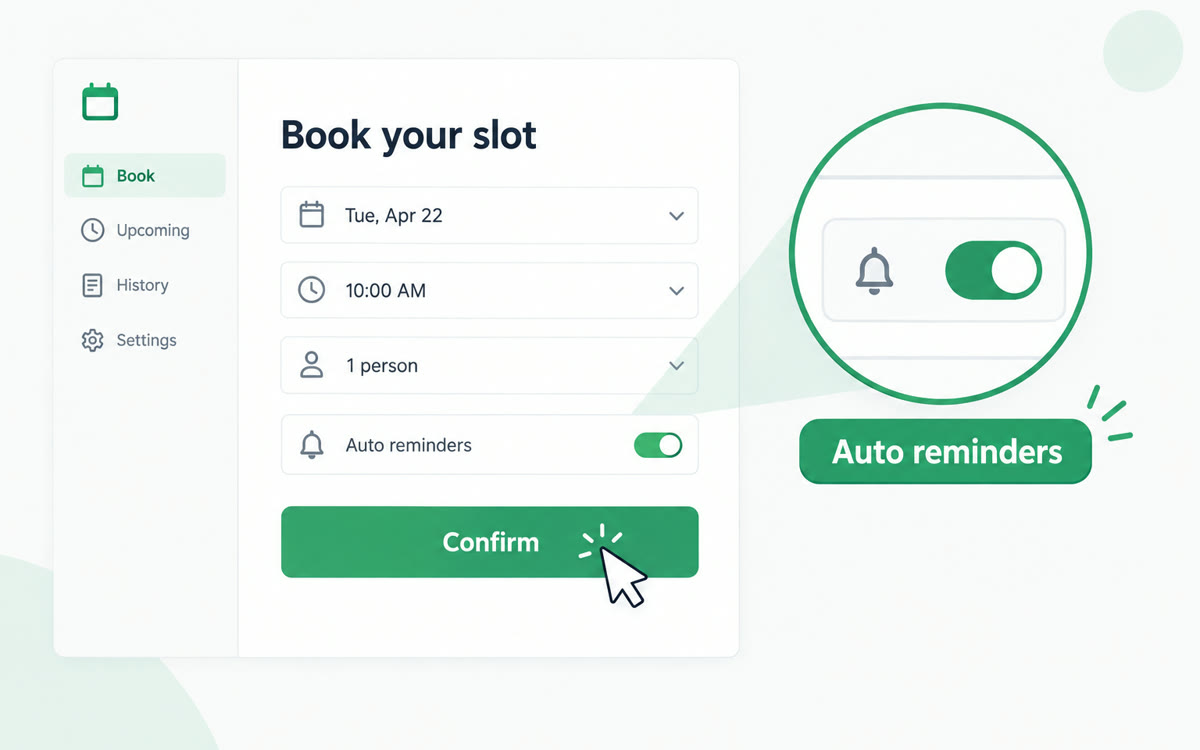
A sample of what you get back, made with AI.
Your prompt
Fill in your details. Skip any you like.
Claude and ChatGPT open with your prompt already typed in. Gemini can't be filled in from a link, so its button copies your prompt: paste it into the new chat.
The prompt that gets copied
I've attached [NUMBER OF SCREENSHOTS, e.g. 4] screenshots of [YOUR PRODUCT, e.g. my client portal]. Build a 25-second animated product demo as one web page that plays by itself in the preview.

Redraw my screens as clean, simplified mockups made from shapes and text, matching my colors and layout. Don't add any feature that isn't in my screenshots.

Story:
1. Open on the problem in one line: [THE PROBLEM IT SOLVES, e.g. Clients forget their homework].
2. Walk through the screens in order. A smooth cursor clicks, screens slide or zoom in, and the key feature on each one glows with a short label of 5 words or fewer.
3. Zoom in on the moment that matters most: [THE WOW MOMENT, e.g. the progress bar filling up].
4. End on the product name and [YOUR CALL TO ACTION, e.g. Book a demo].

Calm, modern motion with gentle springs, no bounce, no sound, 16:9. Start on one blank second, hold the end for 2 seconds, and add a Replay button below the frame.
Upload a few screenshots of your app, client portal or template and Claude rebuilds them as a clean animated demo: a cursor clicks, screens slide in and key features light up.
Step by step
- Take 3 to 5 screenshots of your product's main screens, with private details cropped out.
- Open Claude, attach the screenshots, and paste the prompt.
- Check that every label and number matches your real product, then ask for fixes.
- Record the demo with Shift-Command-5 (Mac) or Windows+Shift+R (Windows) for your sales page.
What you'll get
A 25-second animated walkthrough of your real screens, with cursor clicks, zooms and feature labels, ready to record for a sales page.
Works on every Claude plan and in Gemini Canvas. In ChatGPT, click Preview on the code block.
- Made for
- Small business owners, Creators, Consultants, Coaches
- Works in
- Claude, Gemini, ChatGPT