Get a 30-second animated explainer of how you work with clients
It's a real five-scene animated video of your offer, made from one paragraph, with no camera or editing app.
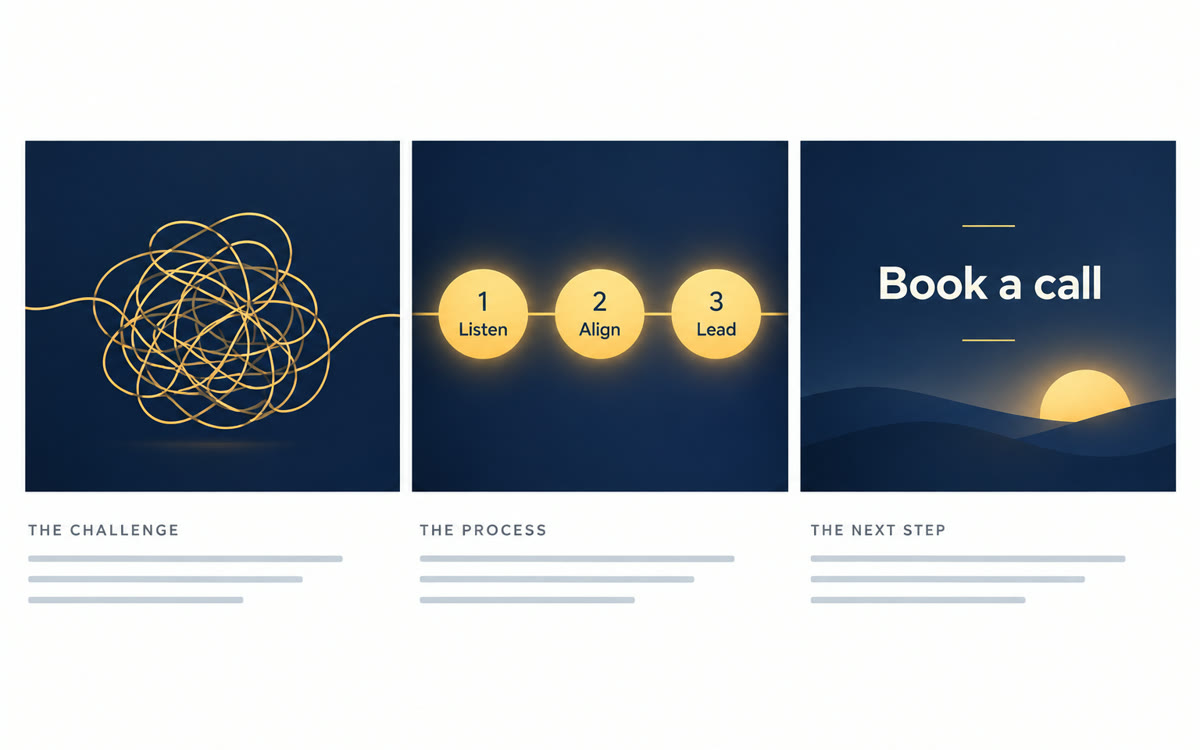
A sample of what you get back, made with AI.
Your prompt
Fill in your details. Skip any you like.
Claude and ChatGPT open with your prompt already typed in. Gemini can't be filled in from a link, so its button copies your prompt: paste it into the new chat.
The prompt that gets copied
Act as a motion designer and direct a 30-second animated explainer of how I work with clients. Build it as one web page that plays by itself in the preview.

About me: [YOUR BUSINESS, e.g. Brightline Coaching] helps [YOUR IDEAL CLIENT, e.g. new managers] get [THE RESULT YOU DELIVER, e.g. a team that trusts them]. My method: [YOUR THREE STEPS, e.g. Listen, Align, Lead]. Brand colors: [BRAND COLORS, e.g. navy and warm gold].

Direct it like a tiny film:
0 to 5 seconds: the question my client asks themselves at night, in their own words.
5 to 12 seconds: a tangled 'before' picture of their week, drawn with simple shapes, that slowly untangles.
12 to 22 seconds: my 3 steps appear one by one, each with a small icon and a label of 3 words or fewer.
22 to 27 seconds: the calm 'after' picture, plus one real proof point: [ONE PROOF POINT, e.g. 40 managers coached this year].
27 to 30 seconds: my business name and [YOUR CALL TO ACTION, e.g. Book a free call].

Big bold words, lots of empty space, smooth eased motion, no sound, 16:9, text inside safe margins. Start on one blank second so I can start recording, hold the last frame for 2 seconds, and add a Replay button below the frame.
Describe your business in a few lines and Claude builds a 30-second animated explainer that plays right in the chat. Screen-record it for your website, a pitch or a social post.
Step by step
- Open Claude, or Gemini with Canvas picked under the text box, and paste the prompt with your details.
- Watch the explainer play, then give one note at a time, like slower or more energy.
- Click Replay and record just the animation with Shift-Command-5 (Mac) or Windows+Shift+R (Windows).
- Trim the blank start, then post it or add it to your website.
What you'll get
A 30-second, five-scene animated explainer of your offer that you can replay, change by chatting, and screen-record as a video.
Works on every Claude plan and in Gemini Canvas. In ChatGPT, click Preview on the code block. Claude Team can export MP4 from Motion.
- Made for
- Coaches, Consultants, Small business owners, Creators
- Works in
- Claude, Gemini, ChatGPT