
Key takeaways
- An AI daily brief is one page written on a schedule: what moved, what's stuck, your top 3 actions, read in 60 seconds.
- The differentiator is the approval queue: the agent proposes and stops, and nothing gets sent, posted, or changed without your explicit yes.
- Schedule it with clicks, not code, in the Claude desktop app's Routines panel. Choose Local, paste the prompt, pick Daily. No terminal, ever.
- Pick Local over Cloud for a personal brief. Cloud runs with your machine off but can't read your files, which is the entire point.
- Missed runs fire exactly one catch-up within 7 days, so add a guardrail line: 'if it's after 5pm, skip and just say so.'
- If it runs by hand but goes silent on a schedule, check permissions first: a task in Ask mode stalls waiting for an approval nobody's there to give. That's the documented cause, and it's almost never your prompt.
- The brief is only as good as the files under it, so fix the second brain first and make approval cheaper than the thinking.
The Solo Creators AI Studio
Get this skill, and every one I build.
The whole vaultA new drop monthlyBuild live with meYours to keep, forever
See inside the AI Studio
30-day money-back guarantee. Cancel anytime.
Questions people ask
Will the agent email or post anything without asking me?
Not if you build it with an approval queue, which is the pattern I recommend and use. The agent gathers, drafts, and proposes, then stops. Everything outbound waits for your explicit yes. My own locked rule is approve-then-publish: nothing publishes without my confirmation, anything affecting other people shows an 'affects N people' line and needs a second confirm, and an unclear reply executes nothing at all rather than guessing.
Do I need to leave my computer on overnight?
For a local routine, yes. The app needs to be open and the machine awake for the task to fire on time. That's the real trade for being able to read your own files and numbers. Cloud routines run with your machine off, but they can't see anything local, which turns a personal brief into a generic summary. For most solo creators, local plus a machine that doesn't sleep is the right call.
What happens if I miss a day or my laptop was asleep?
The desktop app handles it gracefully. If runs were missed while your machine slept, it fires exactly one catch-up for the most recent missed time within the last 7 days and discards the rest, so you don't wake up to a stack of stale briefs. The catch is timing: a 9am task might run at 11pm. That's why the prompt includes a line telling it to skip and say so if it's running late in the day.
It works when I run it by hand but does nothing on a schedule. Why?
Usually permissions, which is the documented cause. If the task runs in Ask mode and needs a tool it doesn't have permission for, it stalls waiting for an approval nobody's there to give, and you get silence. Run it by hand once and grant what it asks for. After that, check whether you've enabled Bash sandboxing (it's opt-in, not something schedules impose on you), whether the machine was asleep at run time, and whether you built the routine in the cloud, which has its own network policy and can't read your local files at all.
Can it read my calendar and my inbox?
It can read what you give it access to, and a local routine can read the files and folders in its working directory. Connecting live services is possible but it's the wrong place to start. Point it at one file first. The most common failure is a brief that sees everything, takes four minutes to read, and gets ignored by Friday.
What does this cost?
Scheduled routines require a paid Claude plan (Pro, Max, Team, or Enterprise). Beyond that there's nothing to buy: no separate SaaS subscription, no API keys, no per-brief fee. The prompt in this article is the whole thing, free, and I'm not selling a finished version of it. The free tier can't run it at all, since Claude Code starts at Pro.
What if the brief is wrong?
It will be, at first, and that's exactly why the approval queue matters. A wrong brief that only proposes costs you 30 seconds of reading. A wrong agent that acts costs you a customer. Run every new agent in shadow mode for a week, where it writes the page and does nothing else, and read what it would have done. Wrong briefs during shadow week are free tuning data.
How is this different from a ChatGPT task or Gemini's morning summary?
Two ways. First, visibility: a local Claude routine reads your actual files and your actual numbers, while vendor tools only see their own ecosystem's inbox and calendar. Second, restraint: almost none of them ship an approval queue, because 'AI that acts for you' sells better than 'AI that asks first.' If you only want your calendar summarized, just use Gemini or ChatGPT Tasks. This is for when the numbers that matter live in your own files.

Written by Ronnie Nijmeh
Ronnie spent 18 years building a SaaS with a team of 20 that served over 650,000 customers, generated over $14M in sales, and sent over 550M emails. Now he's solo, solving real business bottlenecks and turning them into working AI skills, workflows, and automations. He teaches all of it, with direct access to him, inside the Solo Creators AI Studio Skool community. See what he's built →
“I completely rebuilt my site using the Website Launch Builder. If you've ever built a website, you'll really appreciate this skill. I'm blessed to be a member.”
 Michael HattawayFounder, Iron Strengthens Iron
Keep reading
Run your business
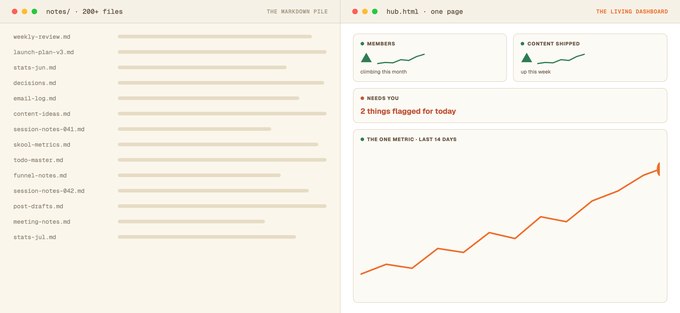
Turn Your Markdown Pile Into One Living Dashboard
The one-page HTML hub that replaced my markdown pile, with the exact prompts and house rules to build your own.

Getting started
Build a Second Brain So AI Finally Remembers You
Make AI remember your voice, clients, and decisions, every single time.

Newsletter workflow
Ship a Weekly Newsletter in an Hour: From Research to Finished Draft
Kill the research bottleneck, keep your taste, and ship a real issue every week.