Make a click-worthy YouTube thumbnail with your real face
It keeps your actual face, laugh lines and all, while making the whole thing pop.
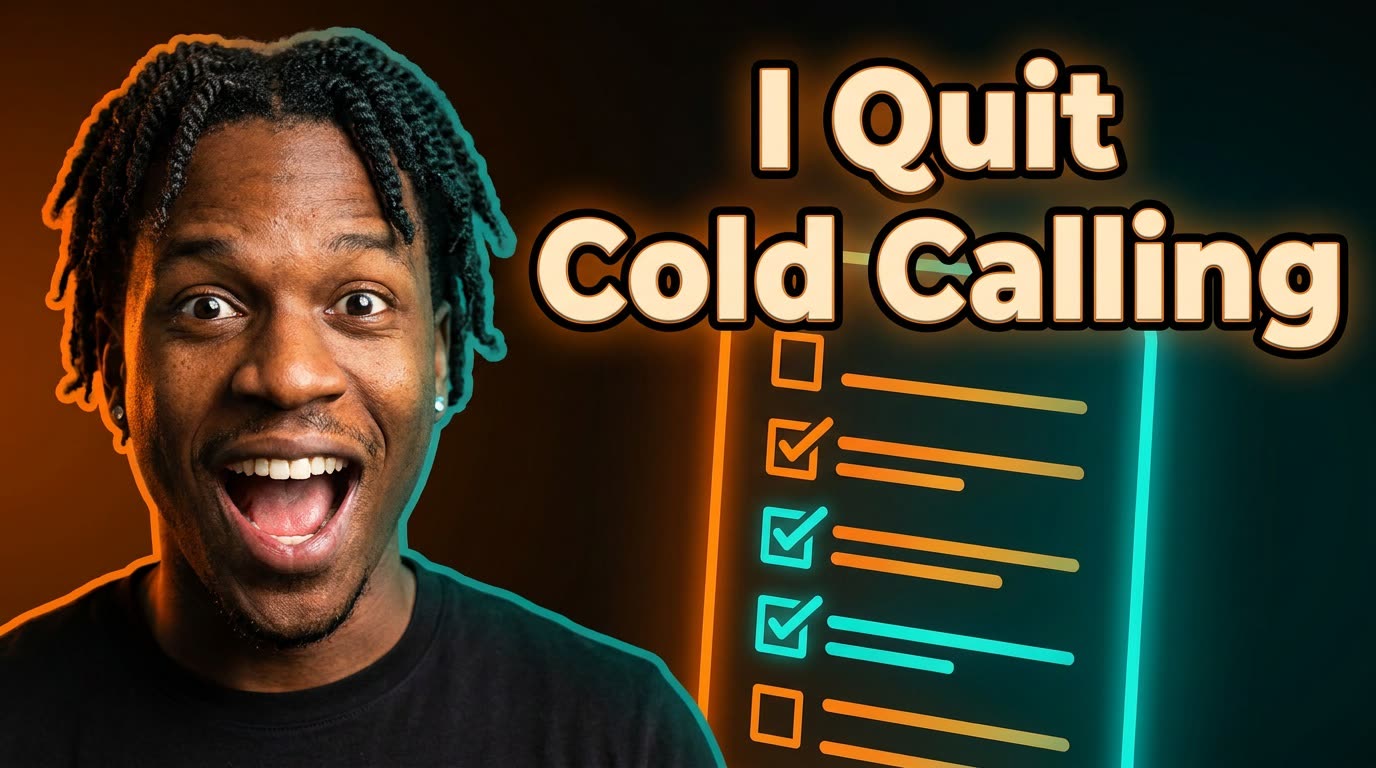
 Before
A real example. The small "before" photo is a sample we made with AI, and the result came from running this exact prompt on it in Google Gemini's image tool. Sample details used: Video title: How I Book Clients Without Ads; Your expression: surprised and excited; Striking visual: a giant glowing checklist; Thumbnail headline: I Quit Cold Calling; Your brand colors: orange and teal.
Your image prompt
Attach a clear photo first, then paste the prompt with it.
Fill in your details. Skip any you like.
Each button copies your prompt and opens a new chat that makes images. Just paste it in.
The prompt that gets copied
Using my uploaded photo, create a YouTube thumbnail for a video called "[VIDEO TITLE, e.g. How I Book Clients Without Ads]". Keep my face and features exactly the same, with a [YOUR EXPRESSION, e.g. surprised and excited] expression. Put me on the left, taking up about 40 percent of the frame, cut out cleanly with a subtle glow around me. On the right, show [STRIKING VISUAL, e.g. a giant glowing checklist]. Add bold headline text, "[THUMBNAIL HEADLINE, e.g. I Quit Cold Calling]" (5 words max), in a thick, easy-to-read sans-serif font with a dark outline. Use [YOUR BRAND COLORS, e.g. orange and teal] lighting and a high-contrast background. It must be readable on a small phone screen. Spell the text exactly as written.
Upload a photo of yourself and your video's hook, and get a bold, readable thumbnail with your face on one side and a striking visual on the other.
Step by step
- Upload a photo with a clear, expressive face.
- Fill in your headline (4 or 5 words works best).
- Look at it at phone size before you pick a winner.
What you'll get
A punchy 16:9 thumbnail with your face, a big readable headline, and one bold visual that tells viewers what the video's about.
- Made for
- Creators, Coaches, Consultants
- Works in
- ChatGPT, Gemini


