See how an outfit looks on you before you buy it
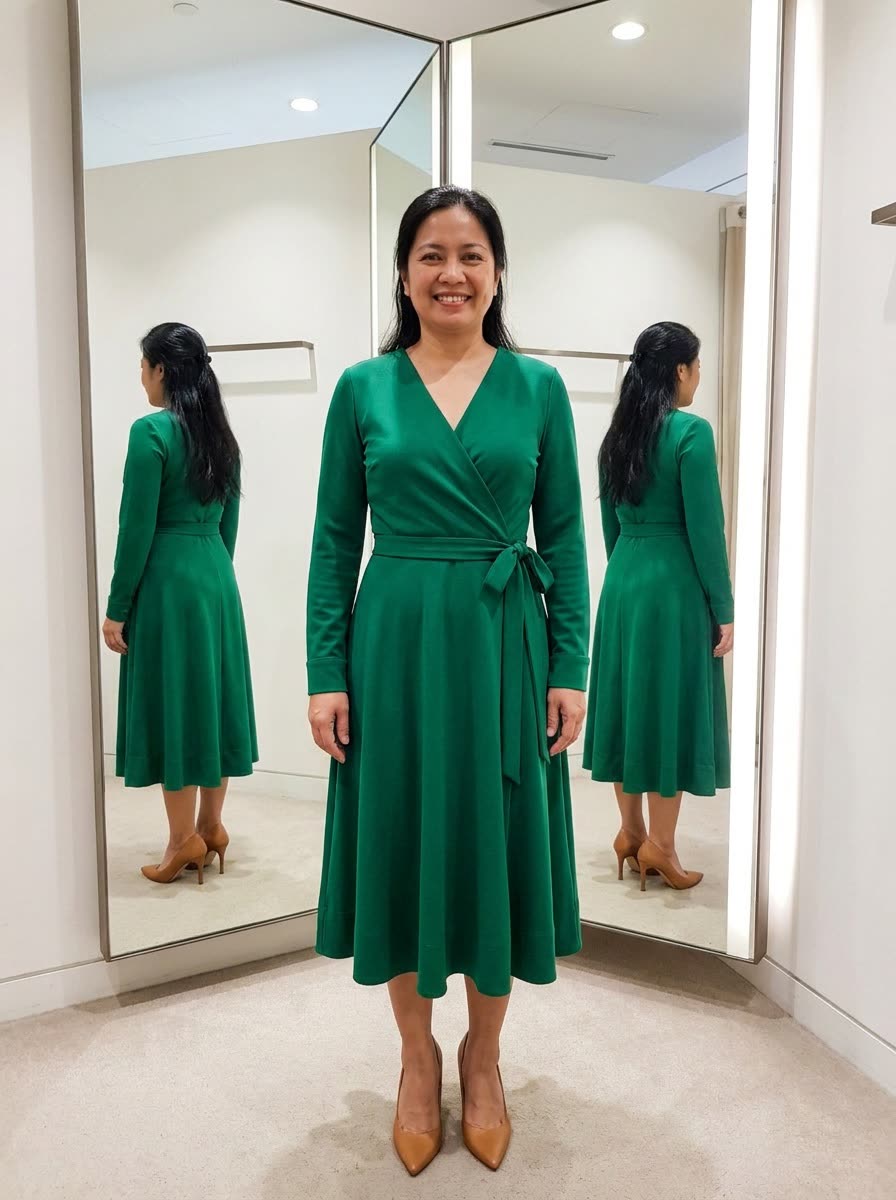
It drapes the exact dress from the store listing onto your own photo.
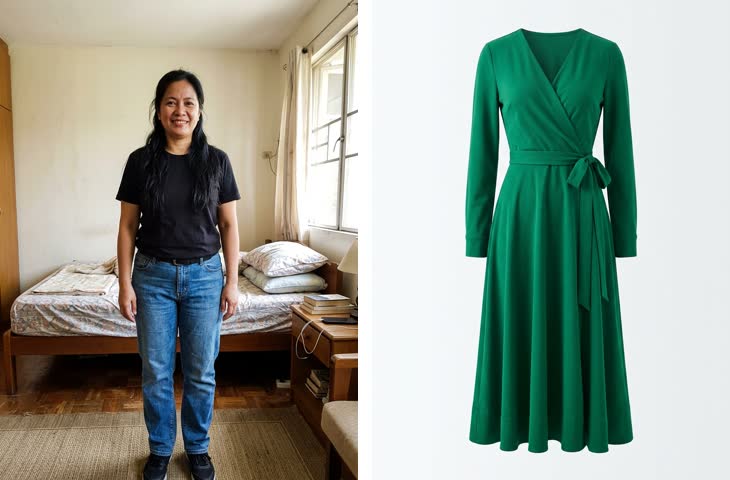 Before
A real example. The small "before" photo is a sample we made with AI, and the result came from running this exact prompt on it in Google Gemini's image tool. Sample details used: Clothing item: green wrap dress; Your size: size 12; Shoes or accessories: tan heels; Photo setting: a bright room with a tall mirror.
Your image prompt
Attach a clear photo first, then paste the prompt with it.
Fill in your details. Skip any you like.
Each button copies your prompt and opens a new chat that makes images. Just paste it in.
The prompt that gets copied
Image 1 is me. Image 2 is a [CLOTHING ITEM, e.g. green wrap dress]. Show me wearing the item from Image 2. Keep my face, hair, body shape, height, skin tone, and pose exactly as shown in Image 1. Fit the garment naturally to my body in my usual size, [YOUR SIZE, e.g. size 12], with realistic drape, folds, and fabric texture. Keep the garment's exact color, pattern, and details from Image 2. Add [SHOES OR ACCESSORIES, e.g. tan heels, or none]. Place me in [PHOTO SETTING, e.g. a bright room with a tall mirror] with lighting that matches my original photo. Full-length and photorealistic, like a fitting-room photo.
Upload a full-length photo of yourself and a photo of the clothing, and see it on your body with realistic fit and fabric. It's great for event outfits and stage clothes.
Step by step
- Take a full-length photo in fitted clothes and good light.
- Save the product photo from the store's website.
- Upload both, your photo first, then paste the prompt.
What you'll get
A realistic full-length photo of you wearing the exact item from the store, fitted to your shape, in a clean setting.
- Made for
- Everyone, Coaches, Creators
- Works in
- Gemini, ChatGPT


 Before
 Before