Snap any event flyer and get it on your calendar
It warns you that the bake sale clashes with the dentist before you double-book yourself.
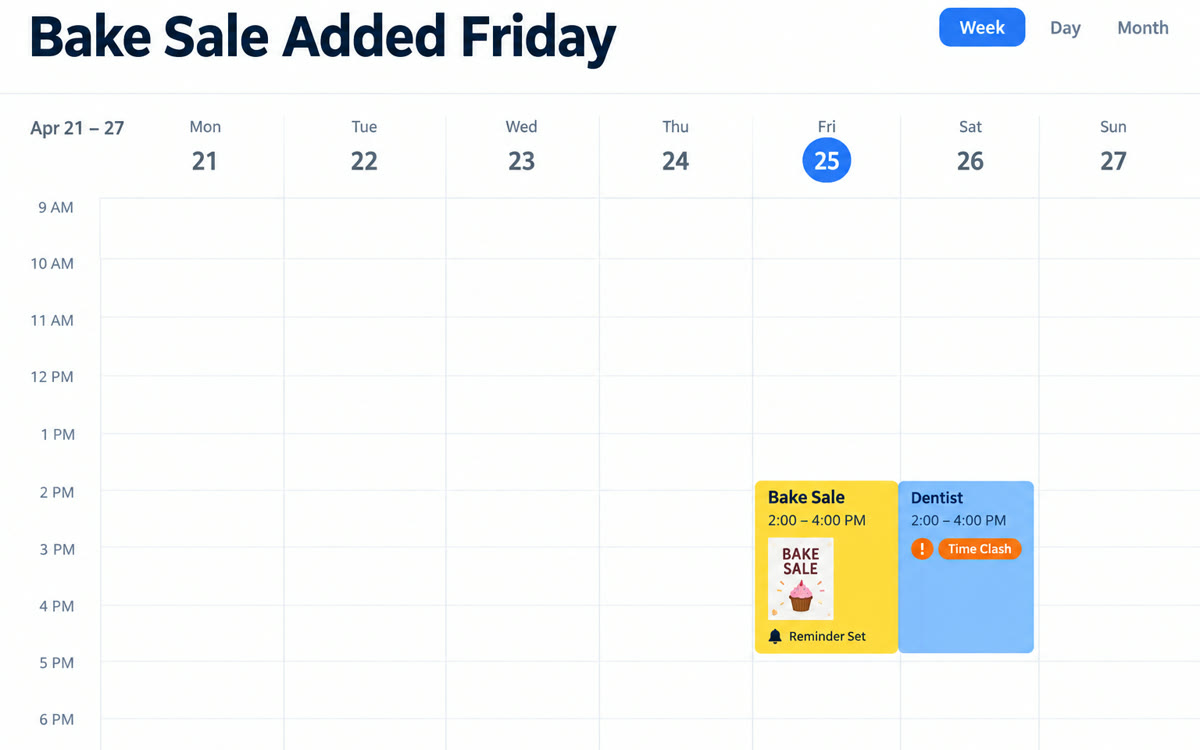
A sample of what you get back, made with AI.
Your prompt
Attach a clear photo first, then paste the prompt with it.
Fill in your details. Skip any you like.
This AI can't be filled in from a link, so the button copies your prompt: paste it into the new chat.
The prompt that gets copied
Read the attached flyer and pull out the event name, date, start and end time, location, cost and anything I need to bring or sign up for. Check my Google Calendar for conflicts on that day and tell me about any clash. If it's clear, add the event with the location and details in the notes, plus a reminder [REMINDER TIMING, e.g. the night before at 7 pm]. If there's a sign-up deadline, add a separate reminder two days before it. Show me what you'll add before you add it. People going: [EVENT ATTENDEES, e.g. me and my son].
Take a photo of a flyer, poster or school notice. Gemini reads the date, time and place, checks your calendar for conflicts and adds the event with a reminder once you approve it.
Step by step
- Connect Google Calendar in Gemini's settings.
- Take a photo of the flyer and attach it with the prompt.
- Approve the event and the reminder it suggests.
What you'll get
The event on your calendar with all the details, a reminder, a deadline nudge and a heads-up on any conflict.
Needs Google Calendar connected in Gemini. Spark can do this from Google Photos on AI Pro and Ultra in the US.
- Made for
- Everyone
- Works in
- Gemini


