Get podcast cover art that pops even as a tiny app thumbnail
It looks like a network show, and you made it before your coffee got cold.
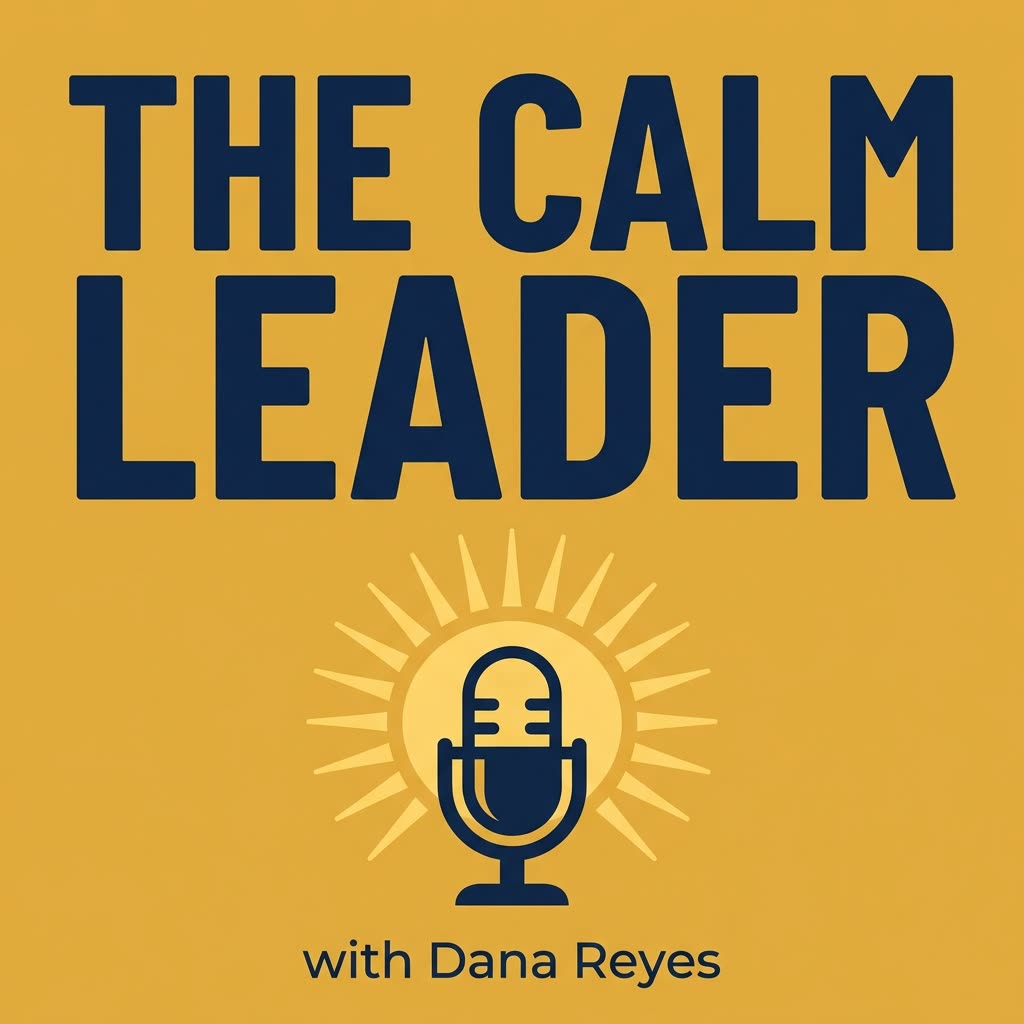
A real example, made with this exact prompt in Google Gemini's image tool, with sample details filled in. Sample details used: Show name: The Calm Leader; Show topic: calm leadership; Your audience: first-time managers; Show mood: warm, smart, and encouraging; Central image: a microphone inside a sunrise; Brand colors: navy and gold; Host name: Dana Reyes.
Your image prompt
Fill in your details. Skip any you like.
Each button copies your prompt and opens a new chat that makes images. Just paste it in.
The prompt that gets copied
Design square podcast cover art for a show called "[SHOW NAME]" about [SHOW TOPIC, e.g. calm leadership] for [YOUR AUDIENCE, e.g. first-time managers]. The feeling should be [SHOW MOOD, e.g. warm, smart, and encouraging]. Put the show title in huge, heavy sans-serif letters that fill the top half and stay readable at a very small size. Below it, add one simple, bold central image: [CENTRAL IMAGE, e.g. a microphone inside a sunrise]. Use [BRAND COLORS, e.g. navy and gold] with strong contrast between the title and the background. Keep all text and key elements inside the center 75 percent of the square so nothing gets cropped. Add the small line "with [HOST NAME]". No other text, no clutter, and no watermark.
Describe your show and get square cover art with a big, bold title that still reads when it's shrunk down in Apple Podcasts or Spotify.
Step by step
- Fill in your show name, topic, and colors.
- Generate 3 versions.
- Shrink each one to thumbnail size and pick the clearest.
What you'll get
A bold, square cover with a giant readable title, one strong central image, and your name, sized for podcast apps.
- Made for
- Creators, Coaches, Consultants
- Works in
- ChatGPT, Gemini, Ideogram


