Add tiny 3D versions of yourself into your favorite photo
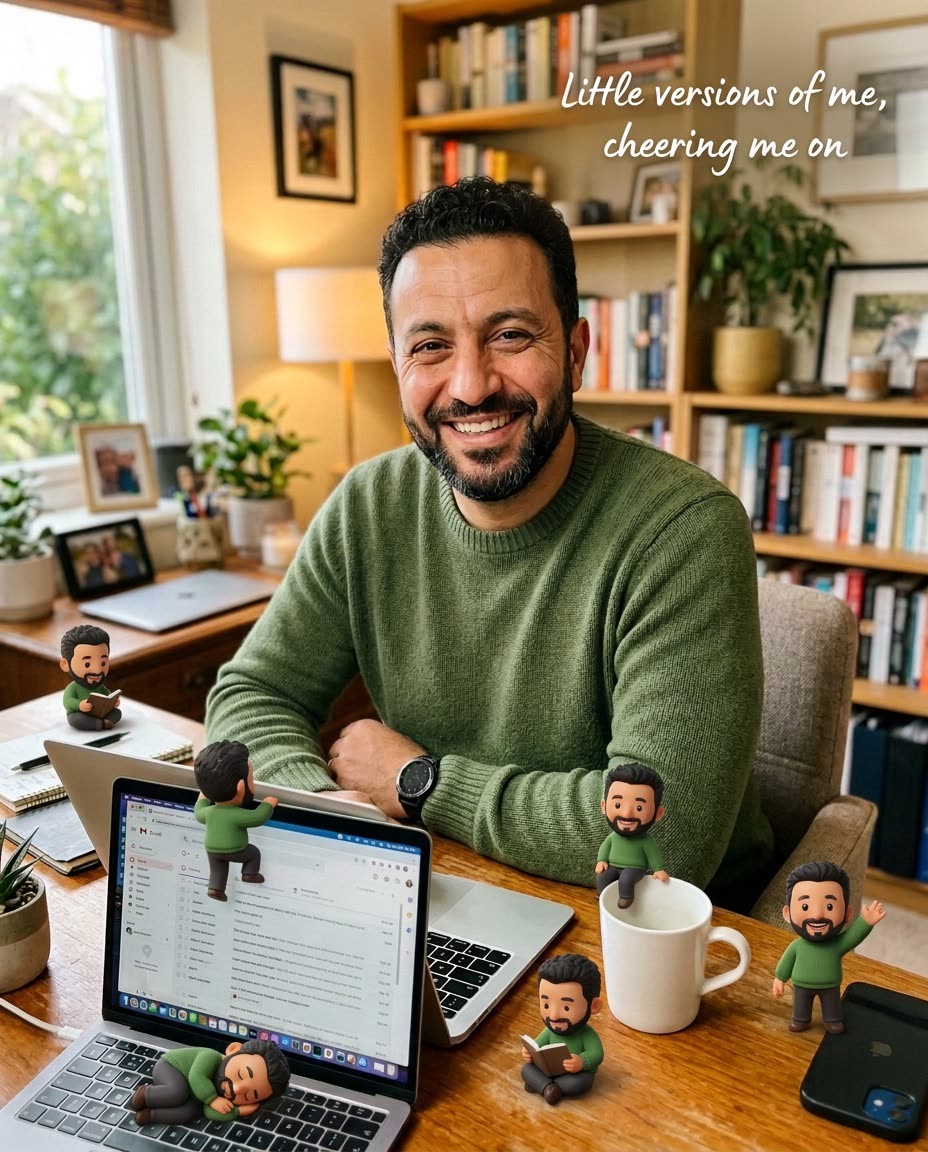
Tiny cartoon copies of you hang off your own coffee mug.
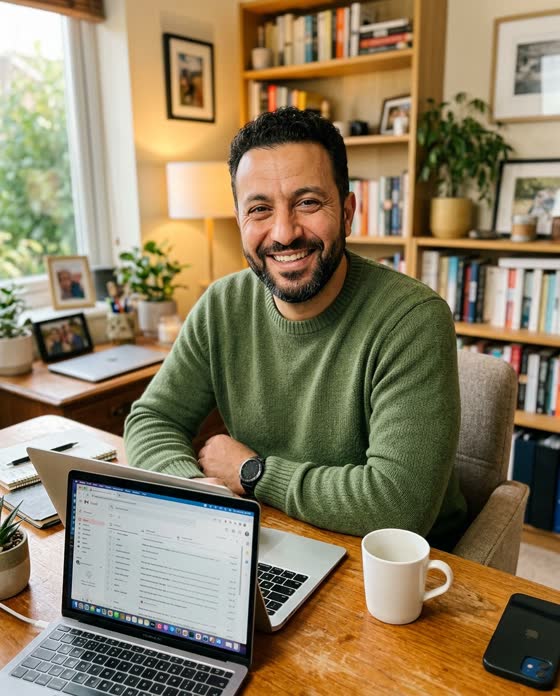 Before
A real example. The small "before" photo is a sample we made with AI, and the result came from running this exact prompt on it in Google Gemini's image tool. Sample details used: First object: my coffee mug; Second object: my laptop; Your caption: Little versions of me, cheering me on.
Your image prompt
Attach a clear photo first, then paste the prompt with it.
Fill in your details. Skip any you like.
Each button copies your prompt and opens a new chat that makes images. Just paste it in.
The prompt that gets copied
Keep my uploaded photo exactly the same, including my face, pose, and the background. Add 5 or 6 tiny, cute 3D cartoon versions of me around the scene, each with the same hair and outfit as me. Have them do playful things: one sitting on the edge of [FIRST OBJECT, e.g. my coffee mug], one climbing [SECOND OBJECT, e.g. my laptop], one reading a tiny book, one waving at the camera, and one napping. Give them realistic shadows so they look like they're really in the photo. Add soft handwritten text in one corner: "[YOUR CAPTION, e.g. Little versions of me, cheering me on]". Cozy, warm, and charming.
Upload any photo of yourself and tiny 3D cartoon versions of you appear around the scene, sitting on your coffee mug, climbing your laptop, and cheering you on.
Step by step
- Upload a photo of you at your desk, in a cafe, or at home.
- Paste the prompt and pick a caption.
- Post it with a line about what you're working on.
What you'll get
Your original photo, untouched, with a handful of tiny 3D cartoon versions of you playing around the scene and a handwritten caption.
- Made for
- Everyone, Creators, Coaches
- Works in
- ChatGPT, Gemini


