See every idea you've ever written as one clickable map
One author mapped 8,000 saved quotes and seven of his own books in about 20 seconds.
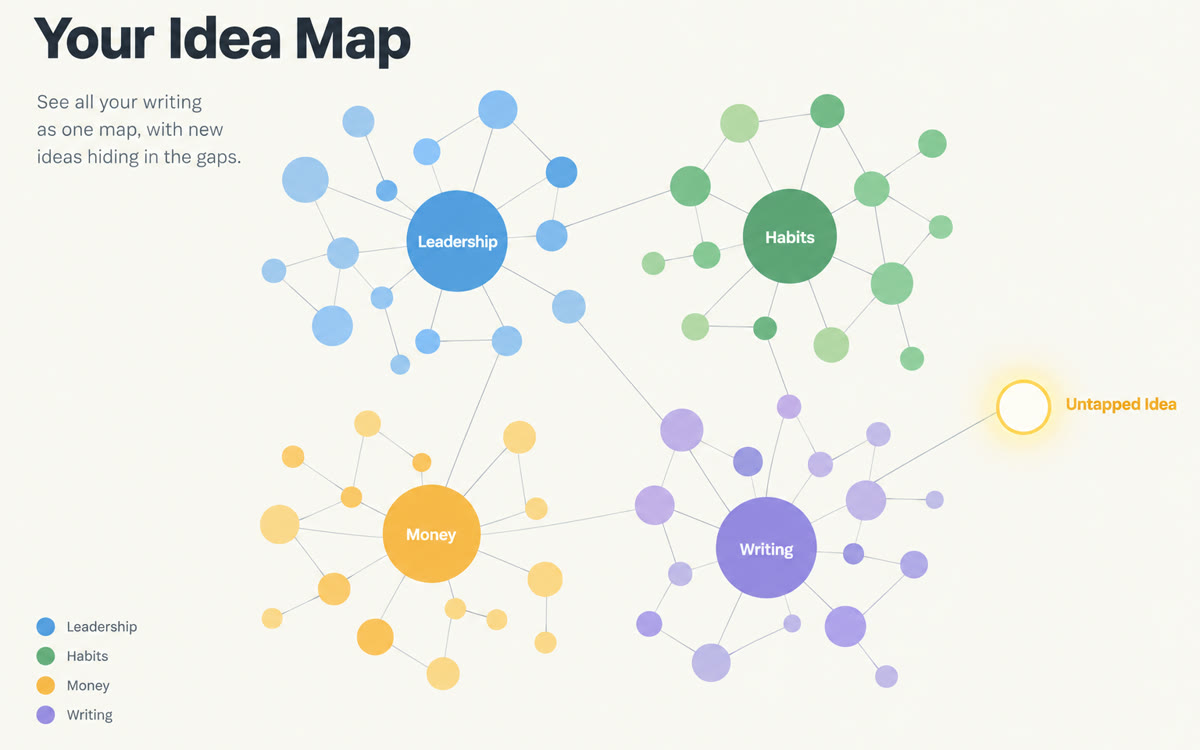
A sample of what you get back, made with AI.
Your prompt
Fill in your details. Skip any you like.
This AI can't be filled in from a link, so the button copies your prompt: paste it into the new chat.
The prompt that gets copied
Using every source in this notebook, which is all my own writing, help me plan new content. First, list my 7 biggest recurring themes and the 3 pieces that explain each one best. Then find 5 ideas I've mentioned only once or twice that deserve a full post. Next, show me 3 places where I've changed my mind or said things that seem to contradict each other, quoting both. Finally, suggest 10 new post titles for [YOUR IDEAL CLIENT, e.g. first-time managers] that build on my strongest themes, each with the source it comes from. Don't invent opinions I haven't written.
Add your blog posts, newsletters, books or course notes to Gemini Notebook and generate a Mind Map. Click any branch for a summary with citations, then mine the gaps for new content.
Step by step
- Export your posts, newsletters or course docs as PDFs or Google Docs.
- Add them as sources in one Gemini Notebook and click Mind Map.
- Click around the branches, then paste the prompt to turn the gaps into post ideas.
What you'll get
A clickable map of your themes plus a list of underused ideas, contradictions to address and ten new post titles tied to your own work.
Mind Maps are free in Gemini Notebook. Large libraries may need a paid plan for more sources.
- Made for
- Creators, Coaches, Consultants
- Works in
- Gemini Notebook


