Turn your LinkedIn profile into a one-page infographic
You can theme it any way you like, from clean corporate to country and western.
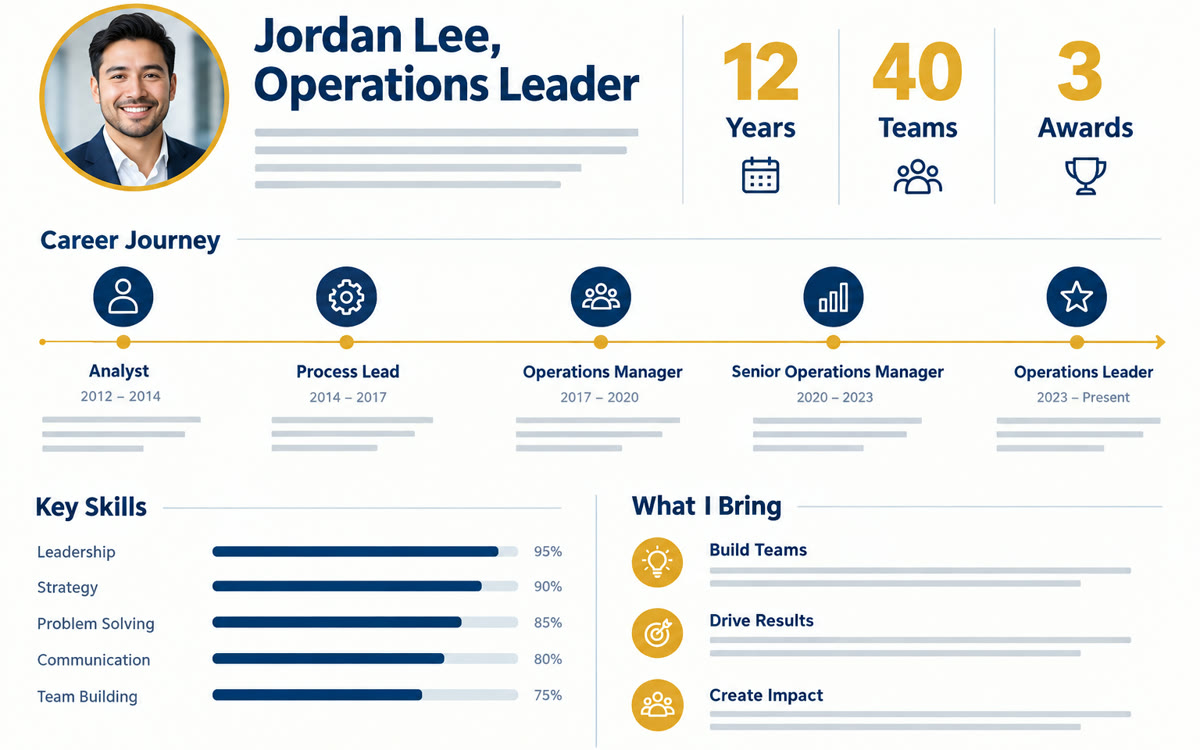
A sample of what you get back, made with AI.
Your prompt
Fill in your details. Skip any you like.
This AI can't be filled in from a link, so the button copies your prompt: paste it into the new chat.
The prompt that gets copied
Create a one-page infographic that tells the story of my career for [YOUR IDEAL CLIENT, e.g. small business owners hiring a coach]. Lead with my headline result, then show my journey as a simple timeline, my top three areas of expertise, two or three proof points with real numbers from my profile and one line on how I help people now. Use a [VISUAL STYLE, e.g. warm and modern, navy and gold] look, big readable text and plenty of white space. Leave out anything older than 15 years unless it's a major milestone. End with a short call to action: [CALL TO ACTION, e.g. Book a call at yoursite.com].
Save your LinkedIn profile as a PDF, add it to Gemini Notebook and generate an infographic. You get a designed visual story of your career to post, pin or send with proposals.
Step by step
- Open your LinkedIn profile, tap Resources or More and choose Save to PDF.
- Add the PDF as a source in a new Gemini Notebook.
- Click the pencil next to Infographic, paste the prompt and generate.
What you'll get
A polished career infographic built from your real profile that works as a post, a featured image or a page in a proposal.
Infographics are available in Gemini Notebook on free and paid plans. Check every number before you post.
- Made for
- Coaches, Consultants, Creators
- Works in
- Gemini Notebook



 Before