Make your free guide look like a premium product
A guide that only exists as a Google Doc suddenly looks like something you'd buy.
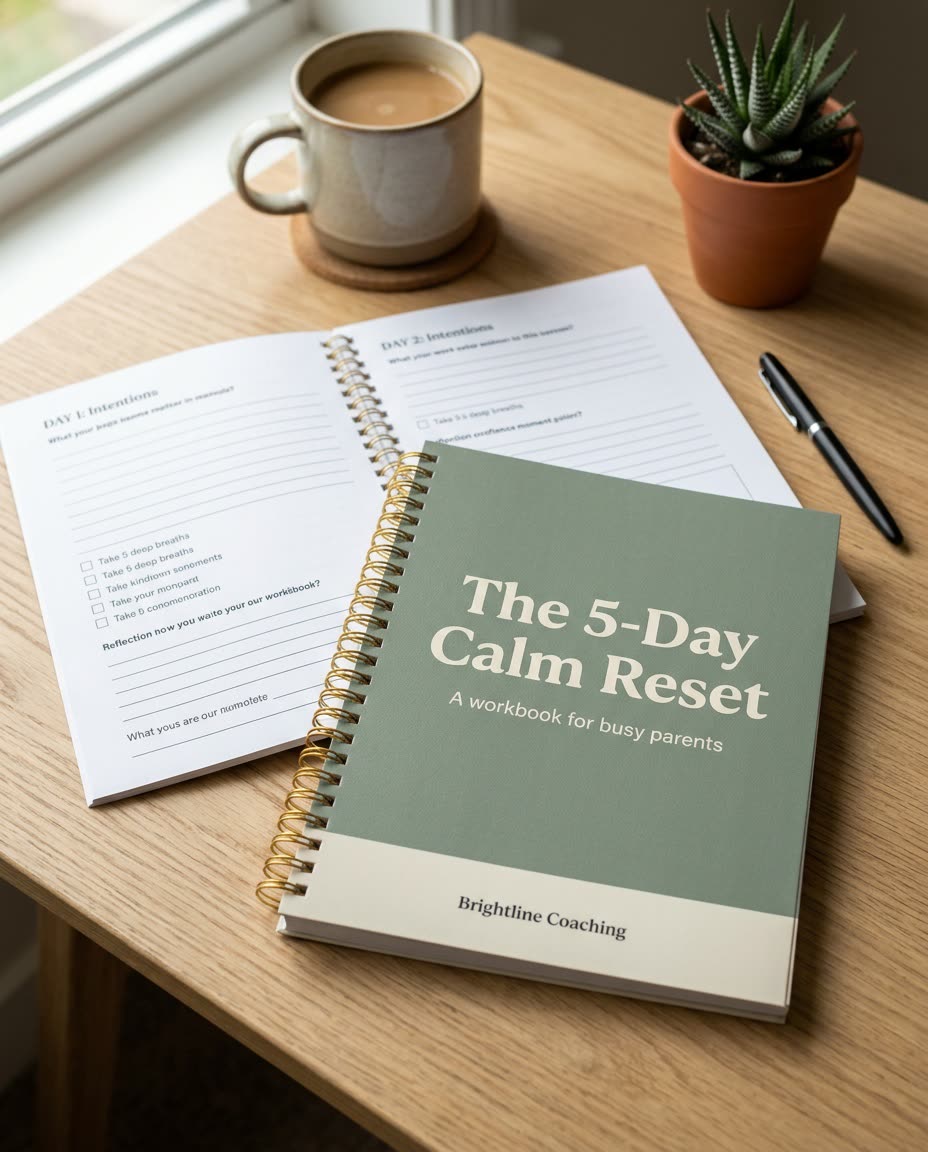
A real example, made with this exact prompt in Google Gemini's image tool, with sample details filled in. Sample details used: Guide title: The 5-Day Calm Reset; Guide subtitle: A workbook for busy parents; Desk surface: light oak desk; Brand colors: sage green and cream; Your name or brand: Brightline Coaching.
Your image prompt
Fill in your details. Skip any you like.
Each button copies your prompt and opens a new chat that makes images. Just paste it in.
The prompt that gets copied
Create a photorealistic product mockup of a printed workbook titled "[GUIDE TITLE, e.g. The 5-Day Calm Reset]" with the subtitle "[GUIDE SUBTITLE, e.g. A workbook for busy parents]". Show it at a three-quarter angle on a [DESK SURFACE, e.g. light oak desk], with a second copy lying open behind it showing clean worksheet pages with checkboxes and writing lines. Cover design: [BRAND COLORS, e.g. sage green and cream], a bold modern sans-serif title, the subtitle smaller underneath, and "[YOUR NAME OR BRAND]" at the bottom. Add a pen, a coffee cup, and a small plant as props. Soft morning window light, gentle shadows, shallow depth of field, and crisp focus on the cover text. Render the text exactly as written, spelled correctly, with no extra words.
Describe your lead magnet or workbook and get a photoreal 3D mockup of it on a styled desk, ready for your opt-in page, emails and ads.
Step by step
- Fill in your title, subtitle and brand colors.
- Paste the prompt and generate.
- Ask it to fix only the title text if any letters come out wrong.
What you'll get
A styled desk scene with your workbook front and center, its title sharp and spelled right, plus an open copy showing worksheet pages.
- Made for
- Coaches, Consultants, Creators
- Works in
- ChatGPT, Gemini, Ideogram



 Before