Turn your kid's handwritten story into an illustrated book
A six-year-old's crayon story comes back as a real-looking picture book to show the grandparents.
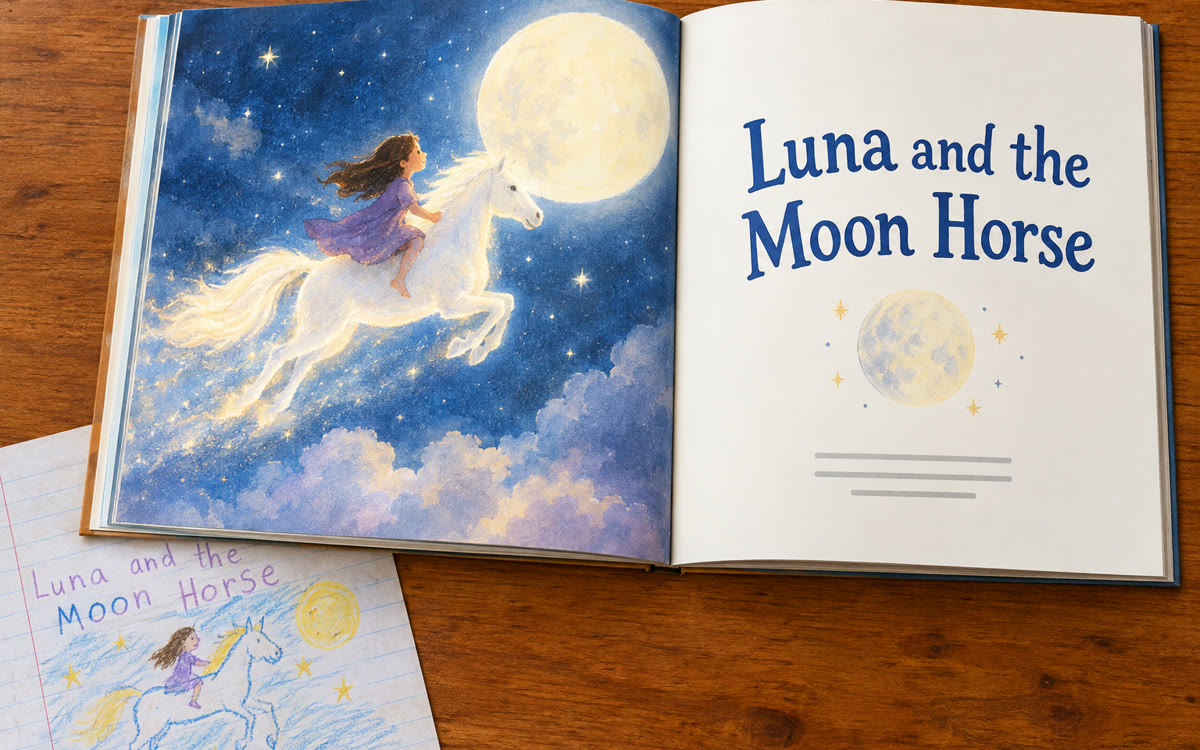
A sample of what you get back, made with AI.
Your prompt
Attach a clear photo first, then paste the prompt with it.
Fill in your details. Skip any you like.
This AI can't be filled in from a link, so the button copies your prompt: paste it into the new chat.
The prompt that gets copied
Make the children's story in my sources into a picture book. It was written by my [CHILD AGE, e.g. 6]-year-old. Keep their words, ideas and characters, but gently correct the spelling and any lines that are hard to follow. Use one or two sentences per page with a big, colorful illustration of what's happening. Use fresh illustrations only, not pictures of the original pages. Use a [ART STYLE, e.g. soft watercolor] style and keep the characters looking the same on every page. Add a cover with the title and the author's first name, [CHILD FIRST NAME], and finish with a short author's note: [AUTHOR NOTE, e.g. She loves horses and her grandma].
Photograph the pages of a story your child wrote and add them to Gemini Notebook. Generate a slide deck that turns it into an illustrated storybook with tidy spelling and an author's note.
Step by step
- Photograph each page of the story in good light.
- Add the photos as sources in a new Gemini Notebook.
- Choose Slide Deck, paste the prompt, then share or print the finished book.
What you'll get
A colorful illustrated storybook version of your child's own story, with a cover and an author's note, ready to share or print.
Slide Decks are available in Gemini Notebook on free and paid plans.
- Made for
- Everyone
- Works in
- Gemini Notebook


 Before
 Before