Turn your blog post into a glossy magazine spread
Your words, set like a feature in a magazine you'd buy at the airport.
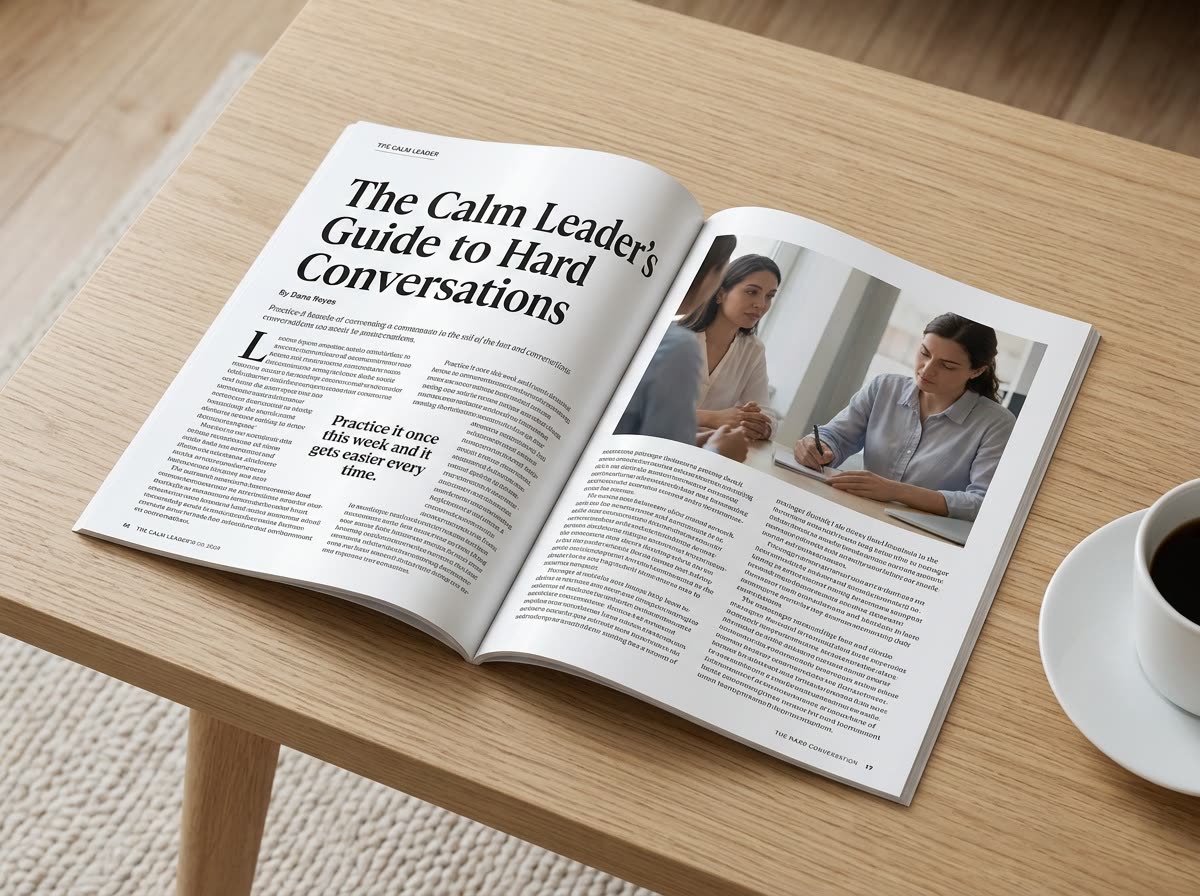
A real example, made with this exact prompt in Google Gemini's image tool, with sample details filled in. Sample details used: Table surface: light wood coffee table; Article headline: The Calm Leader's Guide to Hard Conversations; Your name: Dana Reyes; Article topic: how new managers can give honest feedback without the dread.
Your image prompt
Fill in your details. Skip any you like.
Each button copies your prompt and opens a new chat that makes images. Just paste it in.
The prompt that gets copied
Put the text below into a realistic photo of an open glossy magazine lying on a [TABLE SURFACE, e.g. light wood coffee table]. Lay it out as a two-page feature article with a big headline, "[ARTICLE HEADLINE]", a byline, "By [YOUR NAME]", elegant serif body text in columns, one large pull quote in a bigger font, and two editorial photos that match the topic of [ARTICLE TOPIC]. Bold, confident design with plenty of white space. Use the article text exactly as written, and keep it readable. Soft daylight, a gentle page curl, and a coffee cup at the edge of the frame. Text: [PASTE YOUR ARTICLE HERE]
Paste your article and get it laid out like a feature story in a glossy magazine, with pull quotes, photos and real typography. It makes a great teaser image for the full post.
Step by step
- Copy a short article or one section of it (about 300 words works best).
- Paste it into the prompt.
- Share the image as a teaser that links to the full post.
What you'll get
A photoreal two-page magazine spread on a coffee table, with your headline, byline, columns of your text, and a pull quote.
- Made for
- Coaches, Consultants, Creators
- Works in
- Gemini, ChatGPT


