Turn a blog post into a polished slide deck in minutes
Each idea gets drawn as a picture, like a timeline, a before and after, or a big number, so it teaches at a glance.
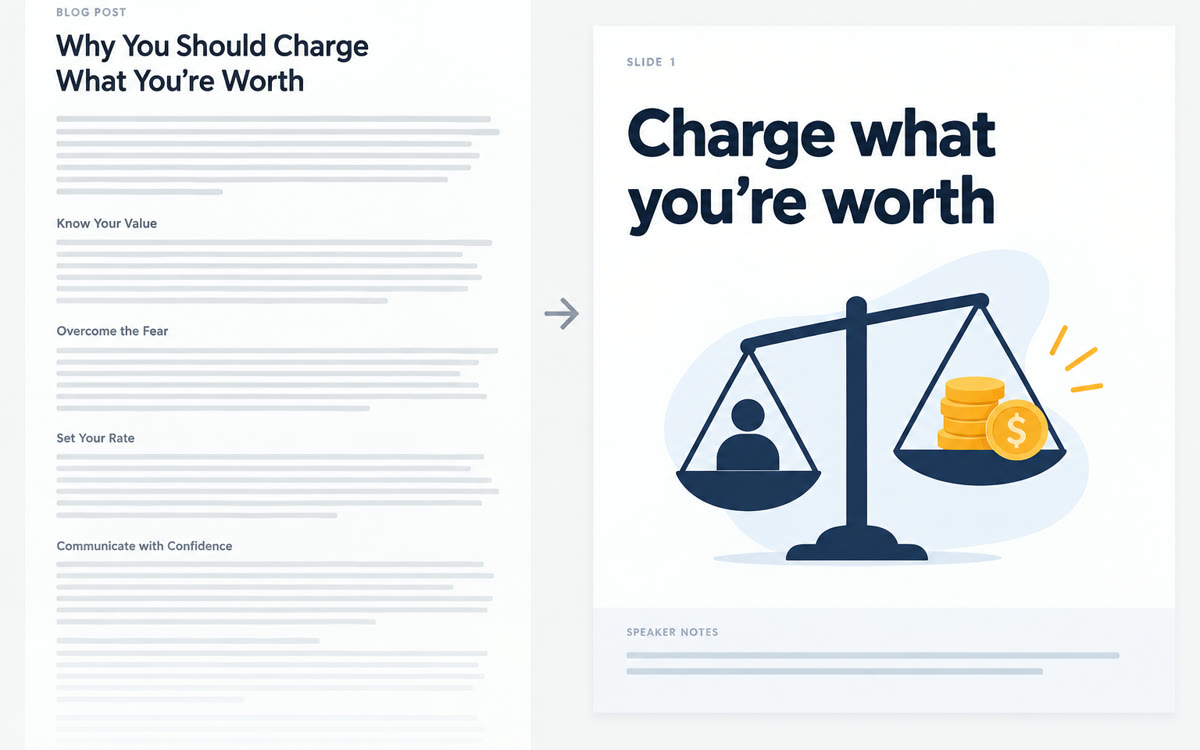
A sample of what you get back, made with AI.
Your prompt
Fill in your details. Skip any you like.
ChatGPT and Claude open with your prompt already typed in. Gemini can't be filled in from a link, so its button copies your prompt: paste it into the new chat.
The prompt that gets copied
Turn this into a presentation for [YOUR AUDIENCE, e.g. new coaches] that takes about [TALK LENGTH, e.g. 20 minutes] to present:

[PASTE YOUR POST OR DOC]

Purpose: [DECK PURPOSE, e.g. teach, sell, or update].
Brand colors: [BRAND COLORS, e.g. navy and coral]. Font feel: [FONT FEEL, e.g. modern, classic, or playful].

Rules:
1. One idea per slide, with a short headline that states the takeaway, not just the topic.
2. For each idea, choose a visual instead of bullets: a timeline, a before and after, a simple chart, a flow, or a big number.
3. Under 30 words of text on any slide.
4. Speaker notes for every slide in a natural, spoken voice.
5. A strong opening slide and a closing slide with one clear next step.

Build it as a single clickable web page with arrow-key navigation that also works on a phone. Then list the slides so I can review them.
Paste a post, doc, or outline and AI turns it into a clean deck with one idea per slide, a picture for every idea, and speaker notes.
Step by step
- Paste your blog post or doc with the prompt.
- Let it build the deck as a page you can click through: Claude shows it in the chat, ChatGPT under Preview on the code block, Gemini in Canvas.
- Ask for tweaks in plain English, like bigger titles or warmer colors.
- Present it, or screenshot the slides for a carousel.
What you'll get
A click-through deck with one visual idea per slide, speaker notes, and a slide list to review.
- Made for
- Coaches, Consultants, Creators
- Works in
- ChatGPT, Claude, Gemini



 Before