Key takeaways
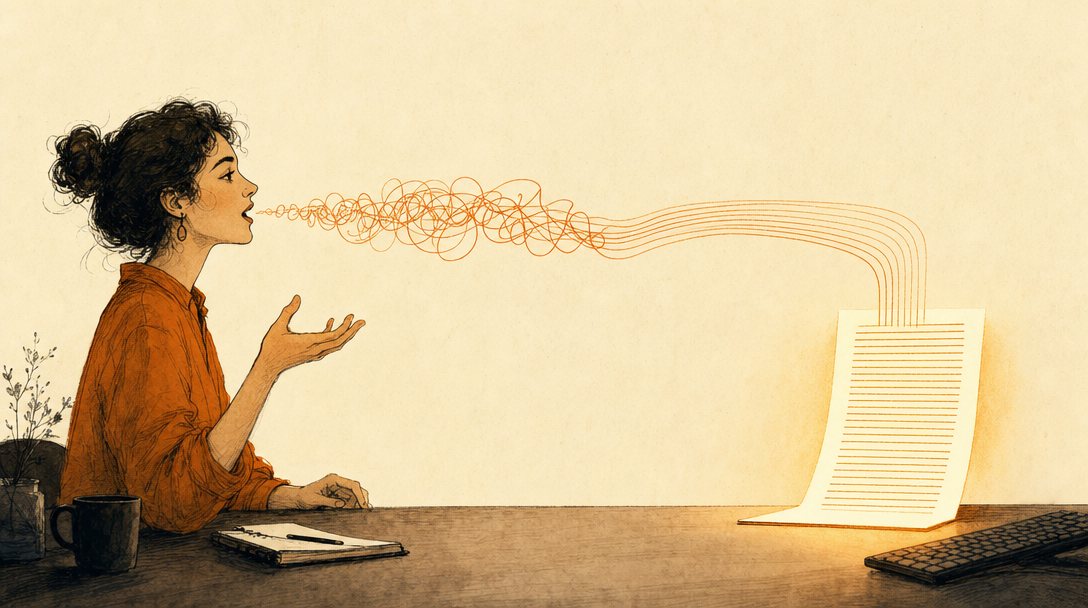
- Free AI dictation on a Mac is FreeFlow plus a free Groq API key, and the whole setup takes about five minutes with no terminal and no subscription.
- On Windows, Linux, or iOS, Spokenly does the same job and runs on-device Whisper or Parakeet models for free with no word caps and no credit card.
- It's Groq with a Q (an inference company, groq.com), not Grok with a K (xAI's chatbot). Paid Groq plans exist and you don't need one.
- FreeFlow's killer feature is that it screenshots your screen when you start dictating, so it spells client names, jargon, and project terms right far more often.
- If nothing pastes, check your cursor is in a text field first, then open Settings > Run Log and copy the exact transcript it captured. You didn't lose it.
- Voice is for volume (briefs, emails, brain dumps) and the keyboard is for precision (passwords, numbers, final polish). It's a first-draft replacement.
- Speaking a five-minute brief carries context you'd never bother to type, and better inputs to Claude produce dramatically better outputs.
The Solo Creators AI Studio
Get this skill, and every one I build.
The whole vaultA new drop monthlyBuild live with meYours to keep, forever
See inside the AI Studio
30-day money-back guarantee. Cancel anytime.
Questions people ask
Is Groq the same as Grok?
No. Groq with a Q is an inference company (groq.com) that runs AI models extremely fast on custom LPU hardware, and that's where your free API key comes from. Grok with a K is xAI's chatbot, a completely different company and product. If you're on the wrong site, the signup flow won't match the steps here. Check the URL: groq.com, Q not K.
Is it really free, and will the free tier run out?
The apps are free (FreeFlow is free and open source, Spokenly is free forever for on-device models with no word caps or credit card). Groq's free tier gives you 2,000 Whisper transcription requests a day and roughly 7,200 audio seconds an hour, which is far more than normal dictation use. Groq does sell paid plans and could change its free tier at any time, so I won't promise free forever. At today's limits, you won't hit them.
Do I need to buy anything from The Solo Creators to use this?
No. The dictation stack is free and it isn't mine to sell. FreeFlow, Spokenly, and Groq's free tier belong to their makers, and this guide gives you the whole setup with nothing held back. What's inside The Solo Creators AI Studio is the layer above it: finished, installable AI skills that turn what you just said into a real deliverable (a carousel, a deck, a website, a stress-tested decision). Free on-ramp, finished work at the destination.
Does the screenshot get stored anywhere?
FreeFlow has no backend server of its own. The only data that leaves your machine is the API call to Groq, and FreeFlow doesn't log or retain it. When context is enabled, a screenshot and window metadata are sent to the context LLM as part of that call so it can spell names and jargon correctly. If you'd rather not send a screenshot, there's no setting for it: FreeFlow has no toggle that turns context or the screenshot off. Deny it Screen Recording permission in System Settings, under Privacy and Security, and the screenshot fails and the app falls back to text-only cleanup by itself. You lose some spelling accuracy and keep everything else.
Does this work on Windows?
FreeFlow is Mac only (it works on both Apple Silicon and Intel Macs). For Windows, use Spokenly instead, which runs on macOS, Windows, Linux, and iOS. Spokenly is free forever with on-device Whisper and Parakeet models, and you can bring your own Groq key at zero markup if you want the same cloud cleanup pass. The setup steps are nearly identical.
Why didn't my long dictation paste?
Check that your cursor is actually sitting in a text field, since that's the most common cause. Then, before you re-record anything, open Settings > Run Log. It shows the screenshot from that run and the exact transcript that was captured, so you can copy your words straight out and paste them where you wanted them. To reduce how often it happens, break long brain dumps into 90-second chunks rather than one three-minute run.
Does it work offline?
FreeFlow with Groq needs an internet connection, because both the transcription and the cleanup happen through the Groq API. If offline dictation matters to you, use Spokenly's on-device Whisper or Parakeet models, which run locally with no API key and no connection. Apple Dictation also has an on-device mode, but it transcribes literally with no cleanup layer.
Can I change how the cleanup rewrites my speech?
Yes, and this is the big advantage over the paid apps. FreeFlow ships a literal dictation cleanup layer as its system prompt and lets you read and edit it, plus a Custom Cleanup option with a simpler, more literal, less context-aware prompt. Tune it in small steps and re-read the output, because an aggressive cleanup prompt starts rewriting you rather than transcribing you. Start literal and loosen only where it's costing you time.

Written by Ronnie Nijmeh
Ronnie spent 18 years building a SaaS with a team of 20 that served over 650,000 customers, generated over $14M in sales, and sent over 550M emails. Now he's solo, solving real business bottlenecks and turning them into working AI skills, workflows, and automations. He teaches all of it, with direct access to him, inside the Solo Creators AI Studio Skool community. See what he's built →
“I completely rebuilt my site using the Website Launch Builder. If you've ever built a website, you'll really appreciate this skill. I'm blessed to be a member.”
 Michael HattawayFounder, Iron Strengthens Iron
Keep reading

Getting started
Build a Second Brain So AI Finally Remembers You
Make AI remember your voice, clients, and decisions, every single time.
How-to
Clear Your Inbox in Your Own Voice: AI Replies That Actually Sound Like You
Mine your own sent folder, then let AI draft replies nobody can tell you didn't write.

Getting started
What Is Claude Code, and How Non-Coders Run a Whole Business On It
The Claude desktop app that builds, designs, and sends real things from plain English.