
Can I run a personal and a work Claude account at the same time on one Mac?
Yes. It depends on your email addresses. If work invites your existing email, one login holds both, and you switch by clicking your initials. Choose "Keep both accounts" on that invite screen. If the accounts use different emails, they're separate logins, and the desktop app holds one at a time. Make a small launcher in Script Editor, in 4 steps with no terminal, that opens a second profile. Don't duplicate the app. To share work, point both accounts at the same folder.
Tool features, plans, and prices as of .
You've got your own Claude account. Then work hands you a seat on their Team plan, on a completely different email address. Now you're stuck signing out of one to get into the other, 20 times a day, and every sign-out means re-authenticating.
There's a fix, and it takes about 2 minutes. You'll end up with 2 Claude windows open side by side, one on each account, each with its own history, its own projects, and its own Claude Code. No terminal, no commands, and nothing to buy.
I'll also show you the check to run first, because a lot of people doing this setup didn't need to.
Why you'd want 2 Claude accounts open at once
This comes up more than you'd think, and it's almost always one of these:
Work gave you a Team or Enterprise seat on a company email. Your personal account is where your side project, your writing, and your own experiments live. You want both, and you don't want your personal chats sitting inside a workspace your employer's admins can see.
You do client work. A client adds you to their organization so you can work inside their tools. That work belongs in their account. Your own business doesn't.
You keep a clean account for demos. Recording a tutorial or running a live workshop is a lot easier from an account with no half-finished projects and no client names in the sidebar.
You're testing something. A fresh account with none of your settings, skills, or history is the only honest way to see what a new person actually experiences.
In every one of these, the 2 accounts are on different email addresses. That's the whole reason this is hard, and it's also the first thing to check.
Check this before you set anything up
Same email on both
- Built-in switcher, zero setup
- Click your initials, lower left
- Separate chats and projects
- Choose “Keep both accounts”
A different email on each
- 2 genuinely separate logins
- No account switcher in the app
- Sign out and back in every time
- Or make the launcher in this guide
Ask whoever runs the Team plan to invite the email you already use. It saves you the whole setup.
Start here: you might not need any of this
Before you set anything up, answer one question. Can both accounts live on the same email address?
Claude lets a single login belong to your personal account and to one or more Team or Enterprise organizations at the same time. If your work invite goes to the email you already use, you get a built-in switcher. Click your initials in the lower left corner, pick the account you want, and you're there. Separate chats, separate projects, no setup at all.
So the highest-value move is a single message to whoever runs the Team plan: ask them to send the invite to your existing email address instead of issuing you a new one. Most admins will do it without a second thought, and it saves you everything below.
The trap that catches people here
When that invite lands on an email that already has a personal account, Claude asks you to choose. The options look similar. They are not.
- Keep both accounts. Your personal account stays yours. You switch between it and the organization from the account menu. This is the one you want.
- Use your organization account only. This migrates your personal work into the company's workspace.
That second option is one-way. Once your chats, artifacts, projects, and uploaded files move into a Team or Enterprise workspace, they can't be moved back out to a personal account. Some things don't survive the trip at all, including custom skills, published artifacts, and public share links.
What “Use your organization account only” actually does
This is the only step in this guide you can’t undo. Choose “Keep both accounts” unless you are completely certain.
If the same-email route is available to you, you're done. Everything below is for the case where it isn't.
Why the desktop app can't just switch
If your 2 accounts are on different email addresses, they're 2 genuinely separate logins, and the Claude desktop app holds one at a time. There's no account switcher in the app today. It's one of the most requested features, and until it ships, signing out and back in is the only built-in way to move between them.
That's fine once a week. It's miserable several times a day.
The good news is that the app has a property that makes a clean workaround possible, and once you know it, the fix is small.
The fix: one tiny launcher
The Claude desktop app keeps everything it stores (your login, your history, your settings) inside a single folder. It'll also accept an instruction at startup telling it to use a different folder instead.
Point a second launch at a different folder and you get a completely independent Claude: its own login, its own history, running at the same time as your first one. Neither one can see the other's data.
You're not installing a second Claude. You're making a small shortcut that opens the Claude you already have, pointed at a second, separate profile. It's a few kilobytes, and your existing app keeps updating itself normally.
Here's what you're about to do.
2 Claude accounts, side by side, in 4 steps
No terminal. Nothing to buy. Your original account is never touched.
Step by step, all clicking
You'll use Script Editor, which is already on your Mac. You won't type a single command anywhere.
Step 1: Open Script Editor
Press Command + Space to open Spotlight, type Script Editor, and press Return. When it opens, choose New Document.
You now have an empty window with a big text area. That's all you need.
Step 2: Paste in the instruction
Click into the empty area and paste this in exactly as it appears:
set d to (POSIX path of (path to home folder)) & "Library/Application Support/Claude-Work"
do shell script "mkdir -p " & quoted form of d
do shell script "open -n -a " & quoted form of "/Applications/Claude.app" & " --args --user-data-dir=" & quoted form of d
In plain English, those 3 lines say: pick a folder for the second account, create it if it isn't there, then open Claude and tell it to use that folder.
The only part worth changing is Claude-Work. That's the name of the folder holding your second account's data. If you're setting this up for a client, Claude-ClientName reads better a year from now. Keep it to letters, numbers, and dashes.
Step 3: Save it as an app
Go to File > Export in the menu bar. In the dialog that opens:
- Set File Format to
Application - Name it something you'll recognize in your Dock, like
Claude Work - Save it to your Applications folder
Click Save. You just made an app. It'll appear in your Applications folder and in Launchpad like anything else you've installed.
Step 4: Open it and sign in
Double-click your new app. A second Claude window opens.
It'll be completely empty. No chats, no projects, nothing. Read the next section before you panic, because this part scares people badly.
Sign in with your second account. That's it. Both accounts are now open at the same time, in 2 separate windows.
From now on, that app is how you open the second account. Your normal Claude icon still opens your original account, exactly as it always did.
The blank window is supposed to be blank
This deserves its own section because of how alarming it looks.
When that second window opens with an empty sidebar, it reads exactly like every project and conversation you've ever had just got deleted. It hasn't. You're looking at a brand new profile, which has no history because nothing has happened in it yet.
Your original account is untouched, sitting in its own folder, with every chat and project exactly where you left them. Close the new window and open your normal Claude icon if you want to confirm it before going any further. It's worth doing once, just for the peace of mind.
The rule to remember: a new profile always opens empty. That's correct, not catastrophic.
What you actually get
Claude Code works in both accounts. Claude Code runs inside the desktop app, so each account gets its own, with its own separate project and session history. Work you do for the company stays in the company's account. Your own projects stay in yours. Nothing crosses over.
Your first account is never touched. The 2 profiles are separate folders on your Mac. Nothing is shared, merged, or moved between them.
What stays separate, and what doesn’t have to
Separate for each account
- Chat and project history
- Claude Code sessions
- Logins, settings, and memory
- What your employer’s admins can see
Shared, if you want it
- Any folder you point both at
- The files, docs, and code inside it
- Your actual work product
- Anything you keep on your disk
Your work lives on your disk, not inside an account. That’s why it can cross over even though your history can’t.
You can add more than 2. Repeat the 4 steps with a different folder name and a different app name for a third account, a fourth, however many you need.
Can you share sessions between the 2 accounts?
This is the first thing people ask once both accounts are running, and the answer has a useful split in it: your chat history stays separate, but your actual work doesn't have to be.
What you can't do
There's no account-to-account migration. Anthropic's support documentation is explicit that exported data can't be imported into another personal Claude account, and that migrating data between personal accounts isn't supported. You can export your own data from Settings > Privacy for backup, but there's no import button waiting on the other side.
Projects don't cross accounts either. Inside a Team or Enterprise organization you can share a project with other members of that same organization. That sharing stops at the organization boundary, so a project living in your personal account can't be shared into your work account.
The one exception is the one-way migration covered earlier, which moves your entire personal account into an organization. That isn't sharing. That's handing it over.
What you can do, best option first
1. Point both accounts at the same folder. This is the one that actually matters, and most people miss it.
Claude Code connects to a folder on your Mac, and a folder is just a folder. Nothing stops your personal Claude Code and your work Claude Code from both connecting to the same one. The files, documents, notes, and code are shared instantly, because they live on your disk rather than inside an account. Only the conversation about them is separate, which is usually exactly what you want.
One real caution: don't work in the same folder from both accounts at the same time. 2 assistants editing the same files in parallel is a genuine way to lose work. Finish in one, then switch.
2. Share a single conversation with a link. Any account can create a shareable link to a chat. The link captures a snapshot of everything sent up to that moment, including artifacts, so you can open it while signed into the other account and read the whole thing. Anything sent after you created the link stays private, so share again if the conversation keeps going.
This is the right tool for "I worked this out in my personal account and I want it in front of me at work."
3. Hand off the context in a prompt. For anything involved, a link isn't as useful as a proper briefing. Ask the account that did the work to write one:
I'm moving this work to a different Claude account, and I'll be starting
from a completely empty conversation there.

Write me a handoff brief I can paste in as the first message. Include:
- What we're building and why, in 3 sentences
- Every decision we've made, and the reasoning behind each one
- What we already tried that didn't work, so it doesn't get repeated
- The exact files and folders involved
- What the very next step is

Write it for someone with zero context picking this up cold. Don't
summarize our conversation. Brief my replacement.
Paste the result into the other account as your opening message. You'll be up to speed in one message instead of re-explaining for 20.
4. Memory, with a real caveat. Claude can export and import its memory of you, under Settings > Memory. It's built for moving between Claude and other AI providers, and Anthropic describes imports as experimental and still in active development, noting Claude may not always successfully incorporate them. Treat it as a bonus, not a dependable transfer.
What this doesn't fix
Here's the honest limitation, because most write-ups skip it.
Both windows use the same Dock icon. Your launcher starts the real Claude app and then quits, so what you're actually looking at is ordinary Claude, showing the ordinary Claude icon. Giving your launcher a custom icon changes how the launcher looks in Finder. It does not change the running window.
In practice you tell them apart by what's inside: the account name in the corner, and the projects in the sidebar. For most people that's enough. If it isn't, the only way to get a different Dock icon is duplicating the whole app, and that costs more than it's worth. Which brings us to the traps.
2 traps worth skipping
Don't duplicate the Claude app
The most common advice online is to copy the entire Claude app, rename the copy, and edit its internal settings file. It works. It also costs you 3 things:
| Small launcher | Duplicated app | |
|---|---|---|
| Disk space | A few kilobytes | Around 750 megabytes |
| Stays up to date | Yes, one app that updates itself | No, the copy falls behind every release |
| Setup | 4 steps, no terminal | Copying and editing internal files |
| Different Dock icon | No | Yes |
That middle row is the one that bites. The duplicate silently stops updating. Claude ships changes constantly, and a few months later you're working in a stale copy and wondering why a feature everyone's talking about isn't there. Then you get to redo the whole thing by hand.
The launcher avoids all of that. One app, always current.
Don't pay for an app that does this
There are paid Mac apps that sell exactly this, wrapped in a nicer interface. What you just built is the same mechanism. There's nothing to buy here. If a tool saves you time, fine, but know that you're paying for packaging around a 4-step setup, not for capability you're missing.
Let Claude build it for you instead
If you'd rather not click through Script Editor, hand the job to the Claude you already have. Open the Claude desktop app, connect it to a folder, and paste this in:
I want to run a second Claude account on this Mac at the same time as my
current one, without signing out of either.

Build me a small launcher app that opens the Claude desktop app I already
have, pointed at a separate data folder, so the second account gets its own
login and its own history.

Requirements:
- Do NOT duplicate or modify the real Claude app. It has to keep auto-updating.
- Put the launcher in my Applications folder and name it "Claude Work".
- Name the second profile folder "Claude-Work".
- When you're done, show me exactly where you put it and confirm my existing
  Claude profile is untouched.

Before you build anything, tell me in plain English what you're about to do
and what could go wrong. Then wait for me to say go.
That last paragraph matters more than the rest. Making it explain itself before it acts is the single habit that separates people who get good results from AI and people who get expensive surprises. Use it on everything, not just this.
Undoing it, if you change your mind
Nothing here is permanent. To reverse it completely:
Undoing the whole thing, in 2 steps
Your original account and everything in it are unaffected.
Your original account and everything in it are unaffected. Emptying the Trash will sign out that second account, so make sure you know its password before you do.
Check the current state before you follow this
Claude changes fast. Anthropic ships updates to the apps, the plans, and the account system constantly, and this guide is a snapshot of how things worked in July 2026 on macOS. Some of it will age.
3 things worth re-checking before you invest time:
Account switching may simply become a feature. Built-in multi-account switching is one of the most requested items on Claude's public issue tracker. If it ships, most of this guide becomes unnecessary, and that's a good outcome.
The instruction your launcher uses is not an official Claude setting. It's a standard feature of the underlying technology the desktop app is built on. It works reliably today and it's widely used for exactly this, but it isn't a promise Anthropic has made, so a future update could change it.
Plan details move. What's included with a Team or Enterprise seat, how invitations behave, and what the migration screen offers have all changed before and will change again.
So treat this as a working method, not a permanent one. Check Anthropic's own support site for the current behavior before you follow along, especially anything involving that one-way migration screen, which is the only step here you can't undo.
The reassuring part: nothing in this guide can damage your existing account. The worst case if something changes is that the launcher stops opening a second window, and you're back to signing out and back in.
Your checklist, start to finish
Here's the whole thing in one place, in order, so you can work down it without scrolling back.
Your checklist, start to finish
Nothing here touches your existing account. The only step you can’t undo is the migration in item 2.
And the 3 lines for step 4, one more time:
set d to (POSIX path of (path to home folder)) & "Library/Application Support/Claude-Work"
do shell script "mkdir -p " & quoted form of d
do shell script "open -n -a " & quoted form of "/Applications/Claude.app" & " --args --user-data-dir=" & quoted form of d
The bigger pattern here
You just solved a real problem in 4 steps, using a tool that was already on your Mac, without paying anyone and without touching a terminal.
That's the whole skill. Not this specific launcher, but the habit: when software won't do the thing you need, the answer is usually a small piece of glue you can describe in plain English and have built for you in a couple of minutes.
That's what I do all day. I can't write a line of code. I've shipped a website, a weekly newsletter, an iPhone app Apple approved, and a stack of tools my business runs on, all by describing what I wanted and reviewing what came back.
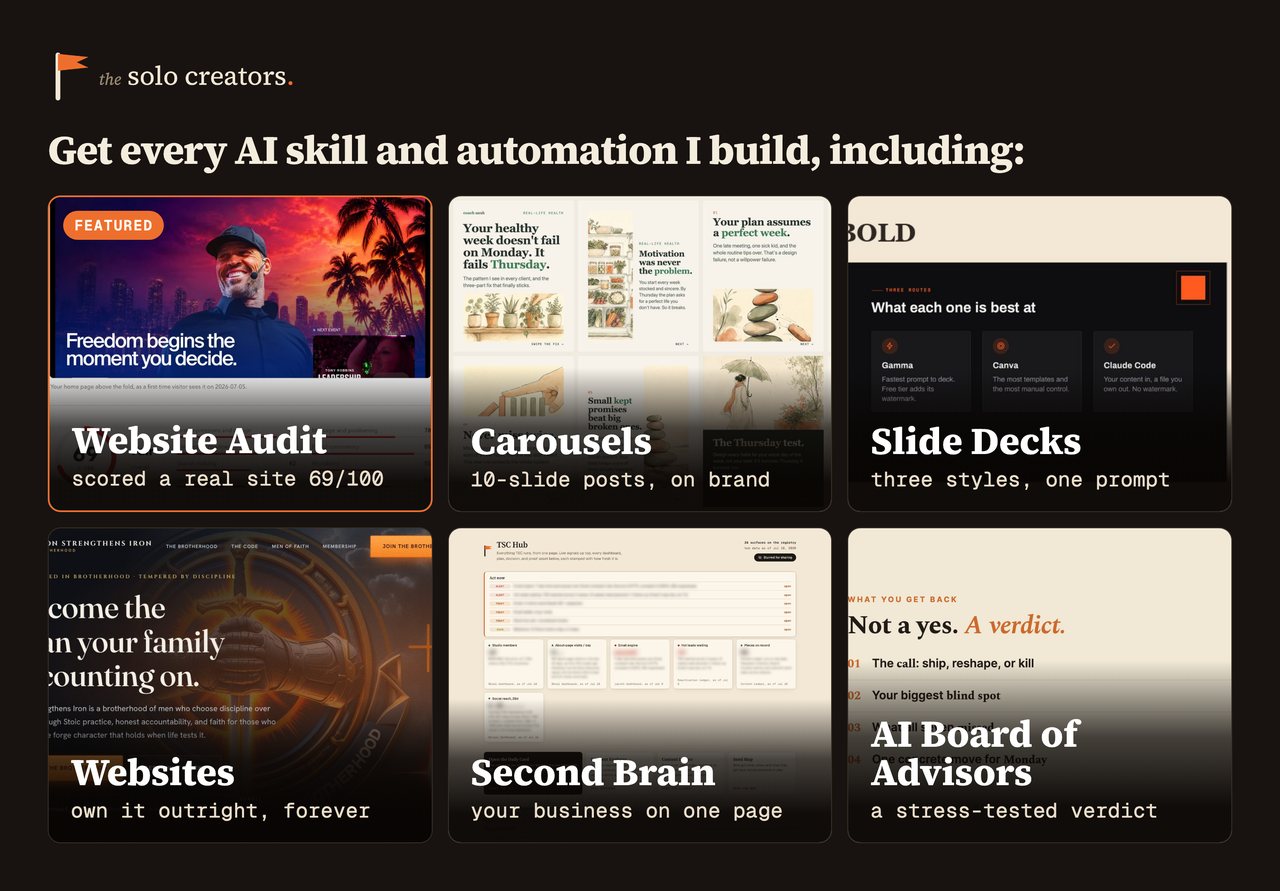
Inside The Solo Creators AI Studio, you don't build any of it yourself. You get the finished skills already made: a carousel maker, a slide deck builder, a website builder, a board of AI advisors, a second brain, and a new one every month. You install them with a drag, and a direct line to me comes with it.
Key takeaways
- Check the easy path first. One Claude login can belong to your personal account and to Team organizations at the same time. If work invites your existing email, you get a built-in switcher and zero setup.
- On that invite screen, choose "Keep both accounts." The other option migrates your personal work into the company workspace and it's one-way, with no way back.
- Different email addresses mean 2 separate logins, and the desktop app holds one at a time. There's no account switcher in the app today.
- The fix is a small launcher you make in Script Editor, in 4 steps, with no terminal and nothing to buy. It opens the Claude you already have, pointed at a second profile.
- Your work can be shared even though your history can't. Point both accounts at the same folder on your Mac and the files are shared instantly. Only the conversation about them stays separate.
- A new profile opens completely empty. That's correct. It looks like data loss and isn't. Your original account sits untouched in its own folder.
- Don't duplicate the Claude app. It costs about 750MB, and the copy stops auto-updating, so it quietly falls behind every release.
- There's no account-to-account migration. Anthropic doesn't support importing exported data into another personal account, so use a shared folder, a chat share link, or a handoff prompt instead.
Get this skill, and every one I build.
30-day money-back guarantee. Cancel anytime.
Questions people ask
Can I have 2 Claude accounts?
Can I run 2 Claude accounts at the same time on one Mac?
Does the Claude desktop app have an account switcher?
Will this delete my existing Claude chats or projects?
Does Claude Code work in both accounts?
Should I duplicate the Claude app instead?
Do I need to pay for an app to run multiple Claude accounts?
Can I add a third or fourth Claude account?
Can I share chats or projects between 2 Claude accounts?
Can I move my Claude history from one account to another?
How do I share my actual work between 2 Claude accounts?

Ronnie spent 18 years building a SaaS with a team of 20 that served over 650,000 customers, generated over $14M in sales, and sent over 550M emails. Now he's solo, solving real business bottlenecks and turning them into working AI skills, workflows, and automations. He teaches all of it, with direct access to him, inside the Solo Creators AI Studio Skool community. See what he's built →
 Michael HattawayFounder, Iron Strengthens Iron
Keep reading