See when you'll hit a savings goal with a calculator in chat
Your question comes back as a working calculator built for your goal, right inside the answer.
Published . Steps as of November 2026.
How can I figure out when I'll reach my savings goal?
Ask ChatGPT to build a savings calculator from your goal and monthly amount, then try other numbers inside the chat. As of November 2026, interactive answers like this are on every plan, including Free, in the Chat tab. If you just want one number, ask for plain text instead. If you're weighing a few options, test each monthly amount and compare the dates. It's for planning only, so don't use it to choose investments.
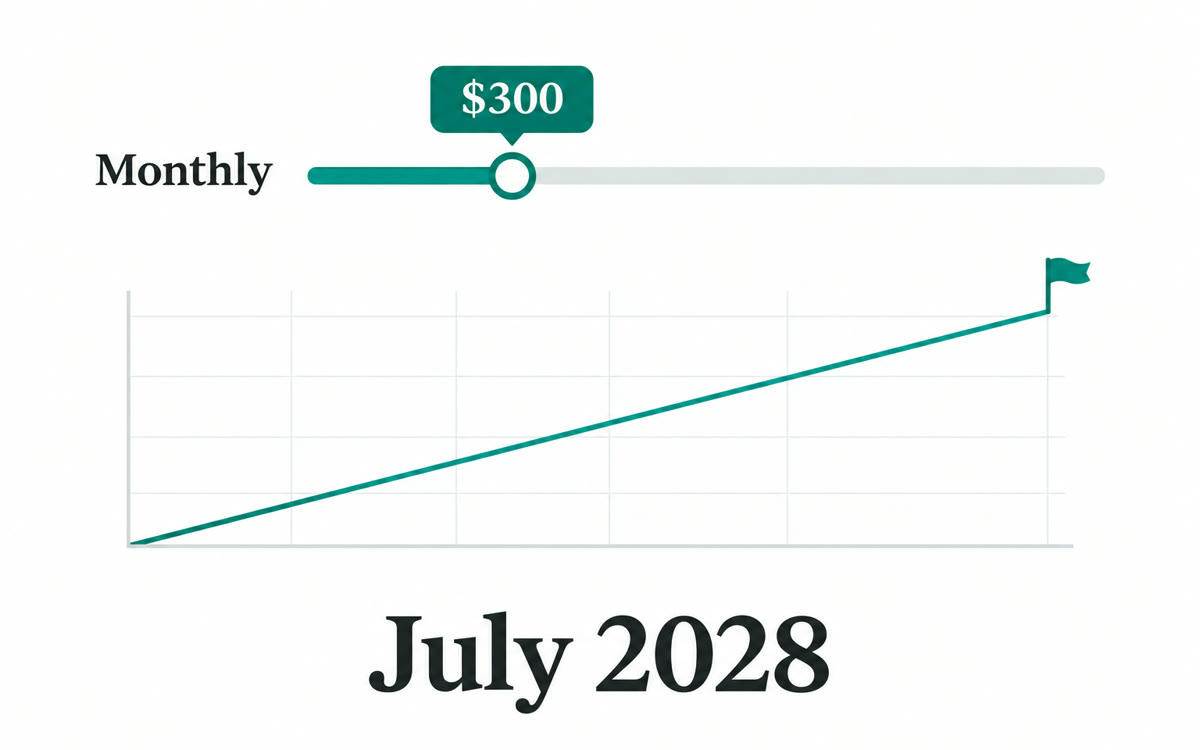
A sample of what you get back, made with AI.
Your prompt
Fill in your details. Skip any you like.
ChatGPT opens with your prompt already typed in. It's copied too, just in case.
The prompt that gets copied
I'm saving for [YOUR GOAL, e.g. a new roof] and I need [TARGET AMOUNT, e.g. $6,000]. I've already got [AMOUNT SAVED, e.g. $500] and I can set aside about [MONTHLY AMOUNT, e.g. $200] a month. I'd like to get there by [TARGET DATE, e.g. next summer].

Build me a simple savings calculator right here in this chat, so I can change the monthly amount and see when I'd reach my goal. If you can't make an interactive one, give me a table of five monthly amounts with the finish date for each.

Then tell me in plain words: am I on track, what would I need to set aside to hit my date, and what happens if I skip a month?

This is for planning only. Don't recommend any investments or financial products, and don't assume any interest unless I give you a rate.
Describe your goal and what you can set aside, and ChatGPT builds a savings calculator inside the chat so you can try different amounts and see the date change.
Step by step
- Open a new chat in ChatGPT on the web or in the current mobile app
- Paste the prompt below and fill in your numbers
- Change the amounts in the calculator to test other monthly savings
- Ask a follow-up about which monthly amount fits your budget
What you'll get
A savings calculator in the chat, or a table if it can't build one, plus a plain answer on whether you're on track for your date.
Interactive answers reached every plan, including Free, in October 2026. They may not appear every time, so the prompt has a table fallback.
- Made for
- Everyone
- Works in
- ChatGPT